> For the complete documentation index, see [llms.txt](https://docs.bdb.ai/data-pipeline-2/llms.txt). Markdown versions of documentation pages are available by appending `.md` to page URLs; this page is available as [Markdown](https://docs.bdb.ai/data-pipeline-2/components/transformations/email-component.md).

# Email Component

**Email component** is designed to send email in a specified format to one or multiple receivers.

All component configurations are classified broadly into 3 section

* ​[​Basic Information​](/data-pipeline-2/components/component-base-configuration.md)​
* Meta Information
* ​[Resource Configuration​](/data-pipeline-2/components/resource-configuration.md)​

{% hint style="success" %}
*Follow the given steps in the demonstration to configure the Email component*.
{% endhint %}

{% embed url="<https://files.gitbook.com/v0/b/gitbook-x-prod.appspot.com/o/spaces%2Fuq3RSHHup7fjHYaspk7y%2Fuploads%2FHl6bOr0Dz41VvkiJHY2N%2Femail%20component%20(online-video-cutter.com).mp4?alt=media&token=6bd84ce6-6b0c-4ded-b0be-4d3a8a7538ae>" %}
Configuring an email component
{% endembed %}

## **Configuring Meta information of Email Component**

* **Subject:** Specify subject of the email.&#x20;
* **HTML Editor:** Specify body of the email. Attachment: Whether to send in-event data as attachment(Yes/No).&#x20;
* **Receivers:** Specify the receivers email address(If more than one provide emails separated by comma).&#x20;
* **TLS:** Checkbox to enable or disable Transport Layer Security.&#x20;
* **Email User Name:** The email username that has been configured with the SMTP server. &#x20;
* **Encryption Type:** Select the encryption method from the dropdown.
  * **SSL**&#x20;
  * **TLS**&#x20;
  * **None**
* **Email Password:** Provide the password for the email that has been configured in SMTP server.
* **Enable SSL Email From:** Email address of the sender that has been configured with the SMTP server.&#x20;
* **Email Port:** Provide SMTP port.&#x20;
* **Disable Email Sending:** Option to disable the sending of the email.&#x20;
* **Email Input:** These selected input field will go to out-event and these can be used in email body.
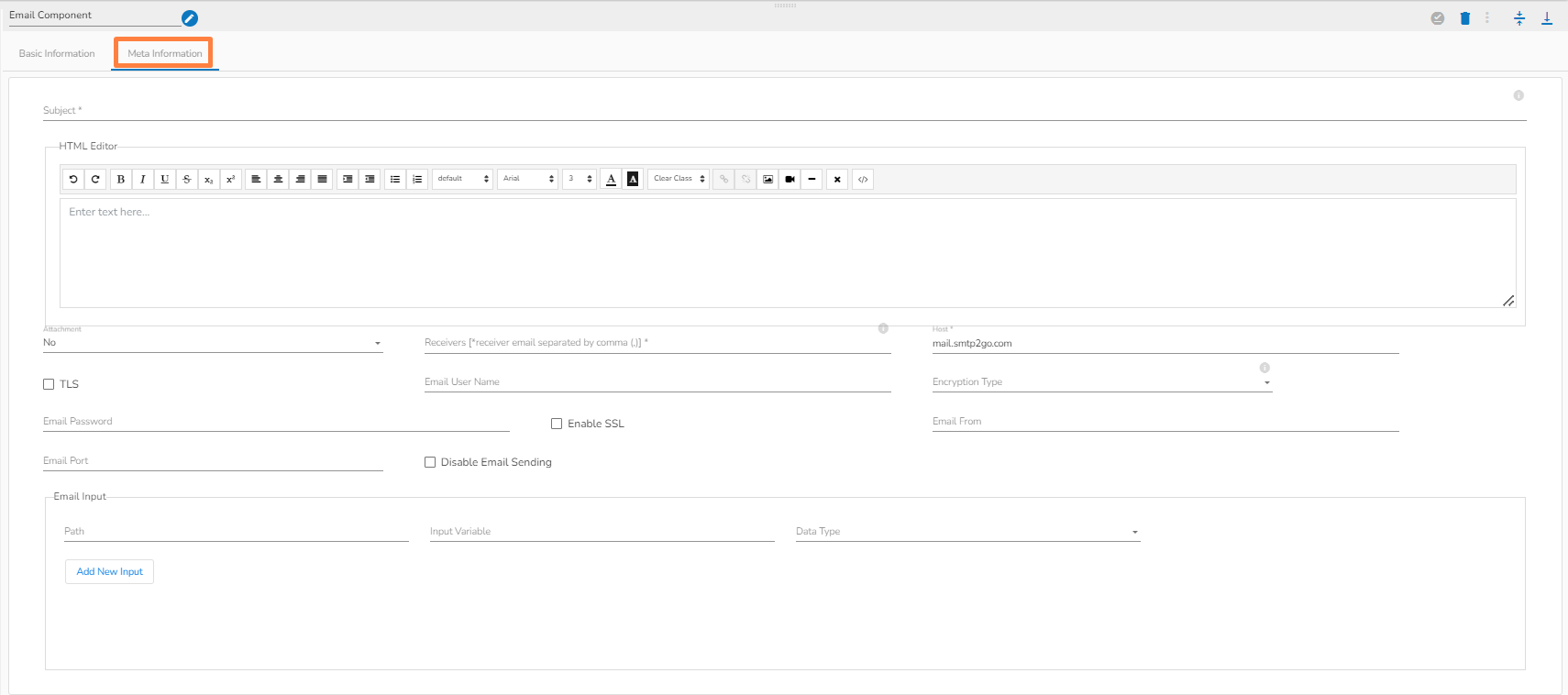
<figure><img src="https://content.gitbook.com/content/q2i9CKCFbySxr6jRoJfA/blobs/GnczJDlnyCcQ9RNil514/image.png" alt=""><figcaption><p>Meta info of Email component</p></figcaption></figure>

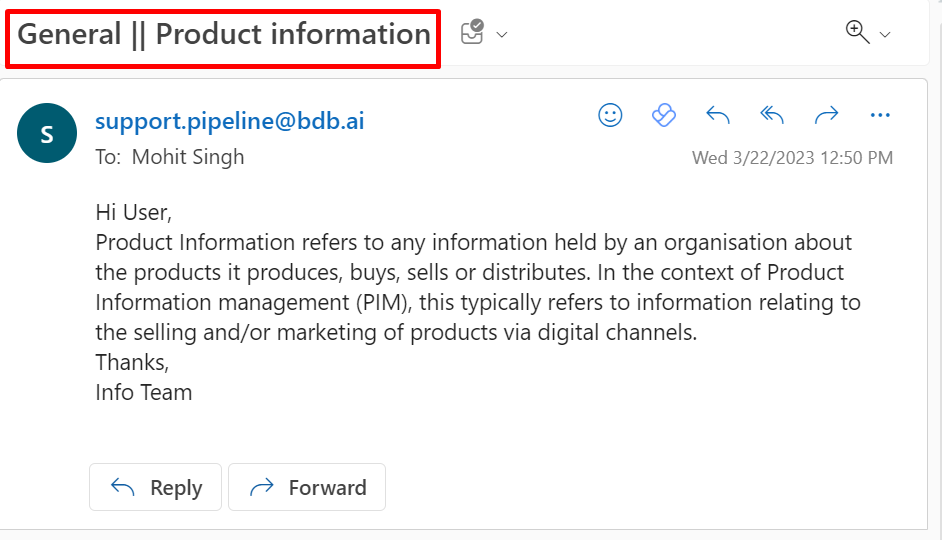
{% hint style="success" %}
*<mark style="color:green;">Please Note:</mark> The below given image represents a model email sent to the configured receivers.*
{% endhint %}

<figure><img src="https://content.gitbook.com/content/q2i9CKCFbySxr6jRoJfA/blobs/Kem7GzLKpIm8XsRKXiot/MicrosoftTeams-image%20(109).png" alt=""><figcaption></figcaption></figure>