> For the complete documentation index, see [llms.txt](https://docs.bdb.ai/self-service-visualization-4/llms.txt). Markdown versions of documentation pages are available by appending `.md` to page URLs; this page is available as [Markdown](https://docs.bdb.ai/self-service-visualization-4/report-final-screen/options-assigned-to-a-view/analyse/timeline-play.md).

# Timeline Play

The user can avail a timeline play for a saved View that contains time value.

The user can access the Timeline play for a saved View from the Report. This feature allows the users to see the data changes over time.&#x20;

{% hint style="info" %}
*<mark style="color:green;">Pre-requisite:</mark>*&#x20;

*In order to utilize the **Timeline Play** feature, it's essential to have at least one Time dimension within the chosen Data Store. This time element should be linked to the relevant **View** during the configuration of **Timeline Play**.*
{% endhint %}

{% hint style="info" %}
*Check out the below-given walk-through on the Timeline Play functionality.*
{% endhint %}

{% embed url="<https://files.gitbook.com/v0/b/gitbook-x-prod.appspot.com/o/spaces%2Fq1Y2nC9XDrWcLwg1gpYr%2Fuploads%2Ffz2zfaz9K2bz2VI8nbGt%2FTimeline%20Play.mp4?alt=media&token=9560e5f4-c644-4a31-ac32-aece0d3bdb6d>" %}
***Timeline Play applied within the selected Time values***
{% endembed %}

Steps to apply Timeline Play action:

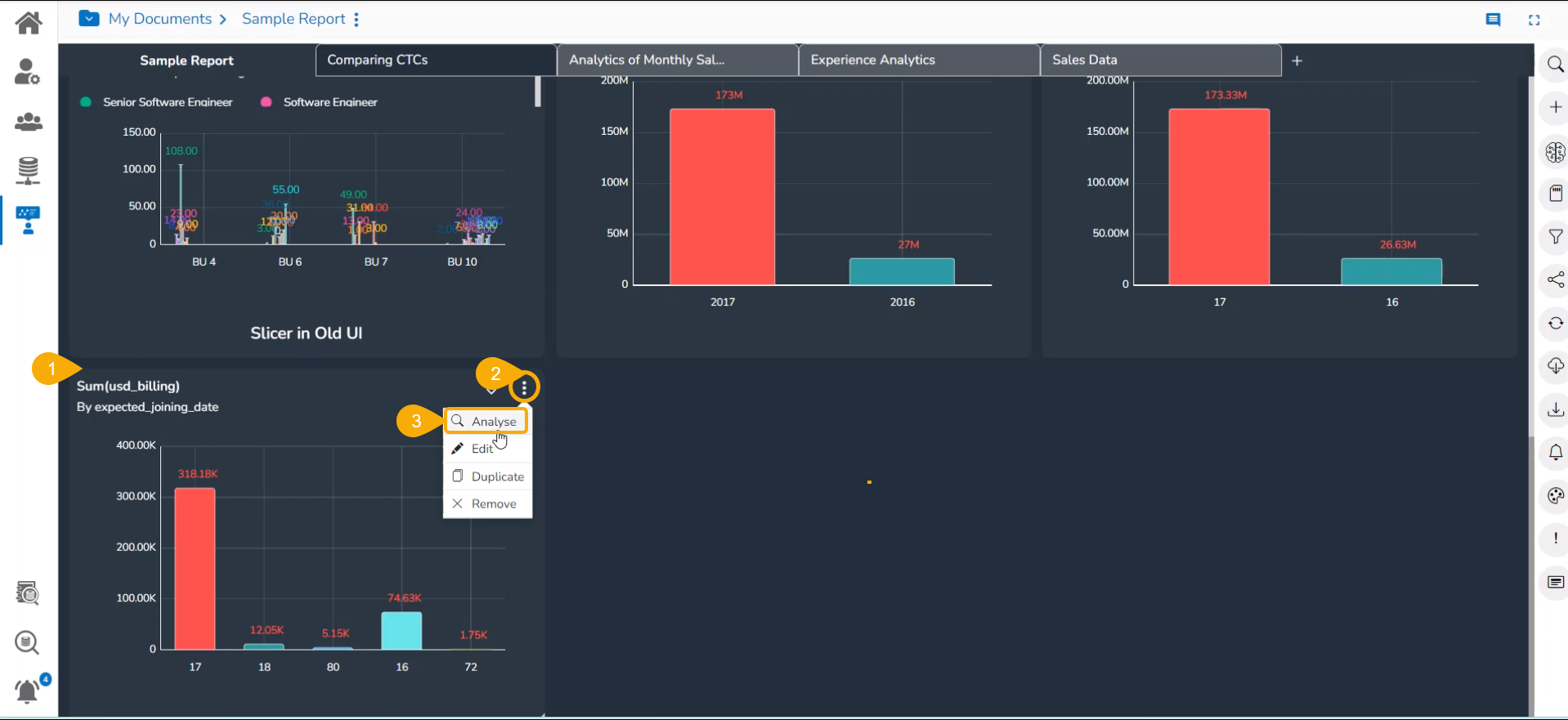
* Navigate to the final screen for a report.
* Select a View.&#x20;
* Click the ***Analyse*** ico&#x6E;*.*

<figure><img src="https://content.gitbook.com/content/vIDgRfkRB1bQpGtEDFfQ/blobs/zAvw5968y616OUa3exPg/image.png" alt=""><figcaption></figcaption></figure>

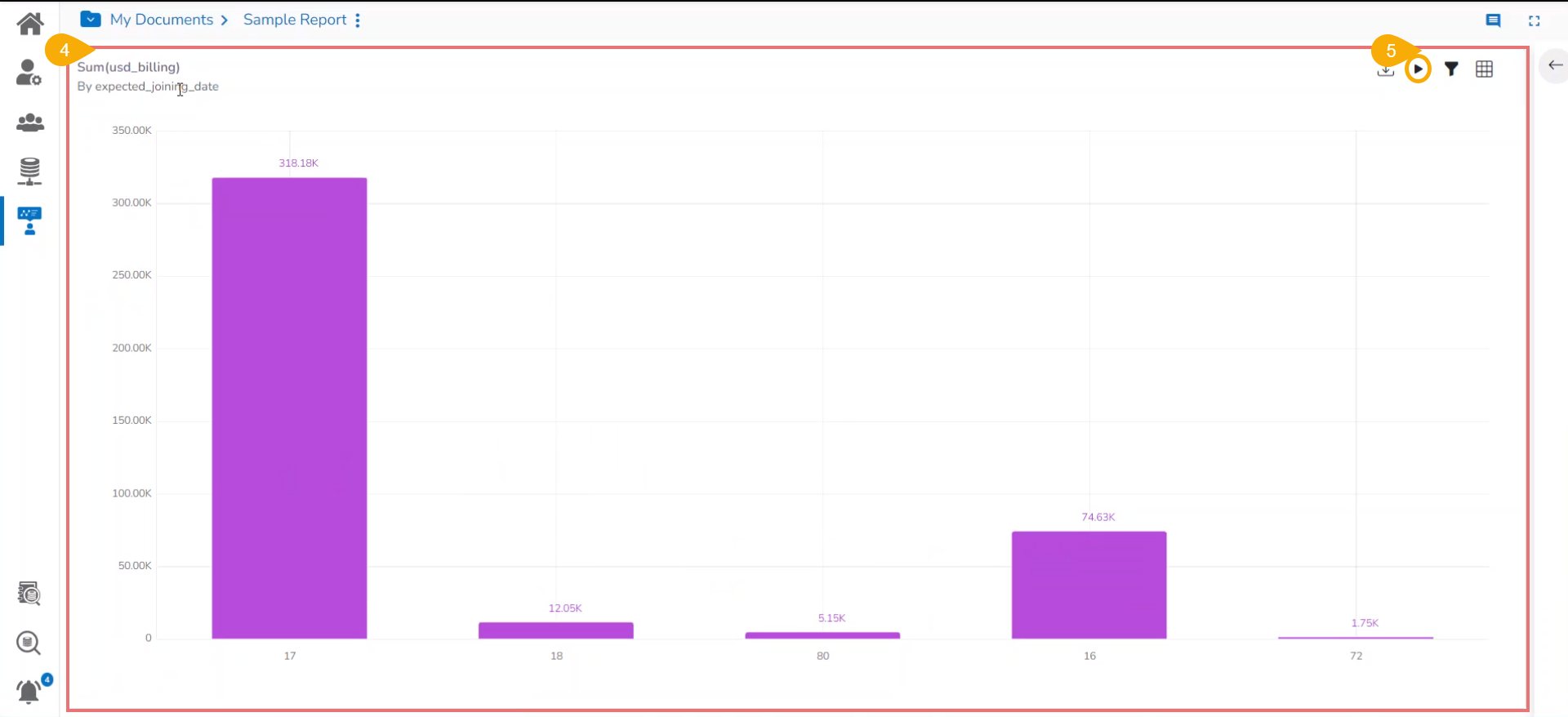
* *The **View** gets opened in the **Analyse** mode.*
* Click the ***Timeline*** ***Play*** icon.

<figure><img src="https://content.gitbook.com/content/vIDgRfkRB1bQpGtEDFfQ/blobs/6hZn2abD8ubZCYD6VxzY/image.png" alt=""><figcaption><p><em><strong>Accessing the Timeline Play icon</strong></em></p></figcaption></figure>

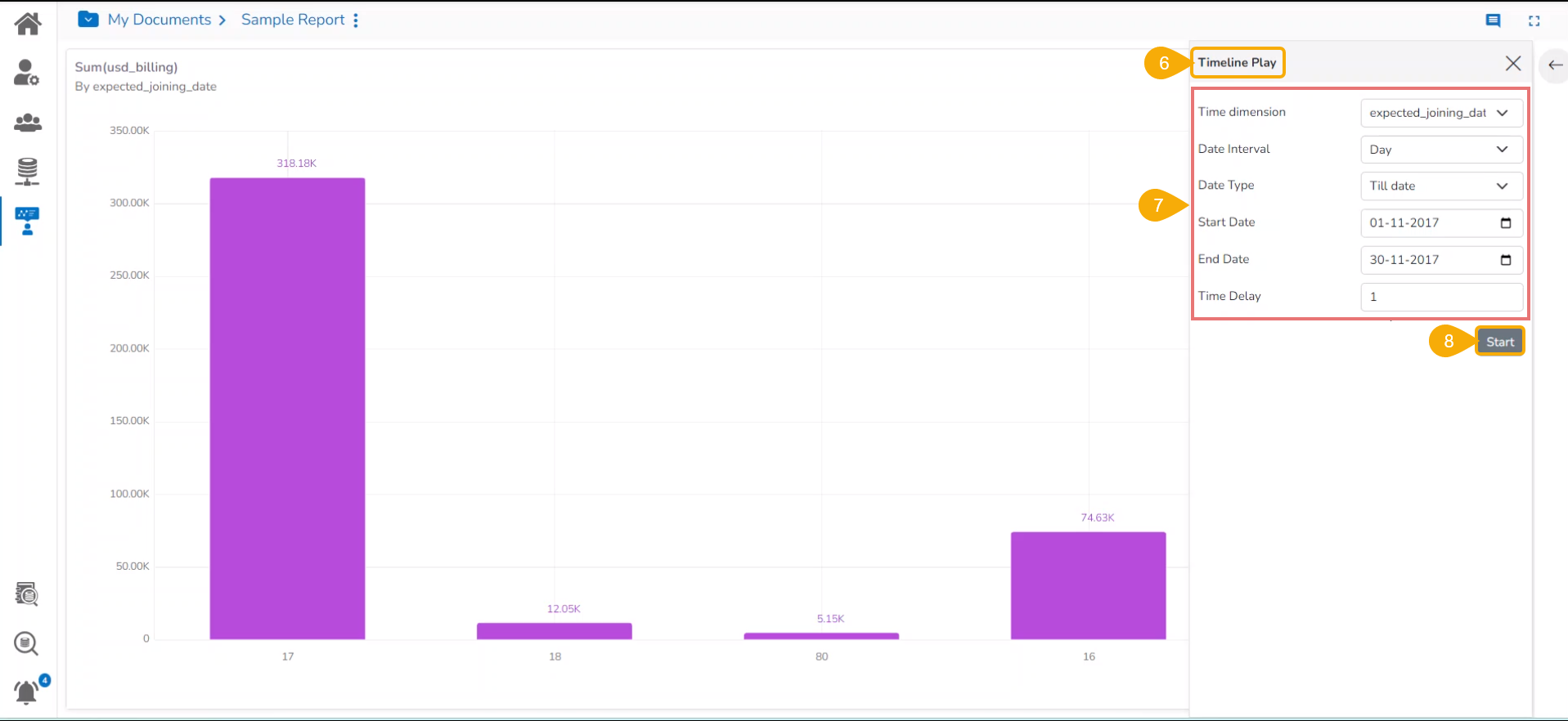
* The ***Timeline Play*** window opens.
* Fill in the required information in the Timeline Play window:
  * Time Dimension
  * Date Interval
  * Date Type
  * Start Date
  * End Date
  * Time Delay
* Click the ***Start*** option.

<figure><img src="https://content.gitbook.com/content/vIDgRfkRB1bQpGtEDFfQ/blobs/do00bo3sHsrmspYv25X4/image.png" alt=""><figcaption><p><em><strong>Configuring information to start Timeline</strong></em> </p></figcaption></figure>

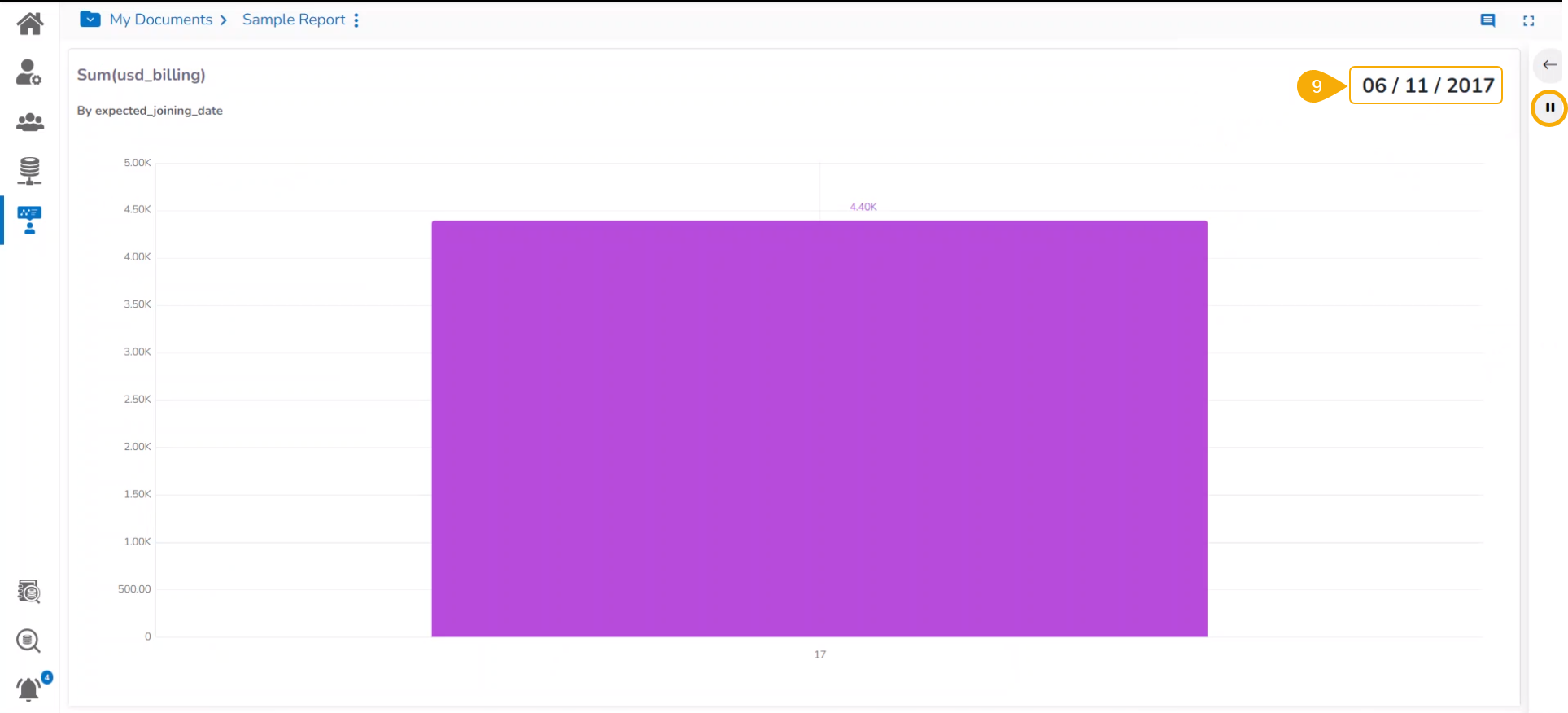
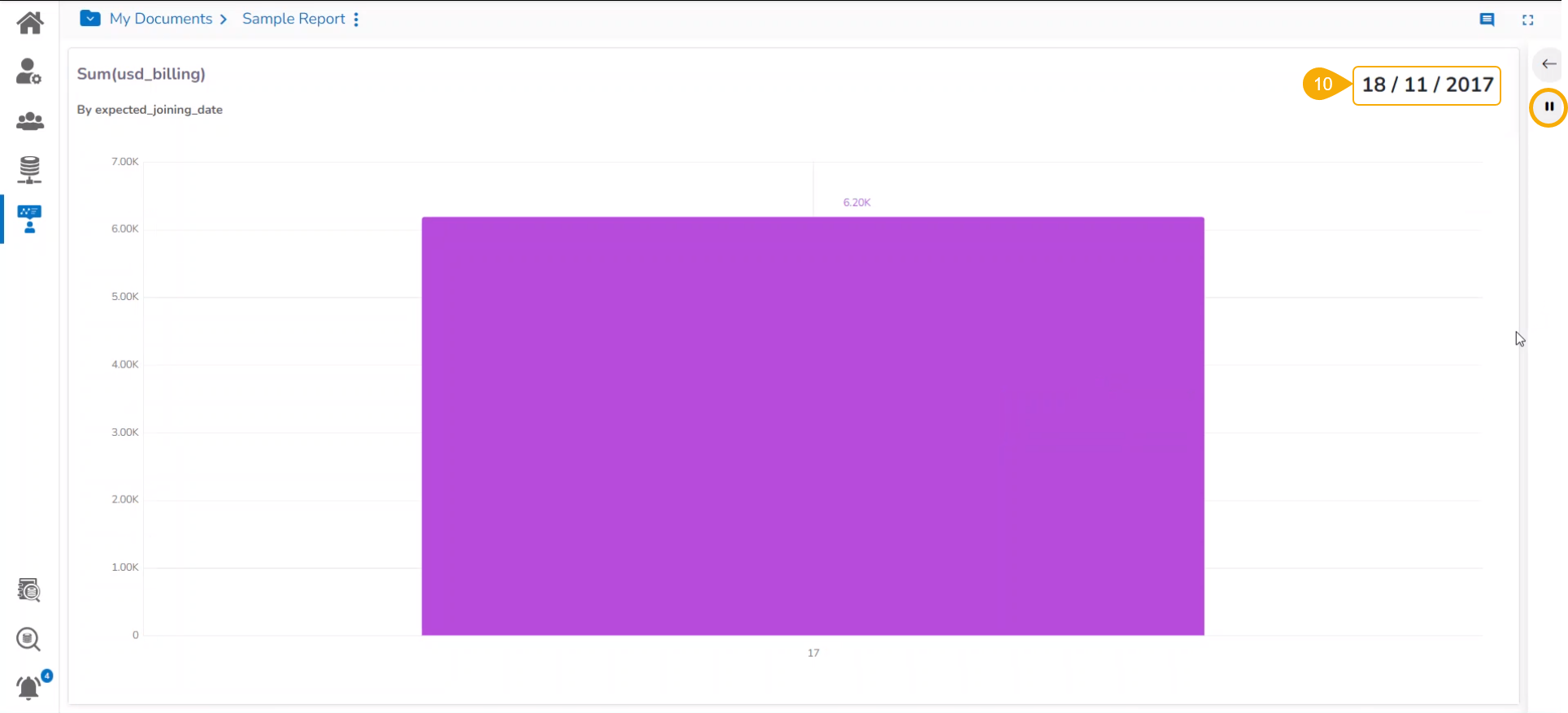
* The timeline play gets displayed for the selected time period. The given images displays day wise&#x20;

E.g., the below image displays data for the date 6th November 2017.

<figure><img src="https://content.gitbook.com/content/vIDgRfkRB1bQpGtEDFfQ/blobs/oSBAqmFG2tcvtdsLJQQp/image.png" alt=""><figcaption><p><em><strong>Timeline in play mode</strong></em></p></figcaption></figure>

E.g., the following image displays data for the date 18th November 2017.

<figure><img src="https://content.gitbook.com/content/vIDgRfkRB1bQpGtEDFfQ/blobs/eOkoTlom9rJ2xXDIJtnf/image.png" alt=""><figcaption><p><em><strong>Timeline in play mode</strong></em></p></figcaption></figure>

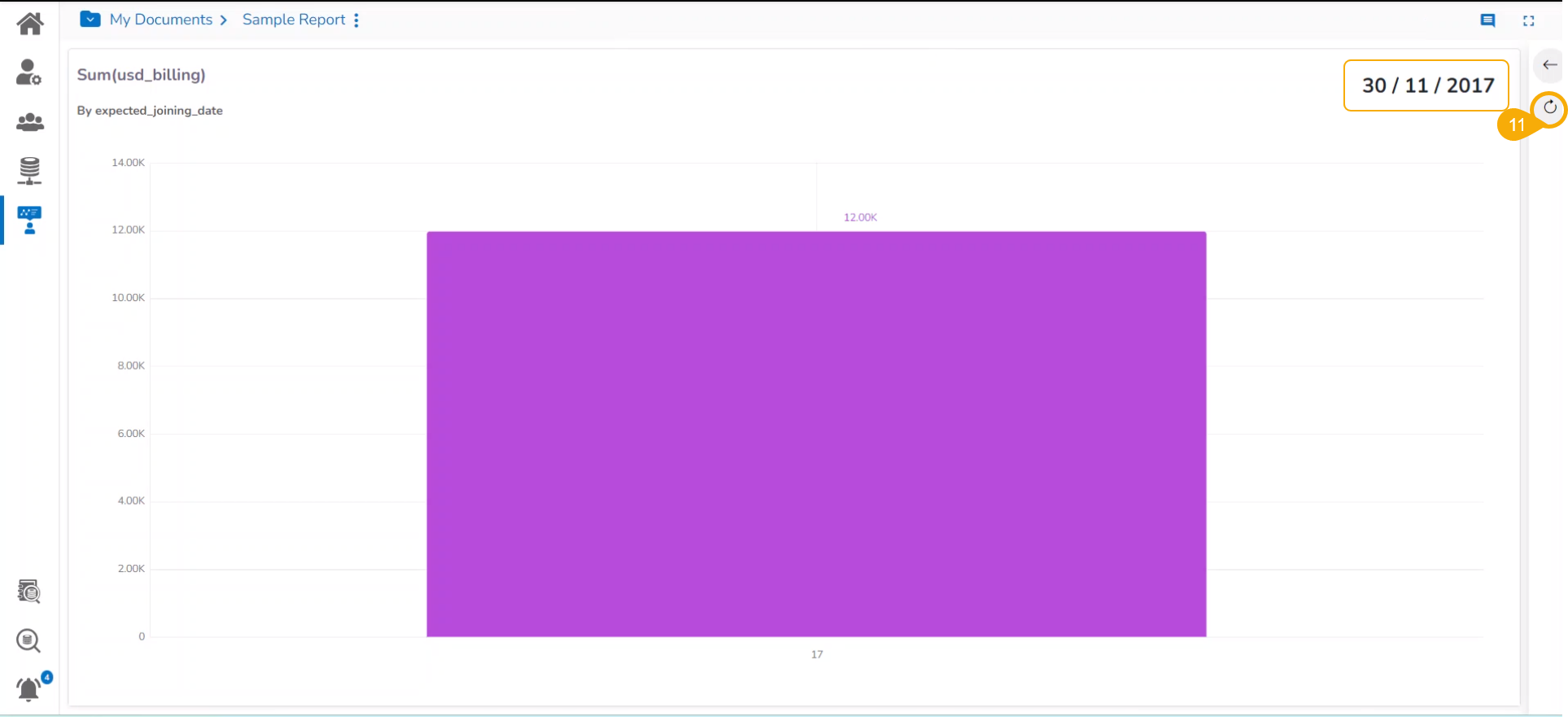
* After all the selected Timeline values get played, the ***Resume*** icon gets changed into ***Replay***.&#x20;

<figure><img src="https://content.gitbook.com/content/vIDgRfkRB1bQpGtEDFfQ/blobs/d7hVIGnViU4is1FtsG4N/image.png" alt=""><figcaption><p><em><strong>After Timeline Play gets ended</strong></em></p></figcaption></figure>

{% hint style="info" %}
*<mark style="color:green;">Please Note:</mark>*&#x20;

* *The timeline play can be paused by clicking the **Stop*** ![](https://content.gitbook.com/content/vIDgRfkRB1bQpGtEDFfQ/blobs/ZHCUZvr1b1JrVL8cHxYL/image.png) *icon.*
* *The user can resume the stopped timeline play by clicking the **Resume*** ![](https://content.gitbook.com/content/vIDgRfkRB1bQpGtEDFfQ/blobs/ss08Qa1EJSXXyFmC0sej/image.png) *icon.*
* *Once the timeline play gets over, a* **Chart** <img src="https://content.gitbook.com/content/vIDgRfkRB1bQpGtEDFfQ/blobs/YznTePGGMD9xN3vjyDW6/image.png" alt="" data-size="original">*icon (**Replay**)  appears using which the users can replay the timeline play.*
* *You can click on the **Close Timeline Play*** ![](https://content.gitbook.com/content/vIDgRfkRB1bQpGtEDFfQ/blobs/55GX2d1iJGxvXMpTjxpB/image.png) *icon to close the **Timeline play** screen.*
  {% endhint %}