> For the complete documentation index, see [llms.txt](https://docs.bdb.ai/administrative-settings-3/llms.txt). Markdown versions of documentation pages are available by appending `.md` to page URLs; this page is available as [Markdown](https://docs.bdb.ai/administrative-settings-3/admin-panel-options/configurations/encryption.md).
# Encryption
Encryption is the process of encoding a message or information in such a way that only authorized users can access it. The primary purpose of this technology is to protect the privacy of digital data stored on computer systems or transmitted via the Internet or other computer networks.The Encryption module provided under the list of admin options allows users to enable or disable encryption.
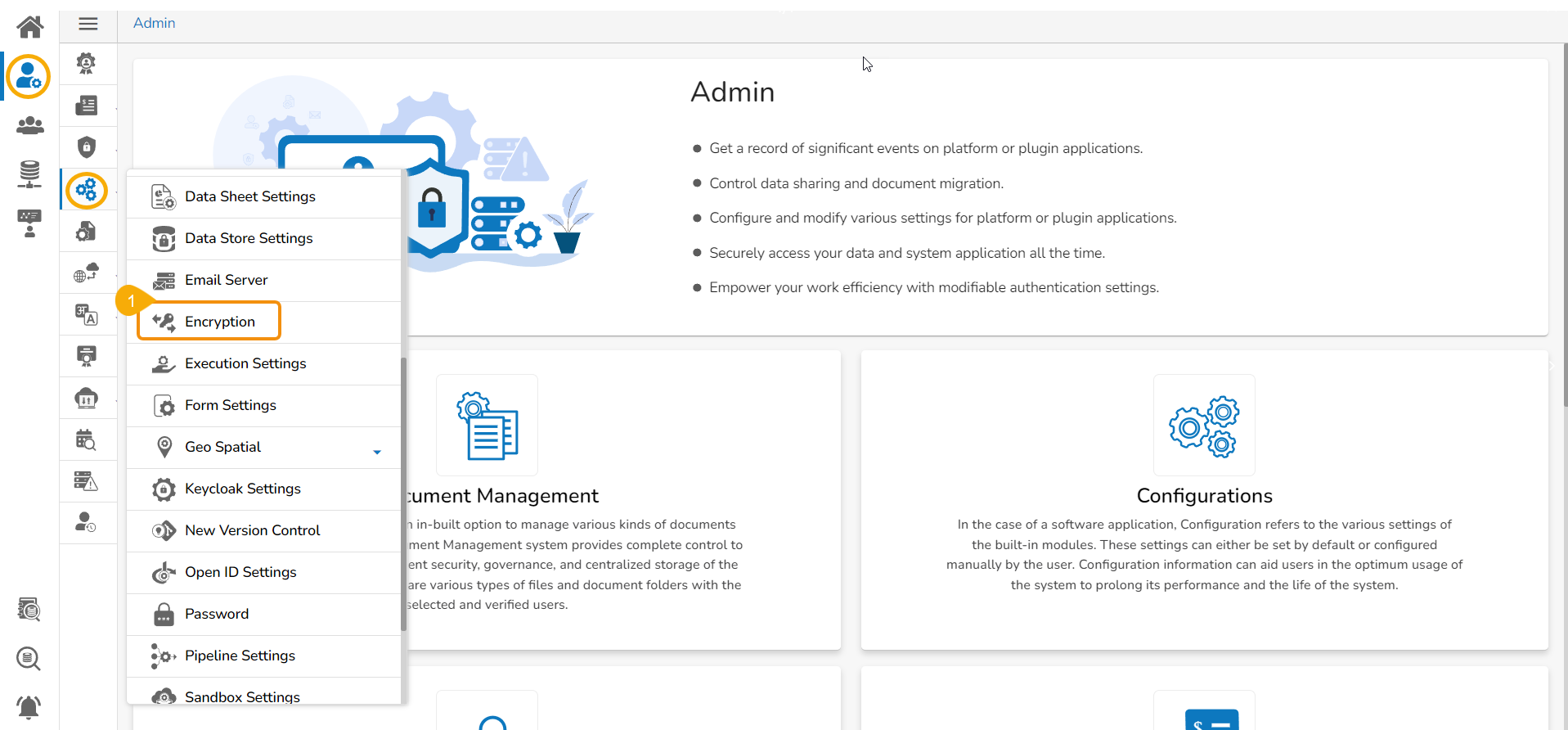
* Click the ***Encryption*** option from the list of ***Configurations*** under the ***Admin*** module.
Accessing the Encryption option
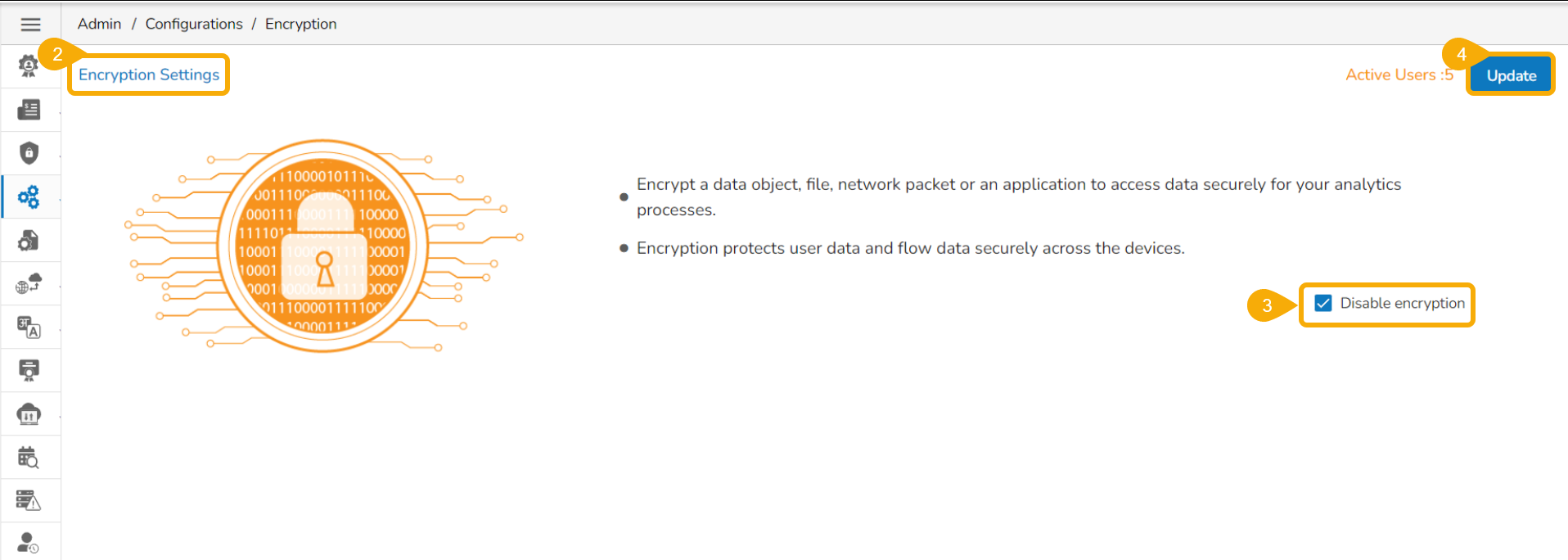
* The ***Encryption Settings*** page opens.
* Enable Encryption by a checkmark in the box.
* Click the ***Update*** option.