> For the complete documentation index, see [llms.txt](https://docs.bdb.ai/administrative-settings-3/llms.txt). Markdown versions of documentation pages are available by appending `.md` to page URLs; this page is available as [Markdown](https://docs.bdb.ai/administrative-settings-3/admin-panel-options/api-client-registration.md).
# API Client Registration
{% hint style="success" %}
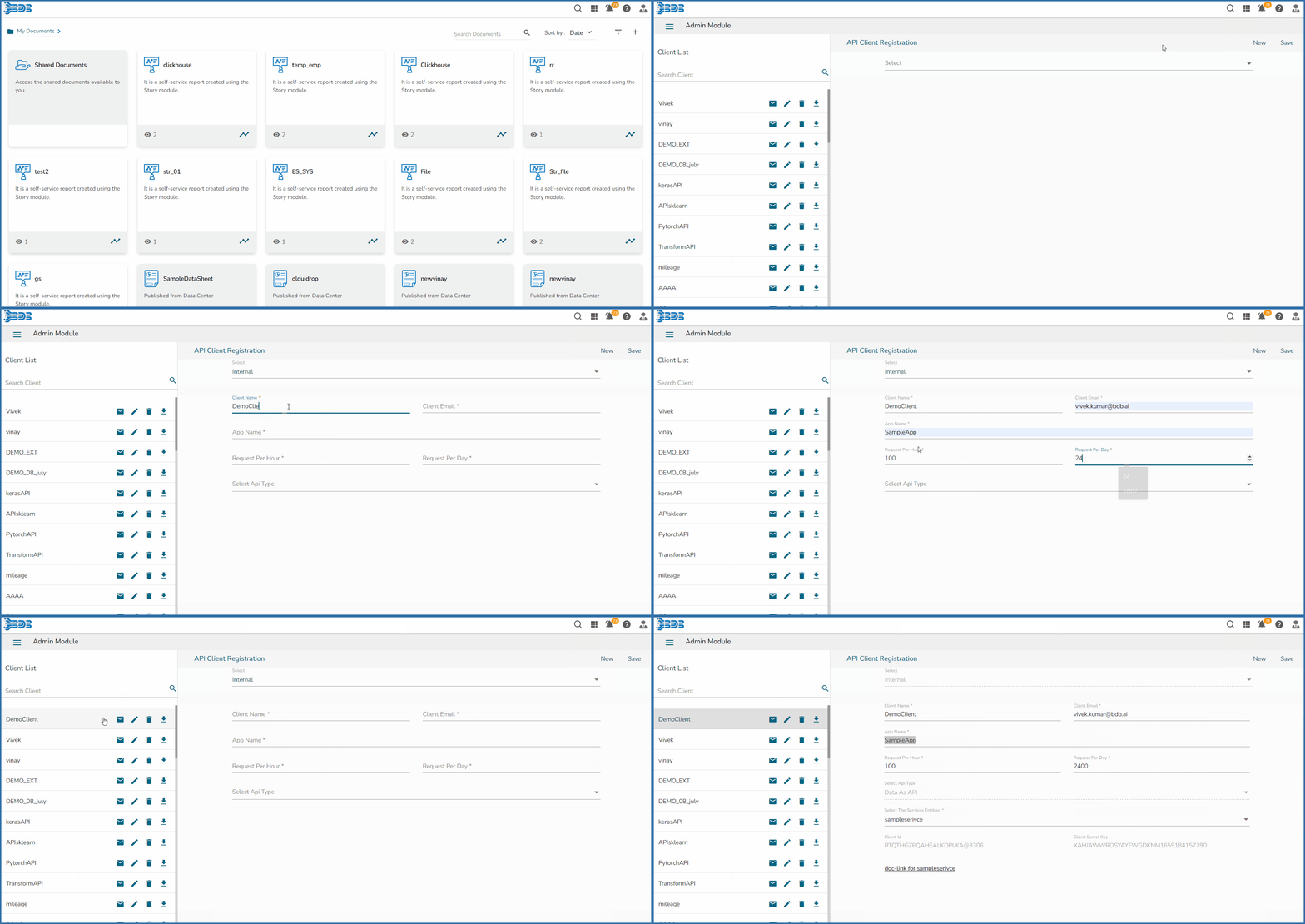
*Check out the given illustration to understand the API Client Registration functionality.*
{% endhint %}
The API Client Registration option helps the user to register and save the specific details of API Clients. The API Client Registration form requires a specific data set link published as a service to complete the registration process.
## Registering an API Client
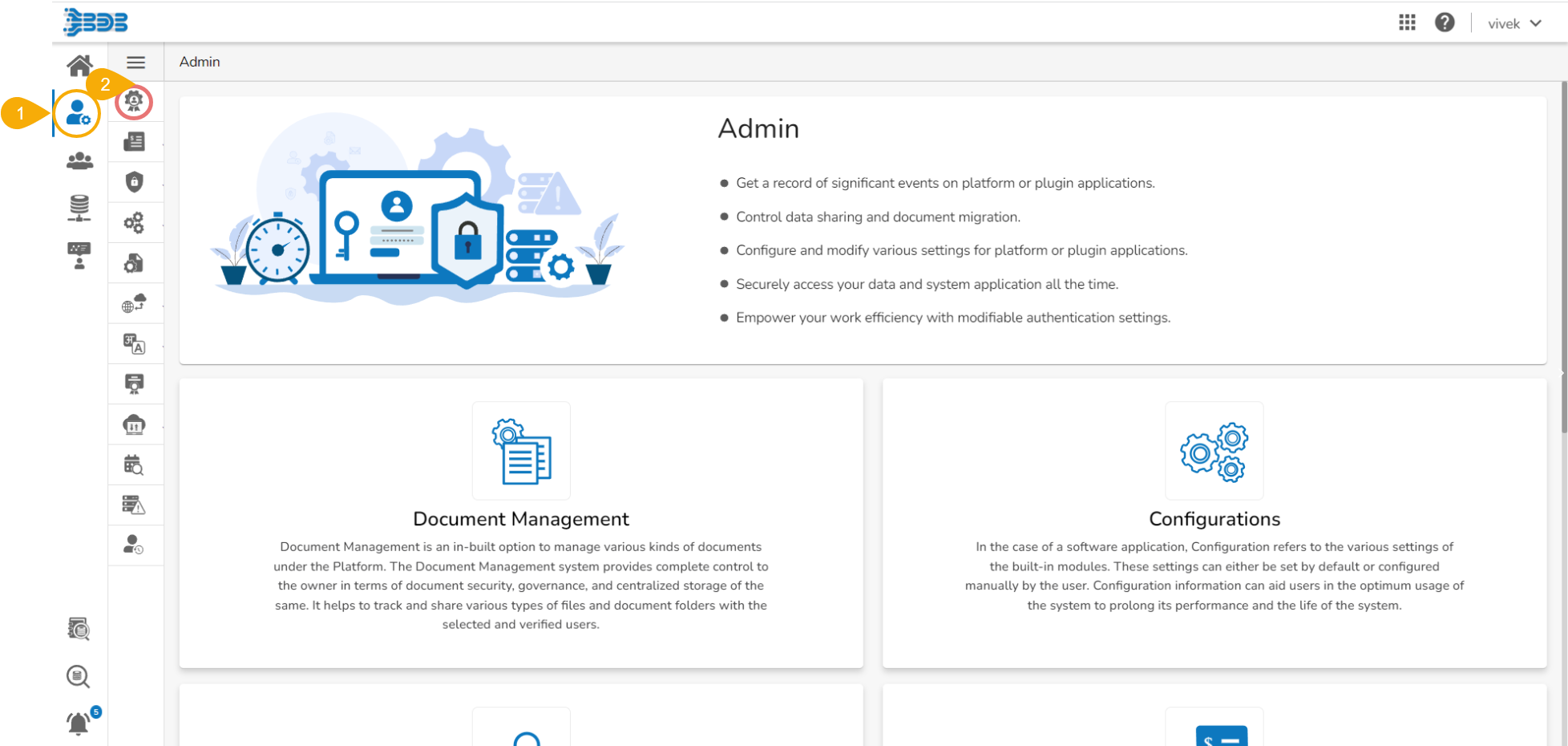
* Navigate to the ***Admin Module.***
* Click the **API Client Registration** option from the side navigation bar.
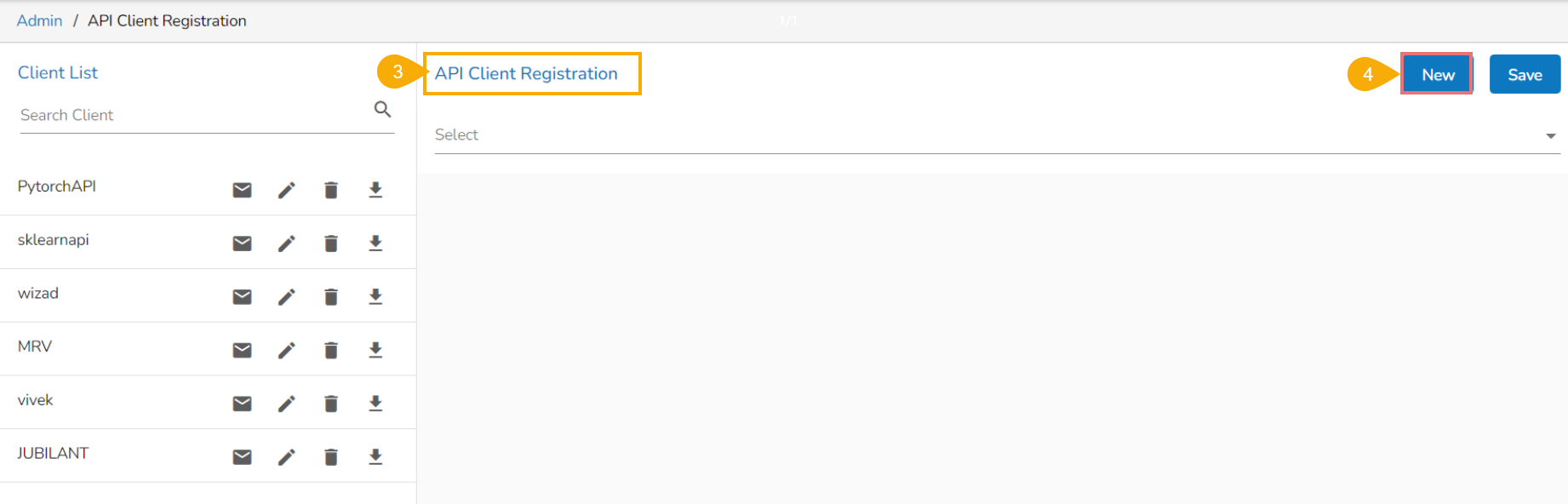
* The ***API Client Registration*** ***page*** opens.
* Click the ***New*** option to create new client registration.
* There are two **Authentication** types available to be selected by the user: **Internal** or **External** (The user can select any one of them).
### Internal Client Registration
If **Internal** option is selected **Authentication** will happen from the platform side by using client id, client secret & app name.
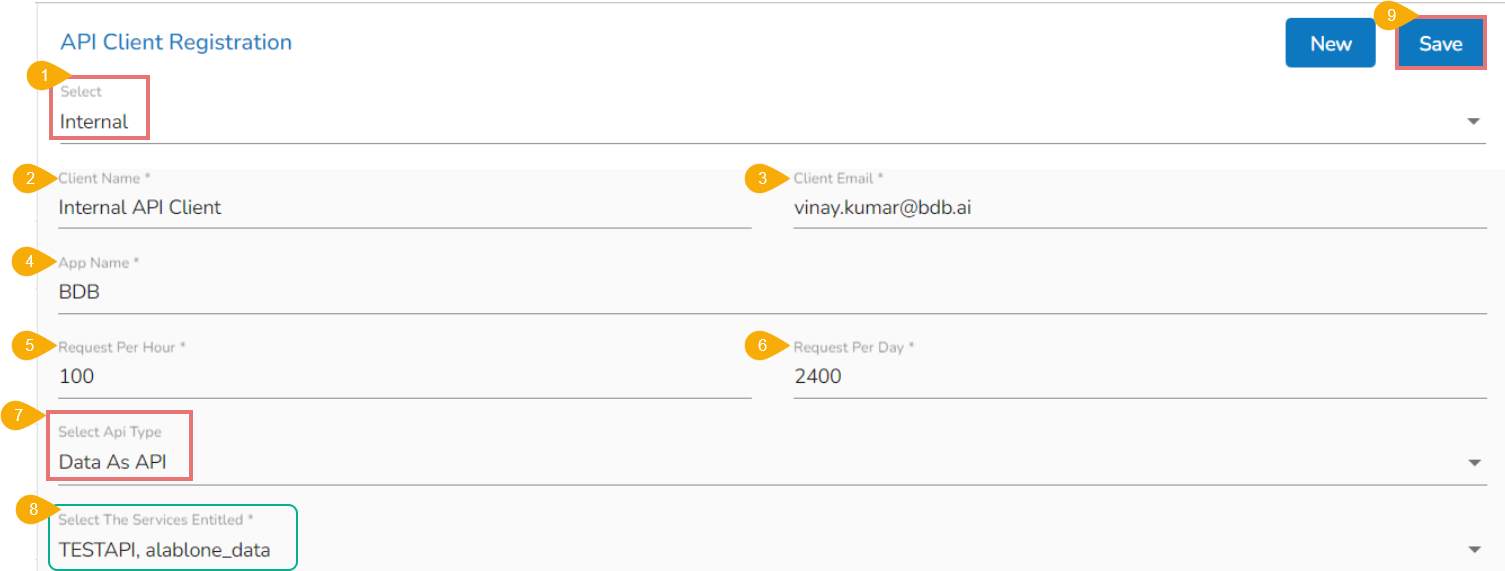
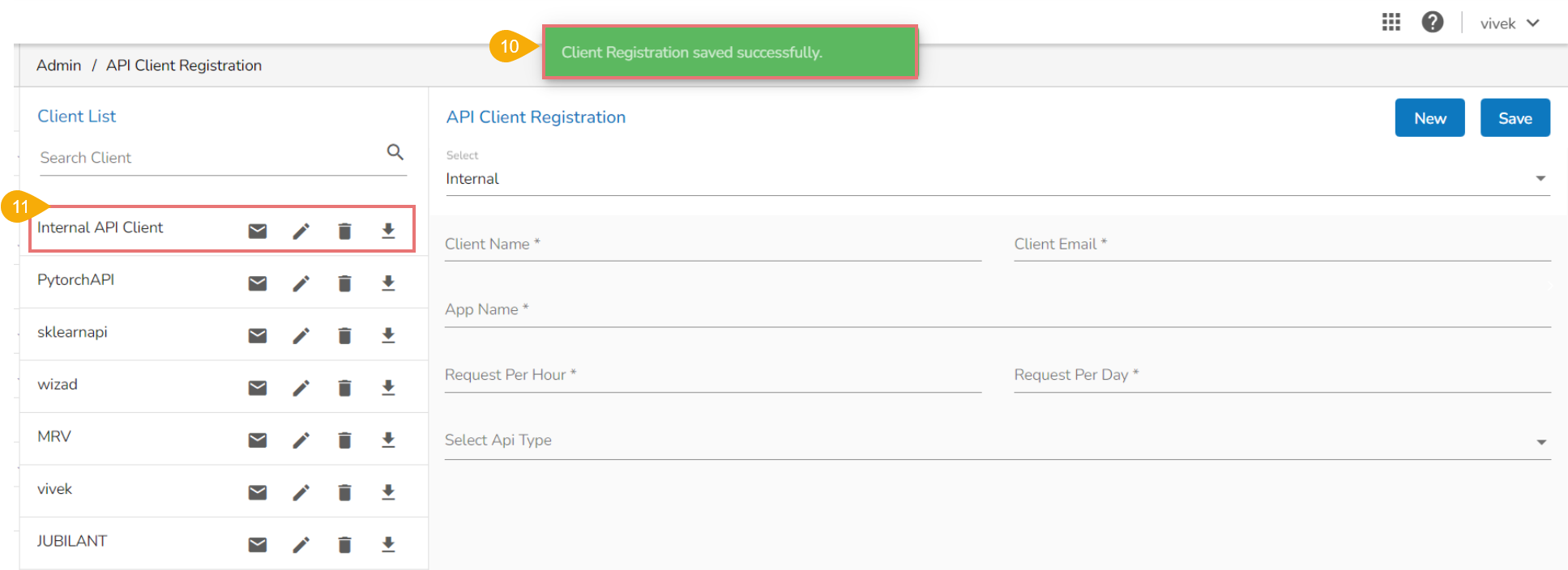
* Select ***Internal*** as the authentication option.
* Provide the following information:
* Client Name
* Client Email
* App Name
* Request Per Hour
* Request Per Day
* Select API Type: Select either of the options: ***Data as API*** or ***Model as API***
{% hint style="info" %}
*Please Note: Select API Type: The user can select any one of the given choices. Both **Data as API** & **Model as API** support Internal Authentication. So the user needs to select either one of them in **Select API Type**.*
{% endhint %}
* After selecting one option from the ***Select API Type***, the ***Select the Services Entitled*** field appears (The user can select multiple ***Data as API*** or ***Model as API*** option by using this field) E.g., In the given image the ***Data As API*** option has been selected, so the ***Select the Services Entitled*** field displays available ***Data as APIs*** in the given drop-down menu.
* Click the ***Save*** option.
* A notification message appears.
* The created API Client gets listed at the top of the displayed ***Client List***.
{% hint style="info" %}
*Please Note:*
* *The **client id** and **client secret** will be automatically generated by the platform while saving the **API Client Registration**.*
* *Both **Data as API** & **Model as API** support Internal Authentication. So the user needs to select either one of them in **Select API Type**.*
{% endhint %}
### External Client Registration
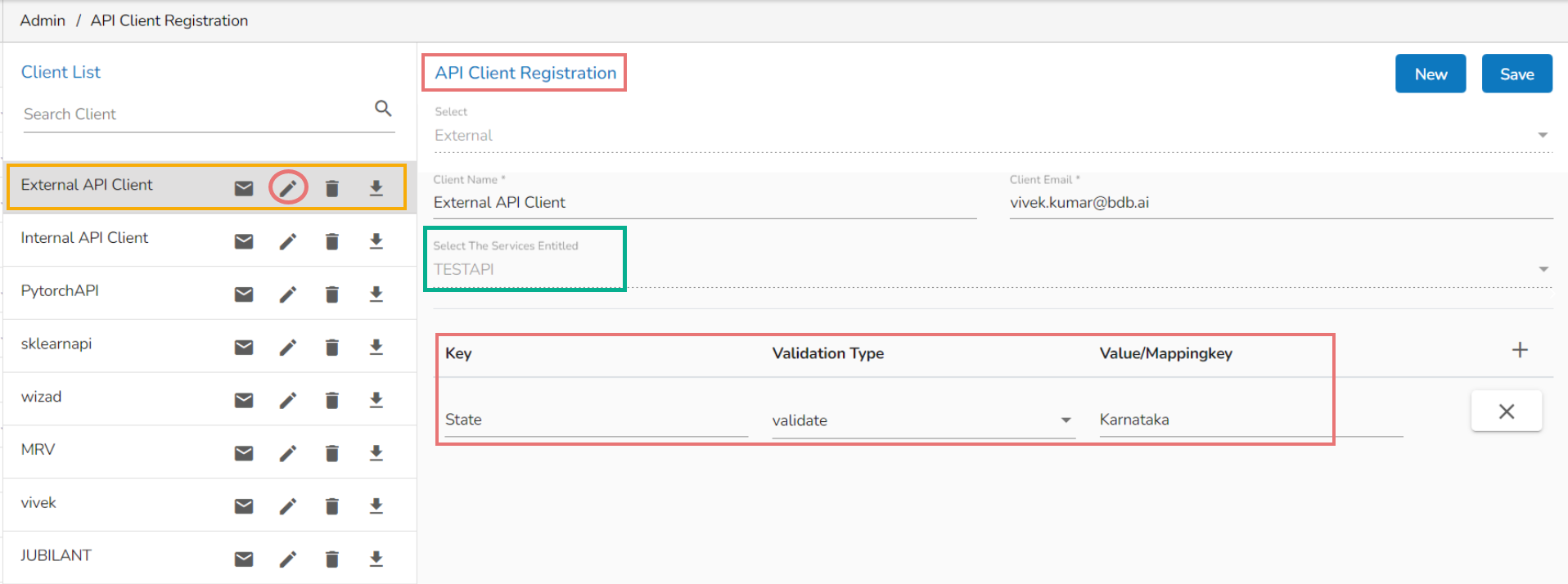
The **External** option does not support **Authentication** by using client id, client secret, and app name. The user needs to authenticate by providing the secret Key and Values/Mapping key. The authentication will consider only if the selected ***Validation Type*** is ***Validated.***
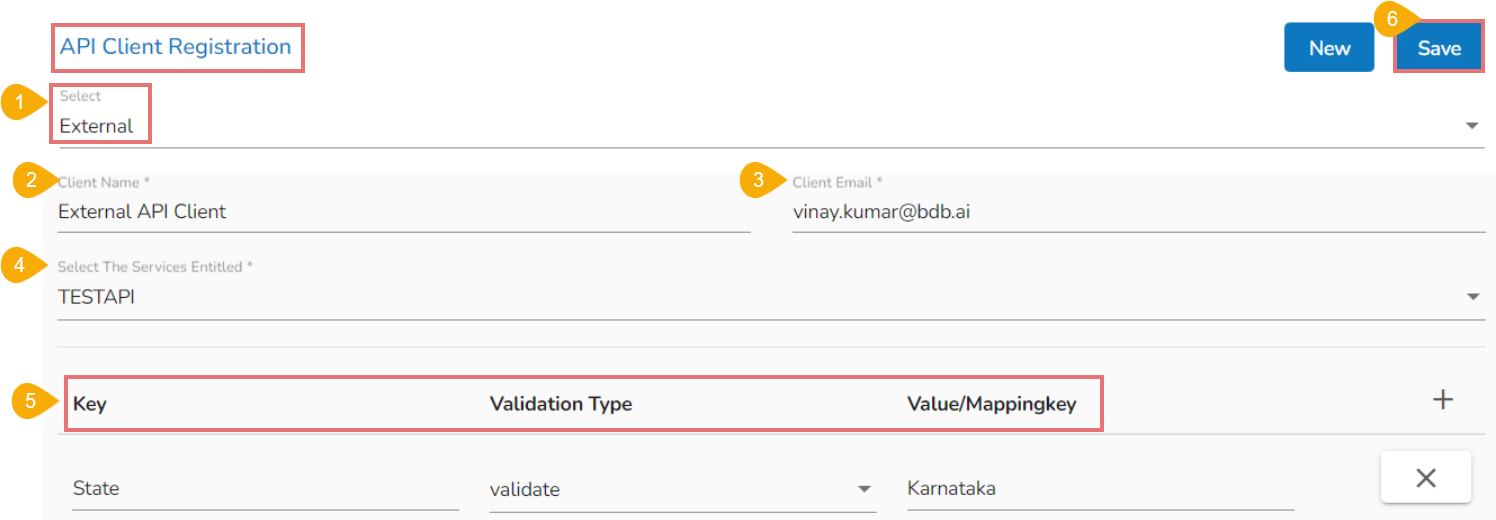
* Select the ***External*** option.
* Provide the following details:
* Client Name
* Client Email
* Select the entitled services from the drop-down menu.
* Provide Key, Validation Type and Value/Mapping Key.
* Click the ***Save*** option.
{% hint style="info" %}
*Please Note:* *The **Select the Services Entitled** will display the data sets published as service* *from the **Data Center** module of the platform.*
{% endhint %}
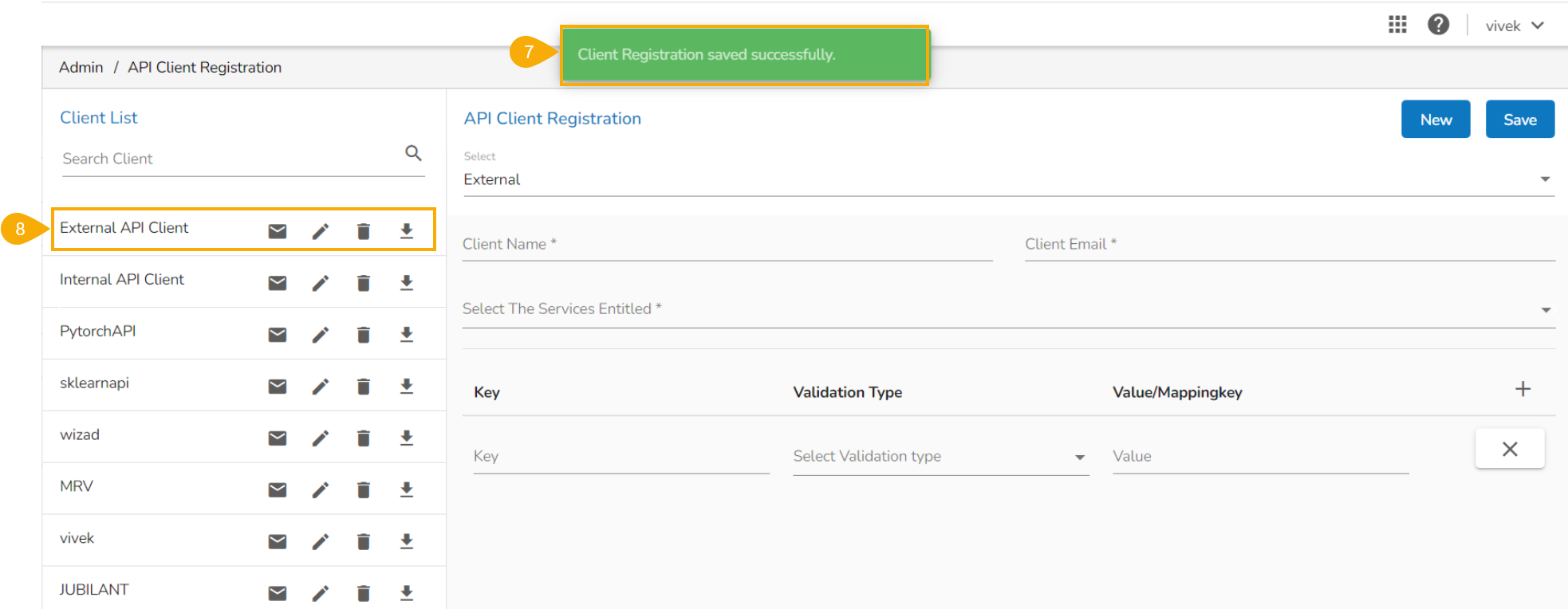
* A notification message appears.
* The ***API Client*** details get saved at the top of the displayed ***Client List.***
## **How to call the API from POSTMAN**
### **Internal Authentication API**
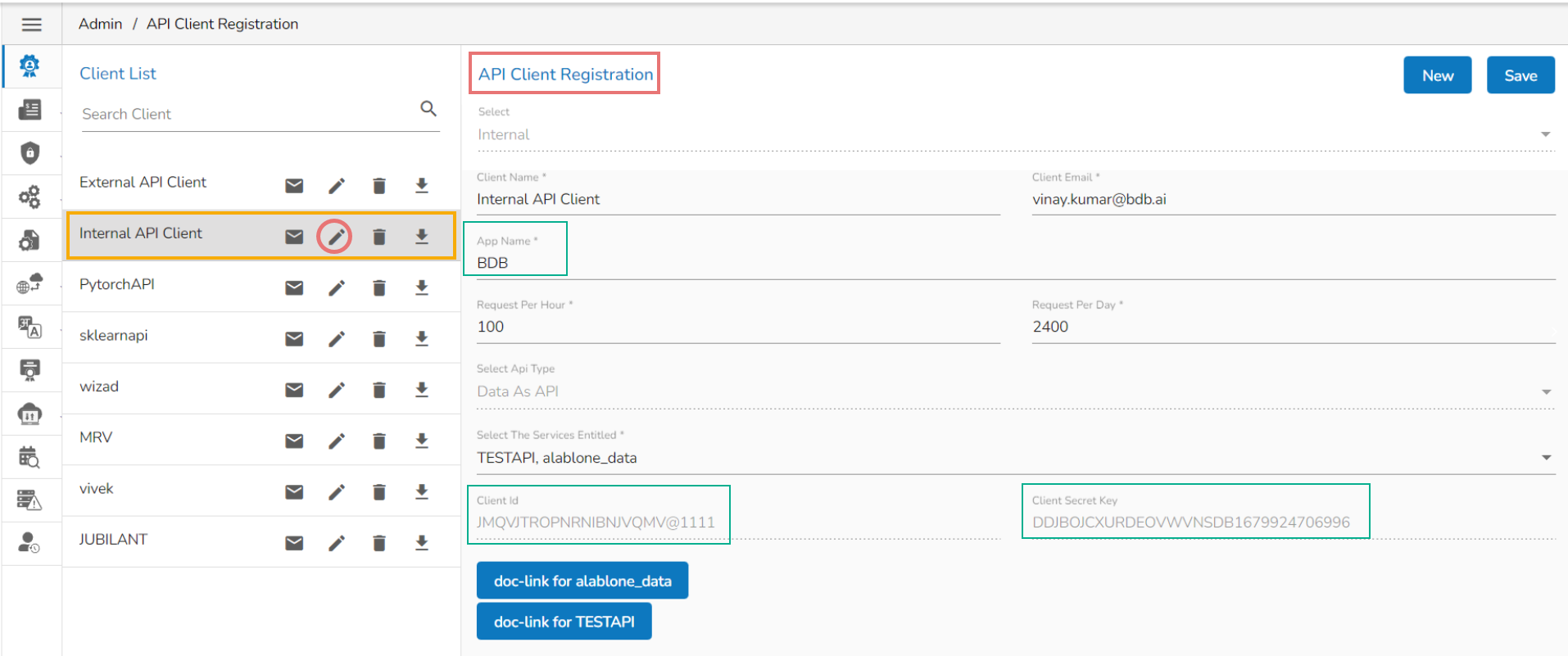
* Click the ***Edit*** option for the saved API Client Registration.
* The API Client Registration form reopens.
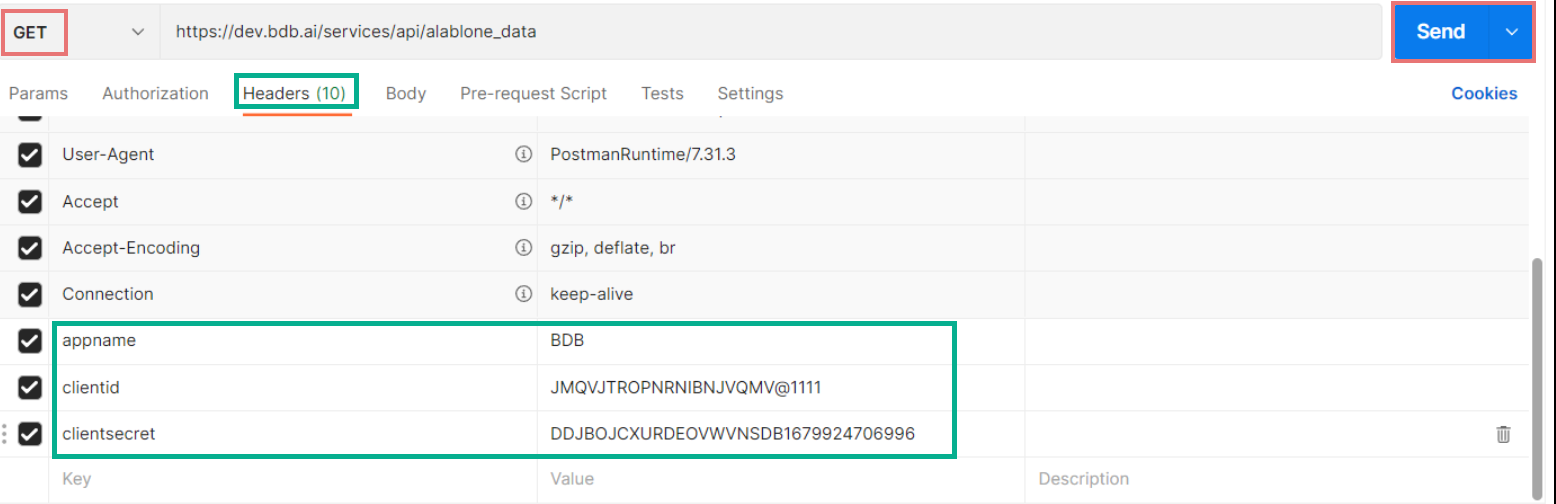
* The user can get the ***Client Id***, ***Client Secret***, and ***App Name***.
* Pass the ***Client id, Client Secret Key,*** and ***App Name*** in the ***Postman GET/ POST*** call to get the response.
### **External Authentication API**
* Click on the ***Edit*** option for the saved External API Client.
* The API Client Registration form reopens.
* Select the entitled Service.
* The user can get the following information about the API Service:
* Key
* Validation Type
* Value/ Mapping Key
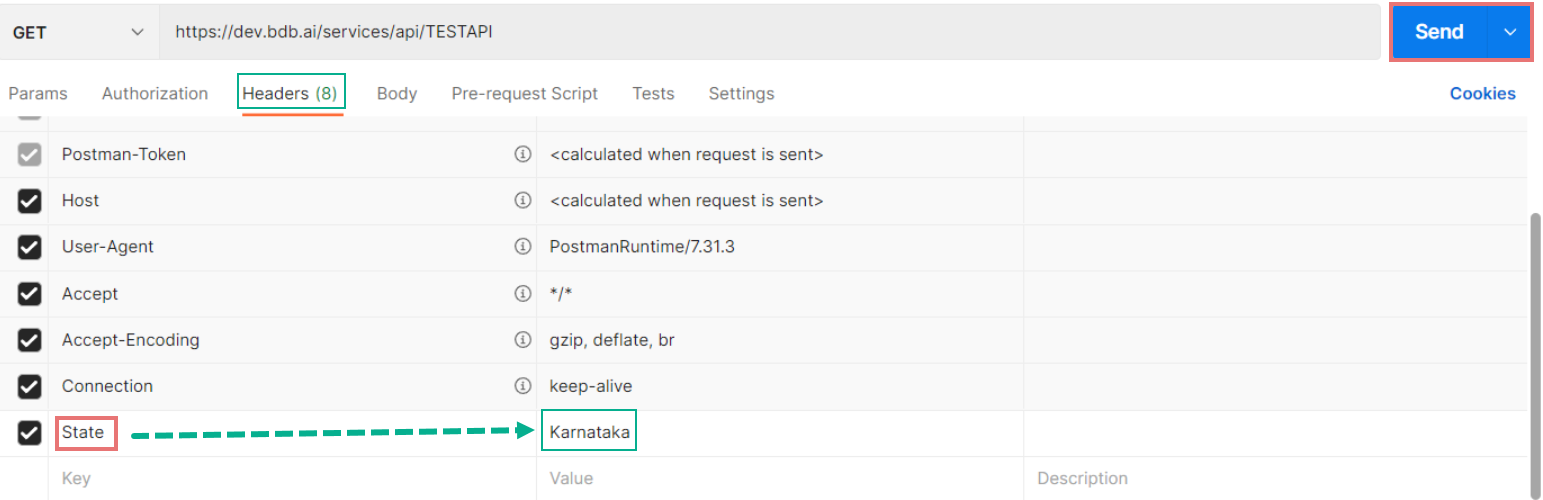
* Pass the mapping key value in the ***Postman GET/POST*** call to get the response.