> For the complete documentation index, see [llms.txt](https://docs.bdb.ai/administrative-settings-4/llms.txt). Markdown versions of documentation pages are available by appending `.md` to page URLs; this page is available as [Markdown](https://docs.bdb.ai/administrative-settings-4/admin-panel-options/authentication/aws-cognito-configuration.md).
# AWS Cognito Configuration
Follow the below-given steps to configure the AWS Cognito settings:
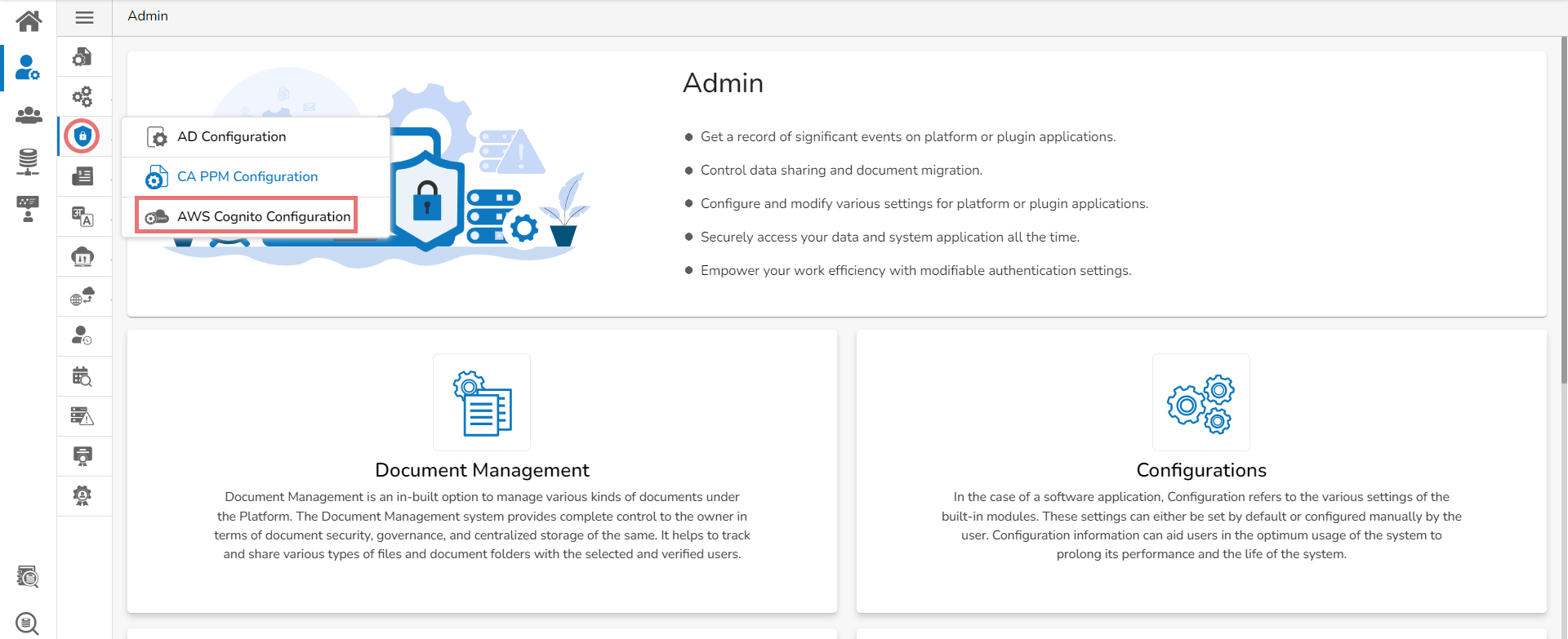
* Select the ***AWS Cognito Configuration*** option from the Authentication drop-down menu.
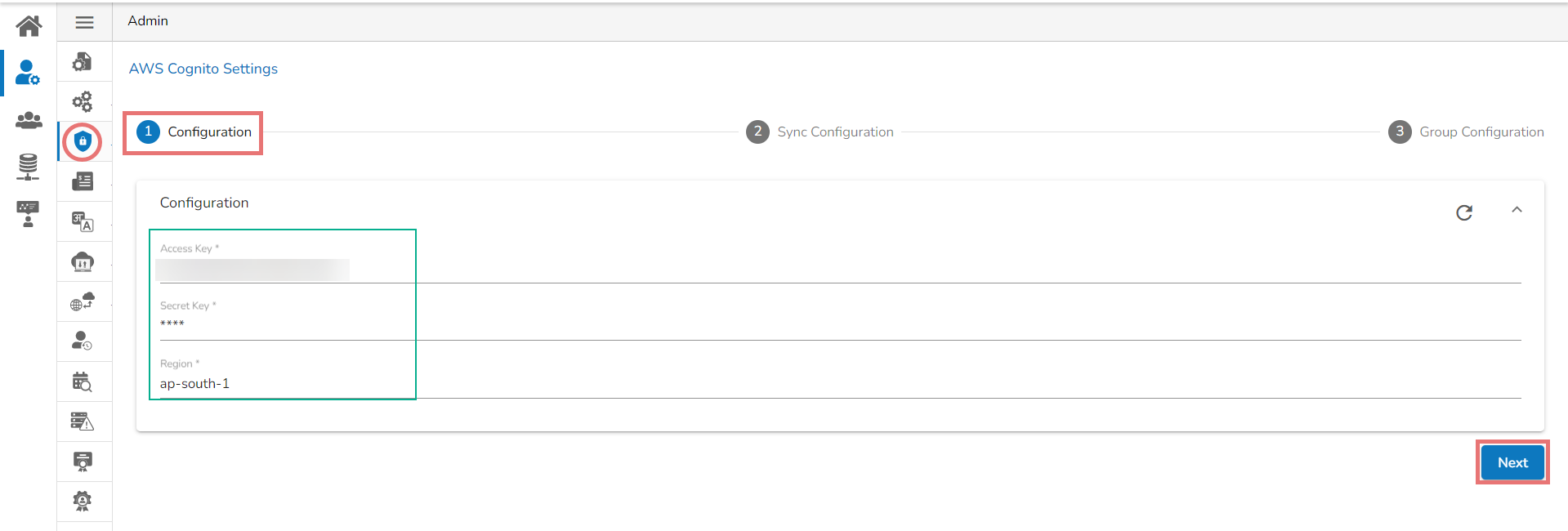
* The ***AWS Cognito Settings*** page opens displaying the Configuration tab.
* Provide the following information to configure the AWS Cognito Settings:
* Access Key
* Secret Key
* Region
* Click the ***Next*** option.
* A success message appears to confirm the action.
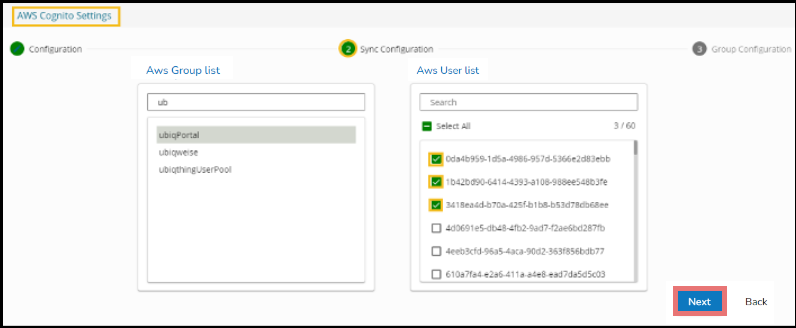
* The user gets redirected to the **Sync Configuration** tab.
* Select a user group from the displayed AWS Group list.
* Select users from the AWS User list by putting the checkmarks in the boxes given next to the usernames.
* Click the ***Next*** option to proceed.
* A success message appears to confirm that the user list has been updated.

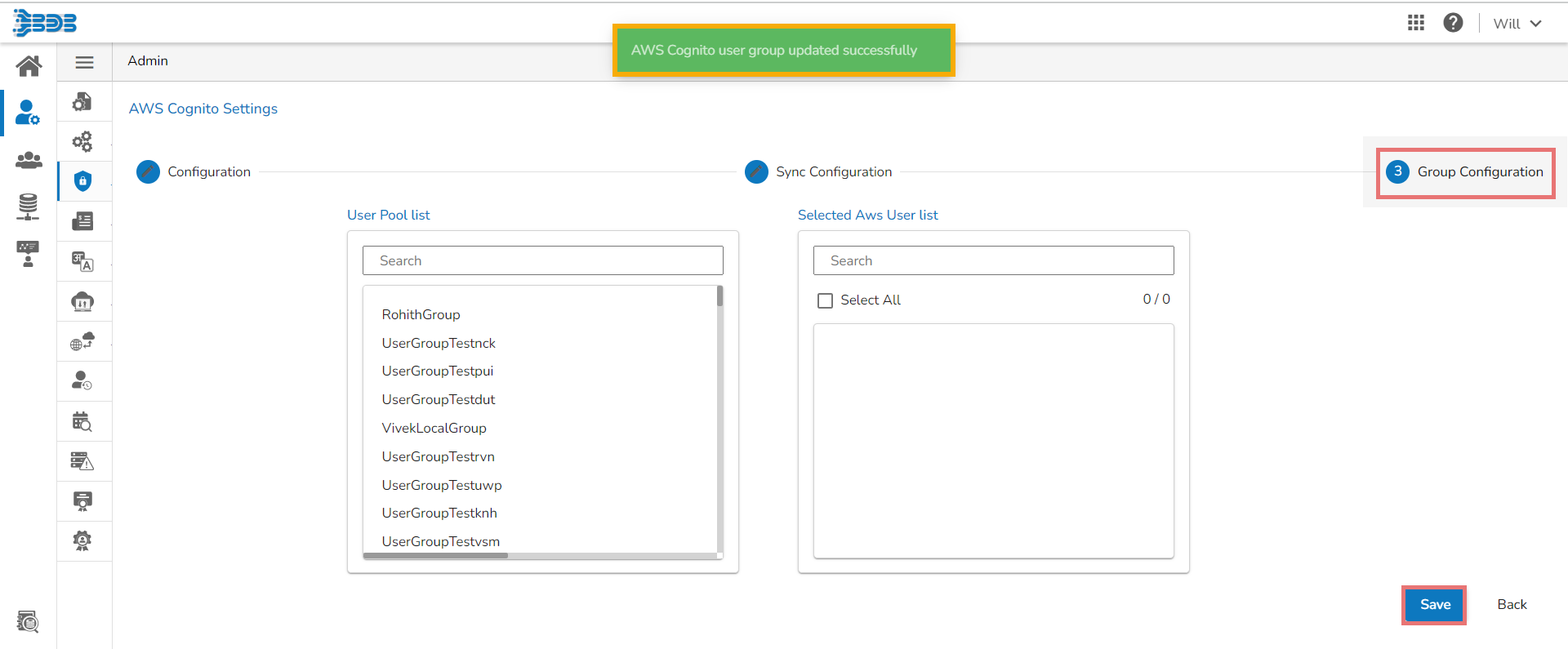
* The ***Group Configuration*** tab opens.
* The ***User Pool list*** appears.
* Add the user to the ***Selected AWS user*** ***list***.
* Click the ***Save*** option.
* A success message appears to confirm the action.

{% hint style="info" %}
*Please Note:*
* *Click the **Clear all setting****icon to erase the entered AWS Cognito information.*
* *Click the **Back** option to go back on the AWS Cognito Configuration page.*
{% endhint %}