> For the complete documentation index, see [llms.txt](https://docs.bdb.ai/administrative-settings-4/llms.txt). Markdown versions of documentation pages are available by appending `.md` to page URLs; this page is available as [Markdown](https://docs.bdb.ai/administrative-settings-4/admin-panel-options/language-mapping/mapping-table-language-text-mapping.md).
# Mapping Table (Language Text Mapping)
The added languages get mapped to the selected dashboards via this option.
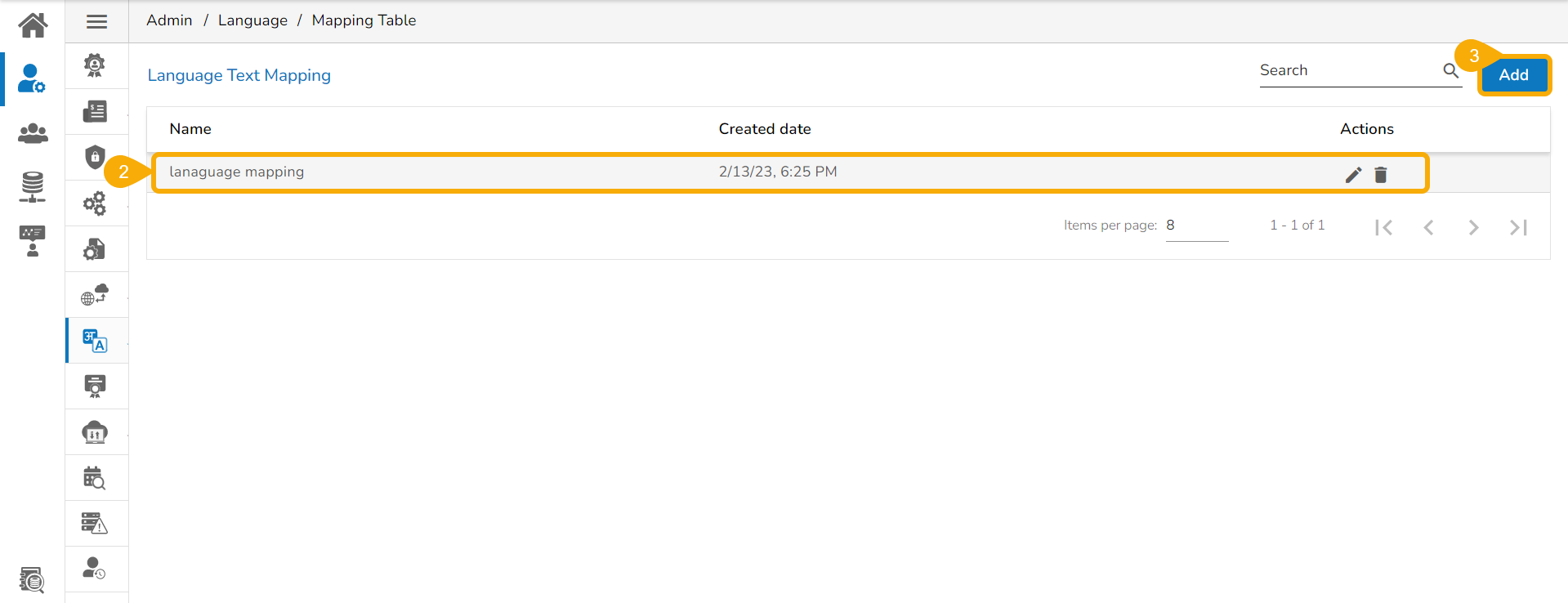
* Click the ***Mapping Table*** option using the ***Language Mapping*** admin option.

* The ***Language Text Mapping*** page opens with the list of available language mapping options.
* Click the ***Add*** option to add a new ***Language Text Mapping***.
* The ***New Language Mapping*** window opens.
* Provide a name for the new Language Mapping.
* Select language(s) or multiple languages using the drop-down menu.
* Click the ***Save*** option.

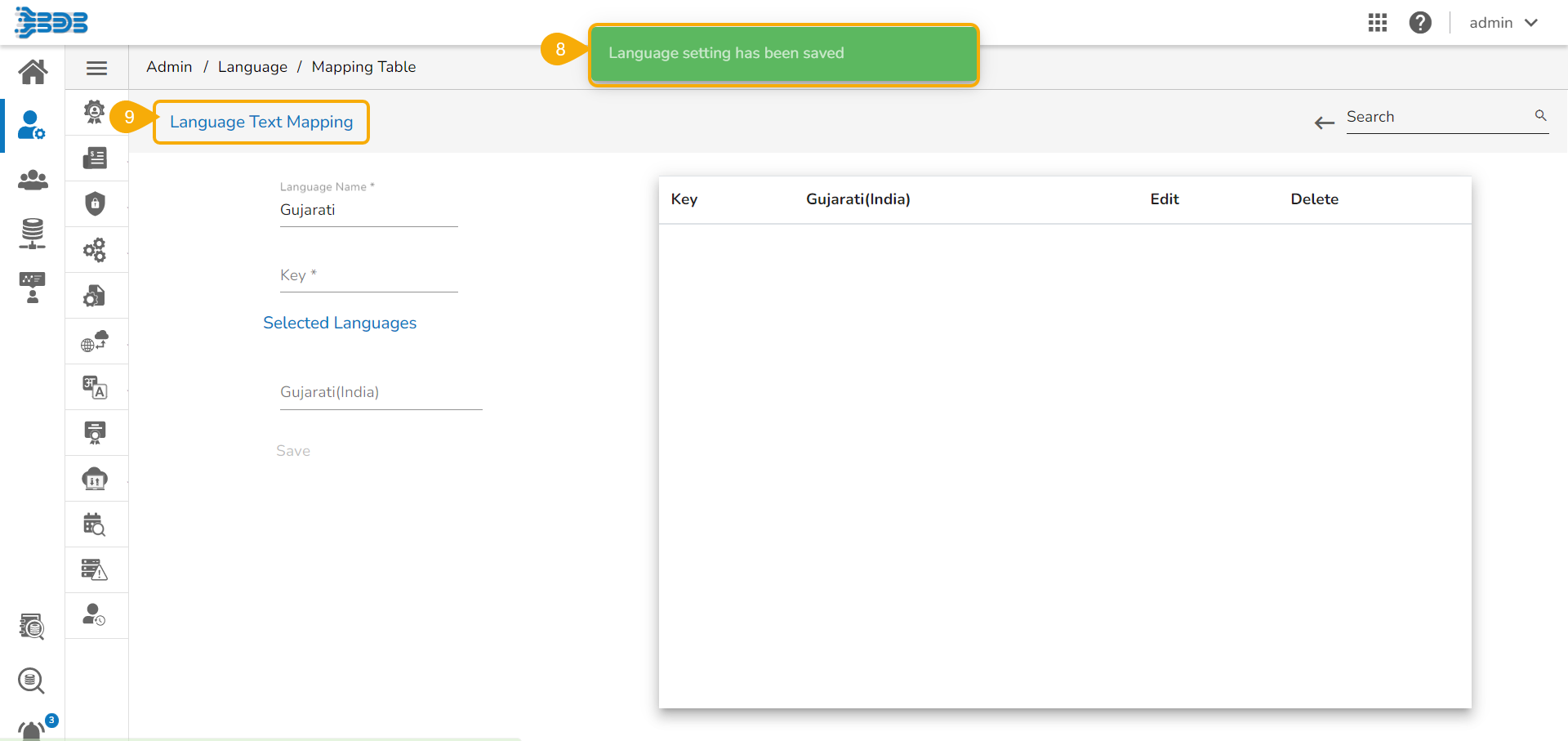
* A success message appears to assure that the newly added language mapping is saved.
* The ***Language Text Mapping*** page opens, from where the administrator can add various key terms and their synonyms to the newly created language.
Language Text Mapping page
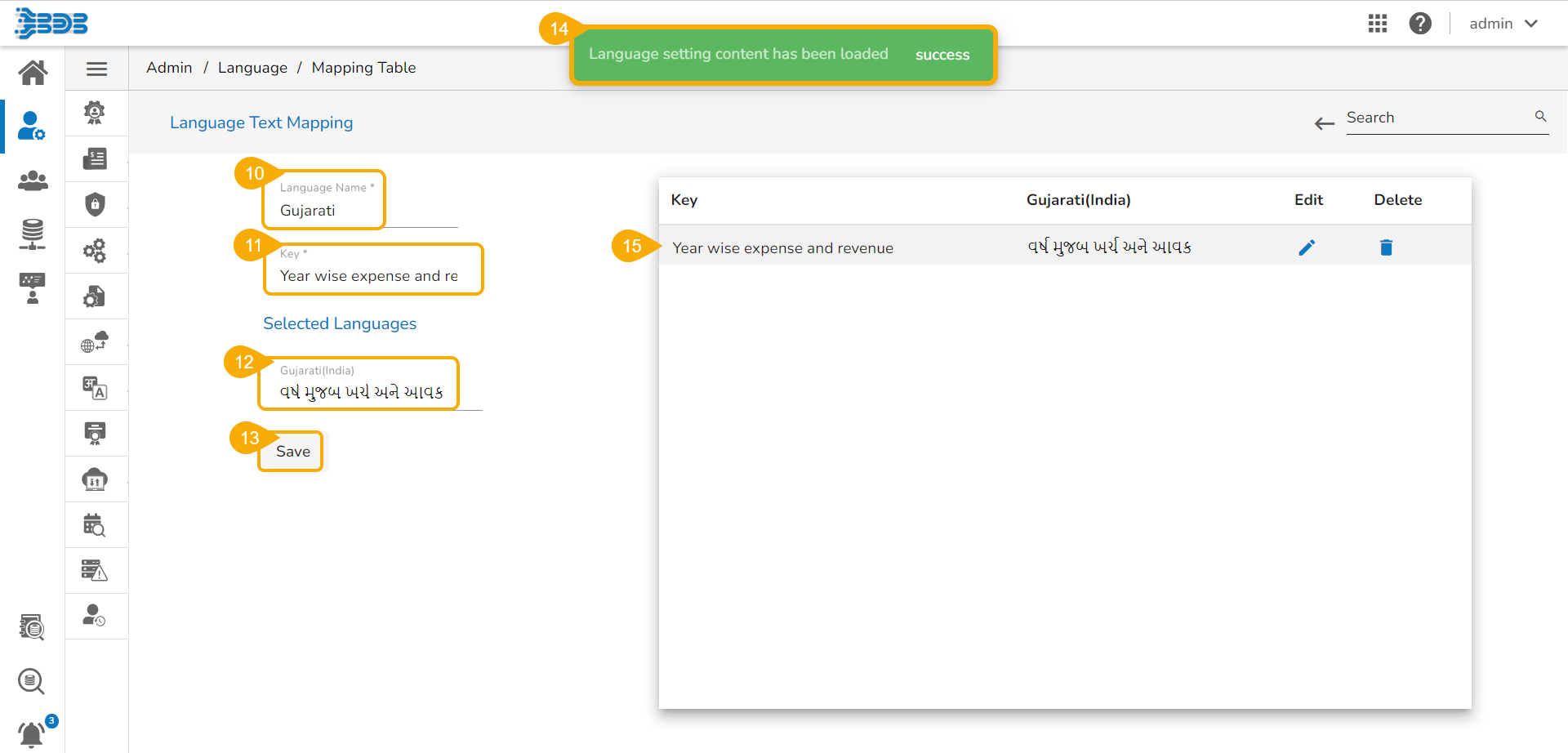
* The newly added ***Language Name*** appears.
* Insert a key from the selected dashboard. (A dashboard must be selected from the Designer to get the key terms)
* Provide the translated synonym of the key in the selected language(s).
* Click the ***Save*** option.
* A success message appears to confirm the update in the Language Setting content.
* The saved key with its synonym in the selected language(s) gets added to the right-side list.
Saving Key in a newly created language
* Save more terms to the newly created language settings using the same set of steps:
Saving more Keys in the newly created language
{% hint style="info" %}
*Please Note: Refer the* [***Language Mapping*** ](https://docs.bdb.ai/governed-dashboards-4/configurations/language-mapping)*section provided under the* [***Configurations*** ](https://docs.bdb.ai/governed-dashboards-4/configurations)*section of the* [***Governed Dashboards***](https://docs.bdb.ai/governed-dashboards-4) *to understand the Language Mapping inside the Designer module.*
{% endhint %}