> For the complete documentation index, see [llms.txt](https://docs.bdb.ai/data-center-6/llms.txt). Markdown versions of documentation pages are available by appending `.md` to page URLs; this page is available as [Markdown](https://docs.bdb.ai/data-center-6/data-center/data-store-meta-data/data-store-meta-data-list/store-details.md).
# Store Details
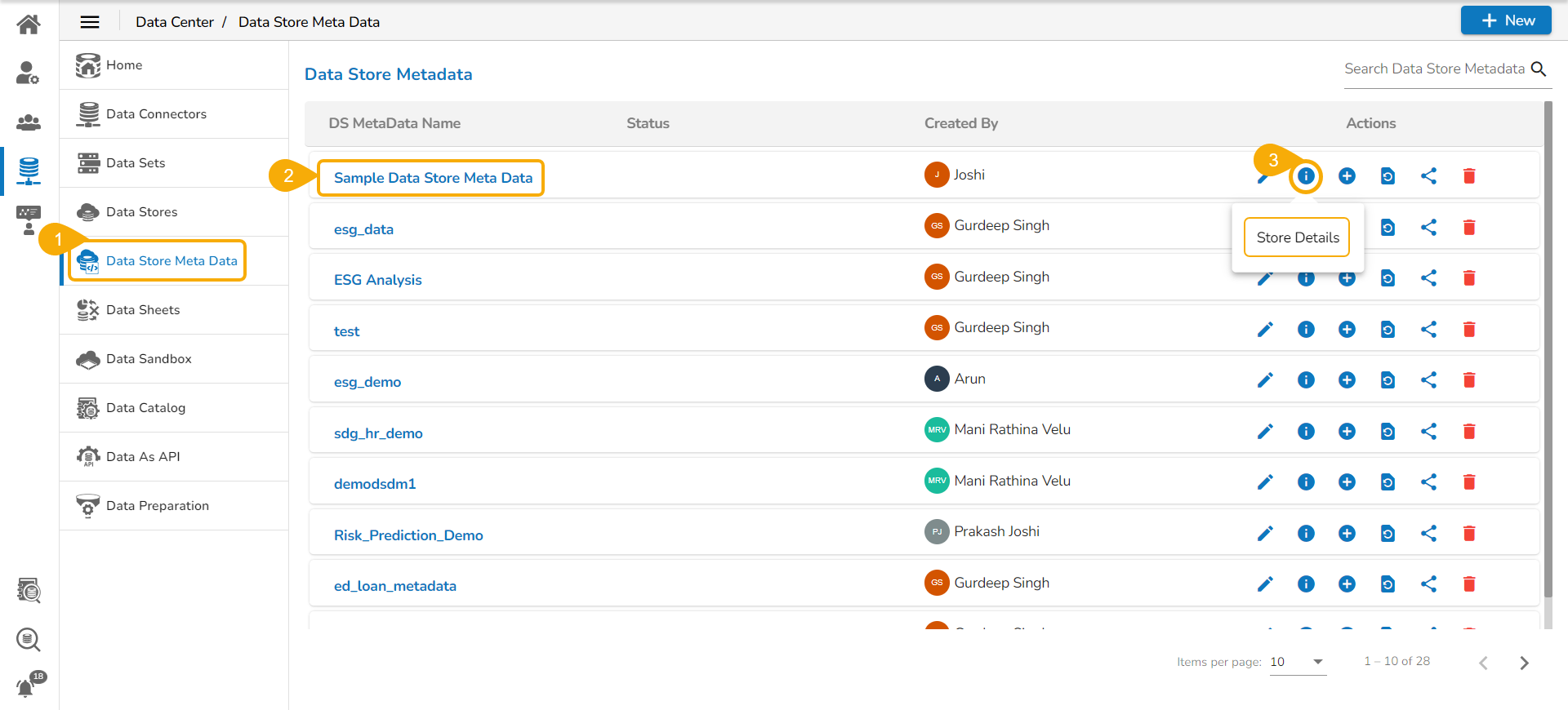
* Navigate to the ***Data Store Meta Data*** list.
* Select a Metadata Store from the list.
* Click the ***Store Details*** icon.
Store Details icon on the Data Store Metadata List Page
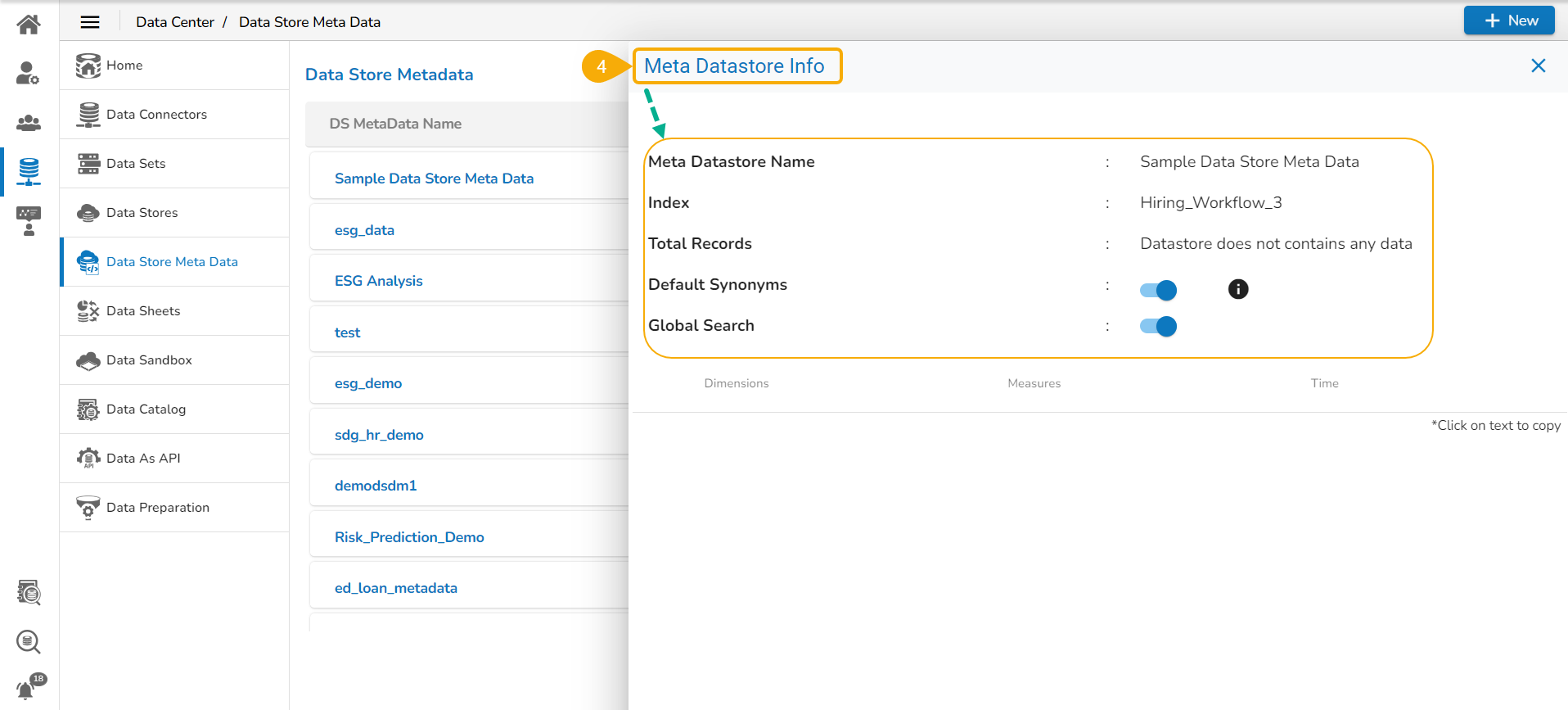
* The ***Meta*** ***Datastore Info*** drawer opens displaying the following details for the selected Metadata Store:
* Meta Datastore Name: Name of the Datastore.
* Index: Source data base from where the data is loaded.
* Total Records: Total no. of records.
* Default Synonyms: Enabling this option allows recreation of the synonyms.
* Global Search: Enabling this option allows the user to access the concerned Data Store while using the Global Search.
* The ***Datastore Info*** drawer also displays data broadly segregated as Dimensions, Measures, and Time values.