# Delete a Data Connector

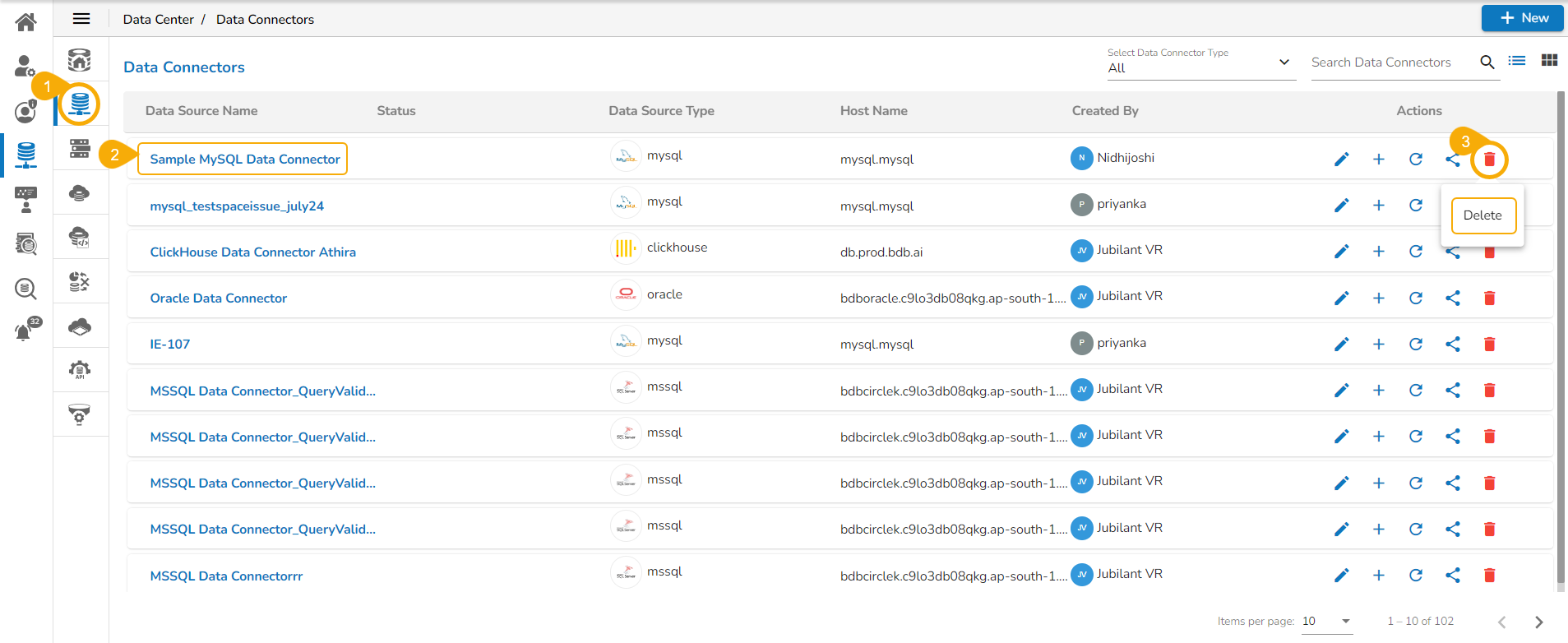
* Navigate to the Data Connectors list page.
* Select a Data Connector from the list.
* Click the ***Delete*** icon for the selected Data Connector.

<figure><img src="https://content.gitbook.com/content/Kg5pfnNkTs1b1YNYX7rD/blobs/dfALQEsRCfcYRWLGm1lf/image.png" alt=""><figcaption></figcaption></figure>

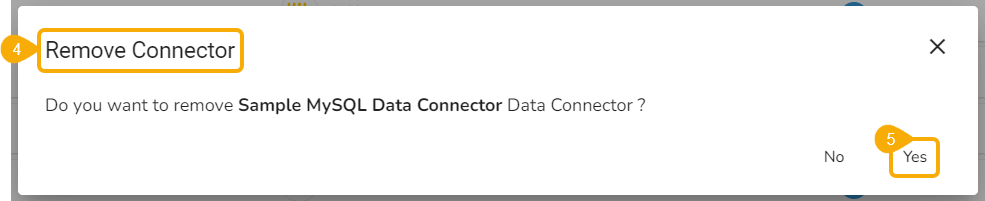
* The ***Remove Connector*** dialog box opens to confirm the deletion.
* Click the ***Yes*** option.      &#x20;

<figure><img src="https://content.gitbook.com/content/Kg5pfnNkTs1b1YNYX7rD/blobs/VuPQEJWup9E67nqT2f6n/image.png" alt=""><figcaption></figcaption></figure>

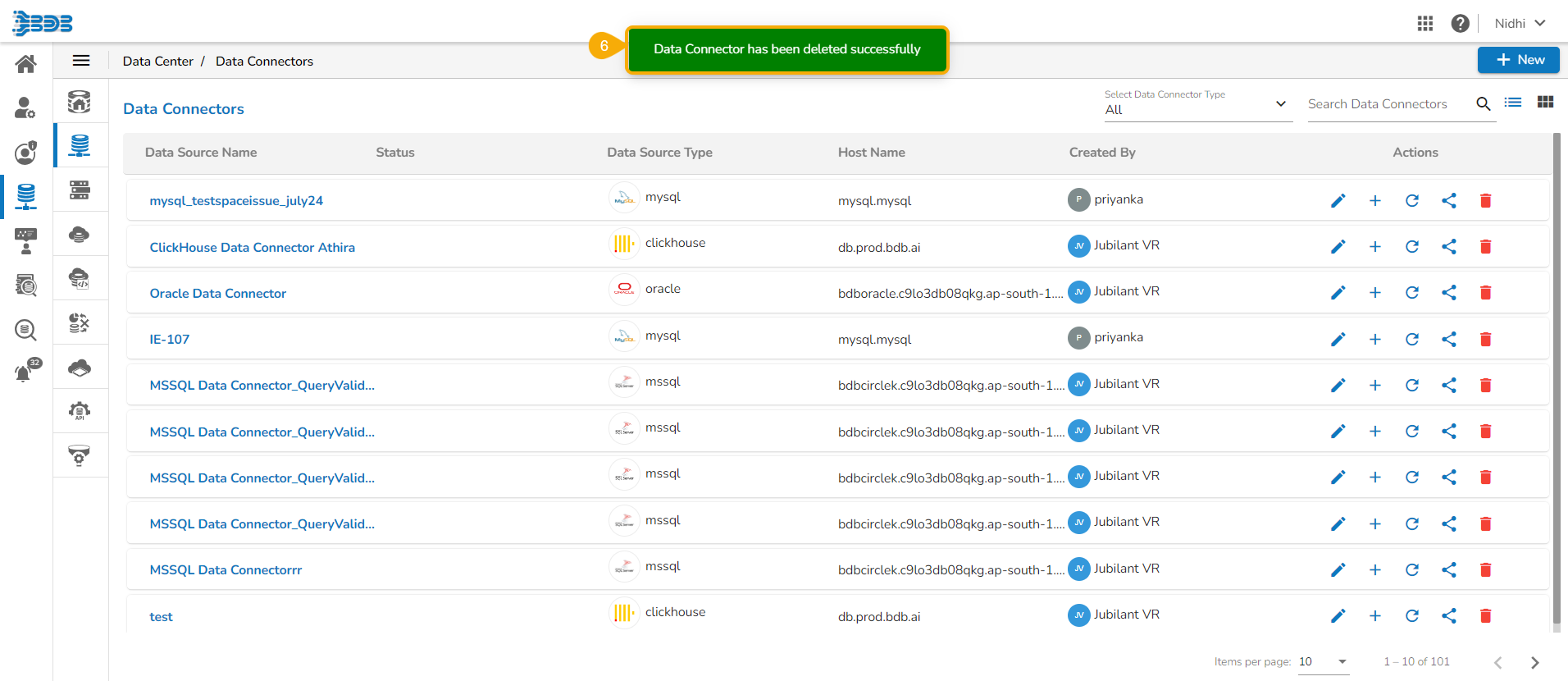
* A confirmation message appears, and the selected Data Connector gets removed from the Data Connectors list.
<figure><img src="https://content.gitbook.com/content/Kg5pfnNkTs1b1YNYX7rD/blobs/yjDydaGthEYvHRKgIeSg/image.png" alt=""><figcaption></figcaption></figure>