> For the complete documentation index, see [llms.txt](https://docs.bdb.ai/administrative-settings-6/llms.txt). Markdown versions of documentation pages are available by appending `.md` to page URLs; this page is available as [Markdown](https://docs.bdb.ai/administrative-settings-6/admin-panel-options/configurations/api-connectors-configurations.md).
# API Connectors Configurations
This option allows the users to configure API data connectors.
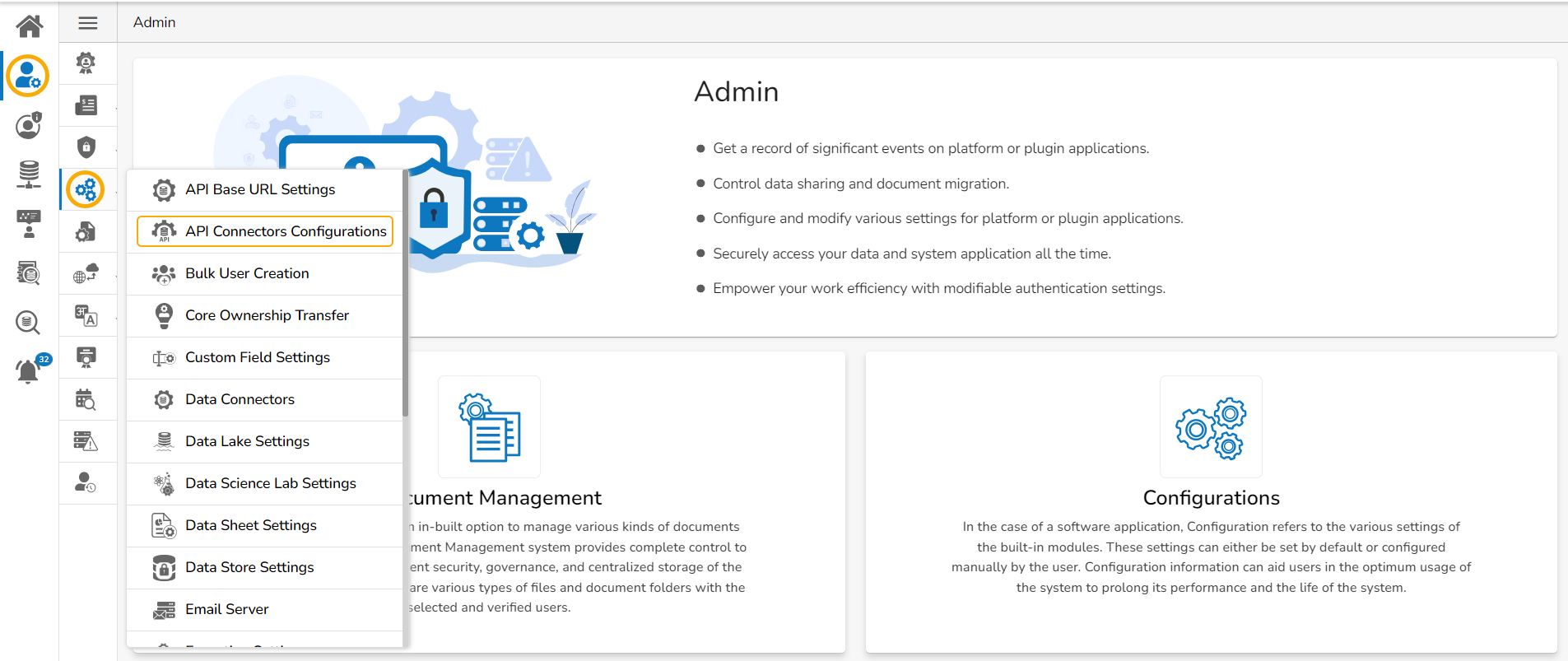
* Click the ***API Connectors Configurations*** configuration option from the list of admin options.
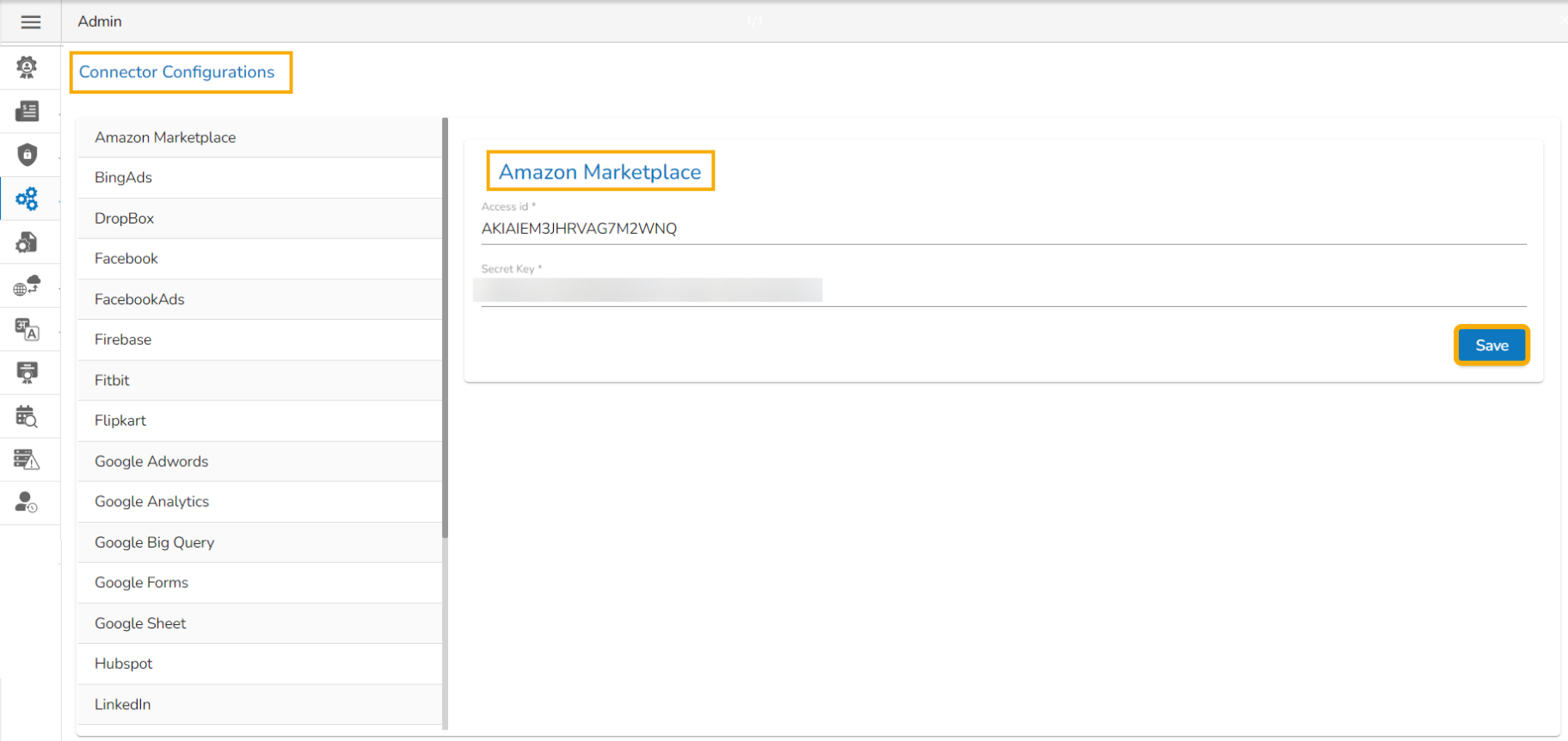
* The ***Connector Configurations*** page opens displaying the list of the API connectors.
* Select an API Connector option.
* The required configuration details are displayed for the selected API Data Connector.
* Click the ***Save*** option.
Saving the Amazon Marketplace connector configuration
* A message appears to confirm the connector configuration.
Notification message after the selected API Connector is configured.
{% hint style="info" %}
*Please Note: Based on the selected API Connector the configuration fields may vary for each API connector.*
{% endhint %}