> For the complete documentation index, see [llms.txt](https://docs.bdb.ai/administrative-settings-6/llms.txt). Markdown versions of documentation pages are available by appending `.md` to page URLs; this page is available as [Markdown](https://docs.bdb.ai/administrative-settings-6/admin-panel-options/authentication/sso-configuration/azure-oauth.md).
# Azure/ OAuth
This page describes steps configuring the Azure/ OAuth for SSO configuration.
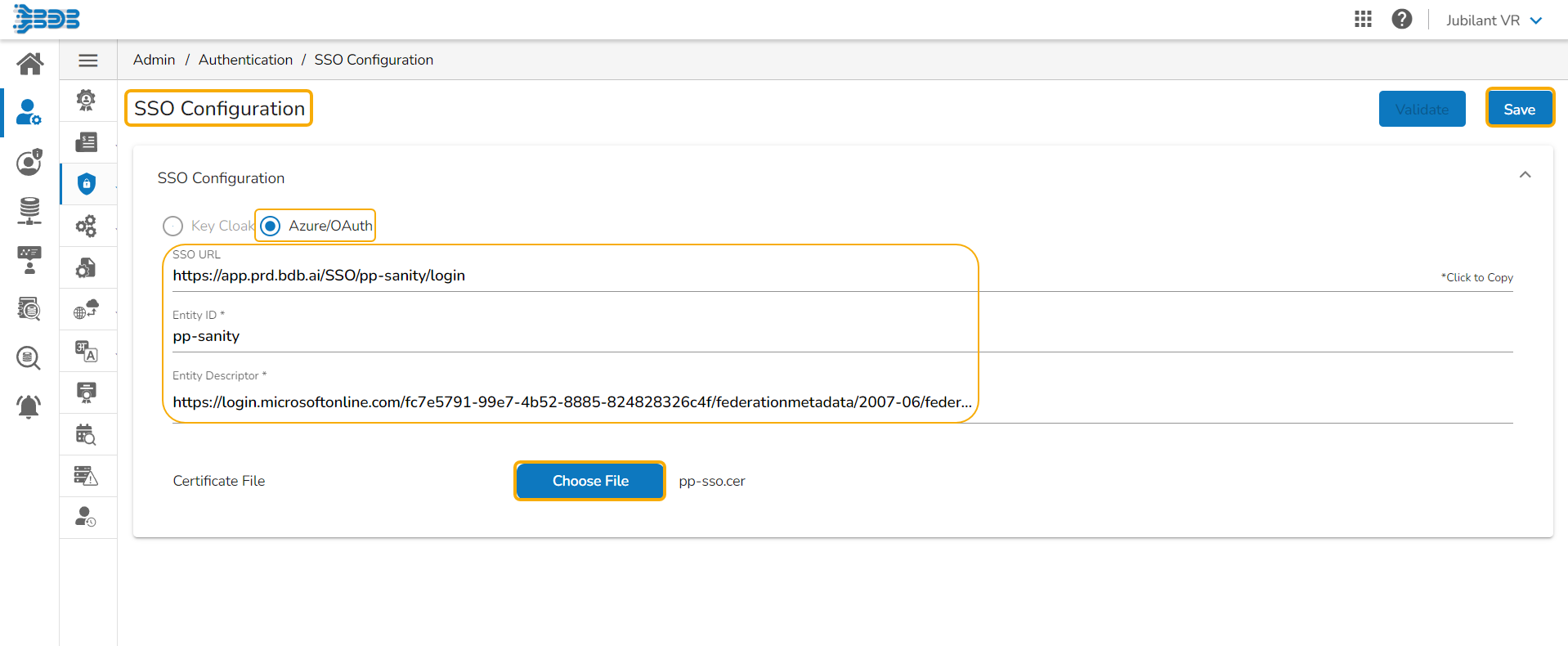
* Navigate to the SSO Configuration admin option using the Authentication options.
* Select the Azure/ OAuth option.
* Provide the following options:
* SSO URL
* Entity ID
* Entity Descriptor
* Certificate File: Choose a certificate file.
* Key File Upload: Choose a Key File certificate file.
* Click the ***Save*** option.
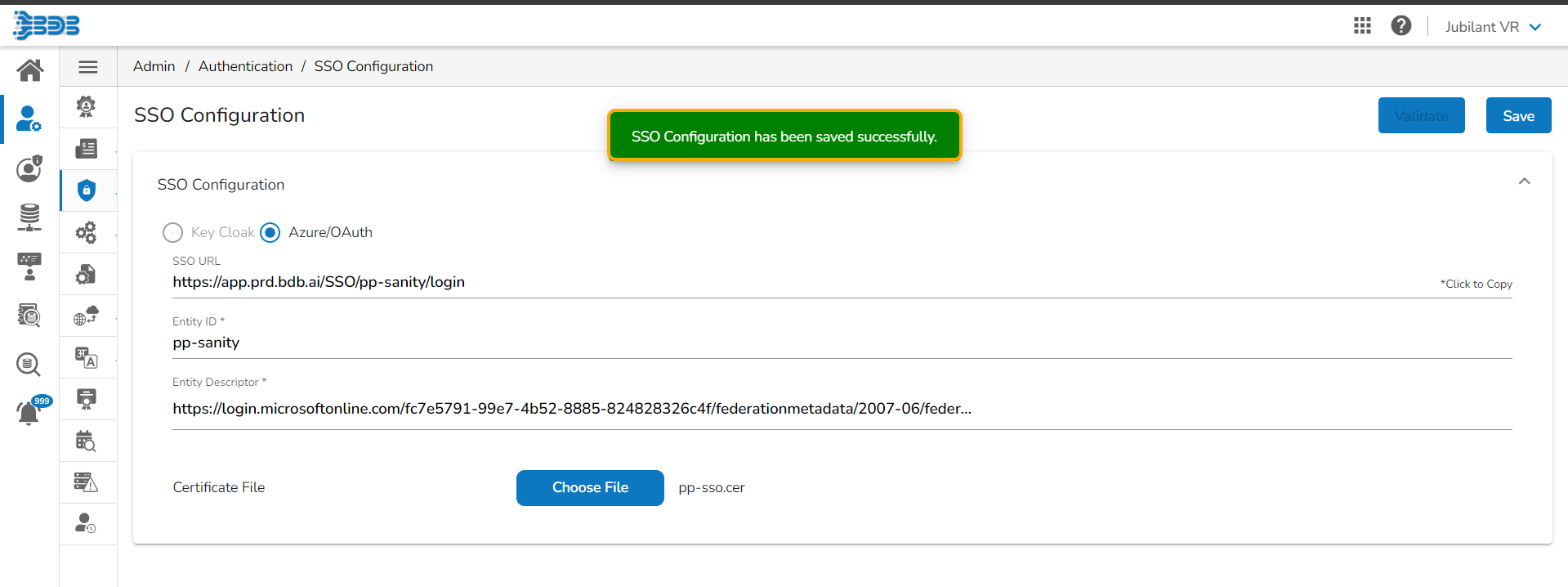
* A notification appears and the Azure/ OAuth option gets saved.