> For the complete documentation index, see [llms.txt](https://docs.bdb.ai/security-users-and-roles-4/llms.txt). Markdown versions of documentation pages are available by appending `.md` to page URLs; this page is available as [Markdown](https://docs.bdb.ai/security-users-and-roles-4/creating-a-new-user/user-status/activating-a-user.md).

# Activating a User

This section explains the steps to Activate a user from the Blocked or Expired Users lists.

## Activating a Blocked User

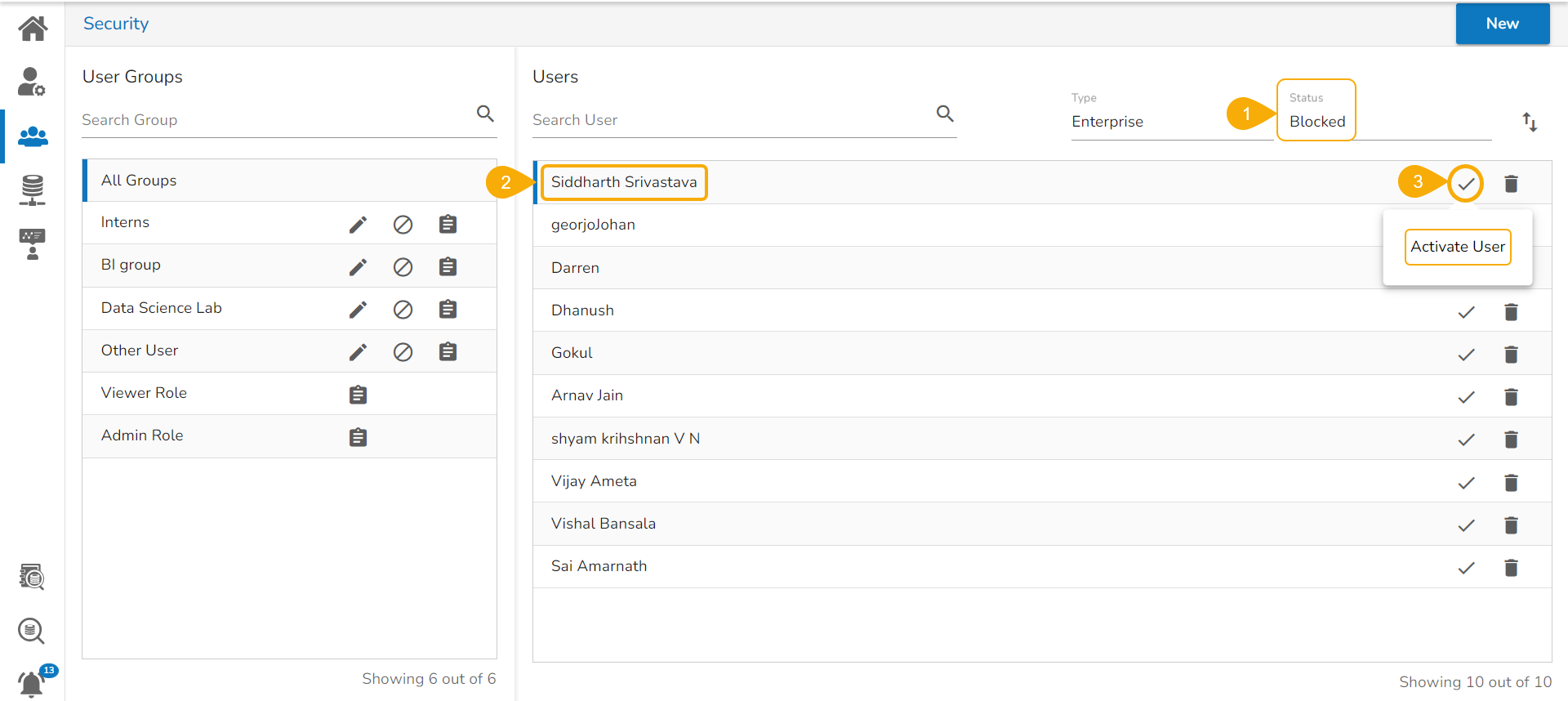
* Select **Blocked** as the status option to generate the users list with blocked users.
* Select a user from the list of all blocked users list.&#x20;
* Click the **Activate User** icon to activate a specific user. &#x20;

<figure><img src="https://content.gitbook.com/content/nI8soZ21x1QPEK0Ygd7P/blobs/TzCB13kXkDwALFiKOSD3/image.png" alt=""><figcaption><p>Accessing the Activate User option for the Blocked Users</p></figcaption></figure>

* The ***Activate User*** dialog box appears to confirm the action.
* Click the ***Yes*** option.

&#x20;      ![](https://content.gitbook.com/content/nI8soZ21x1QPEK0Ygd7P/blobs/lACjRjm2AKmLASoTS2lA/image.png)

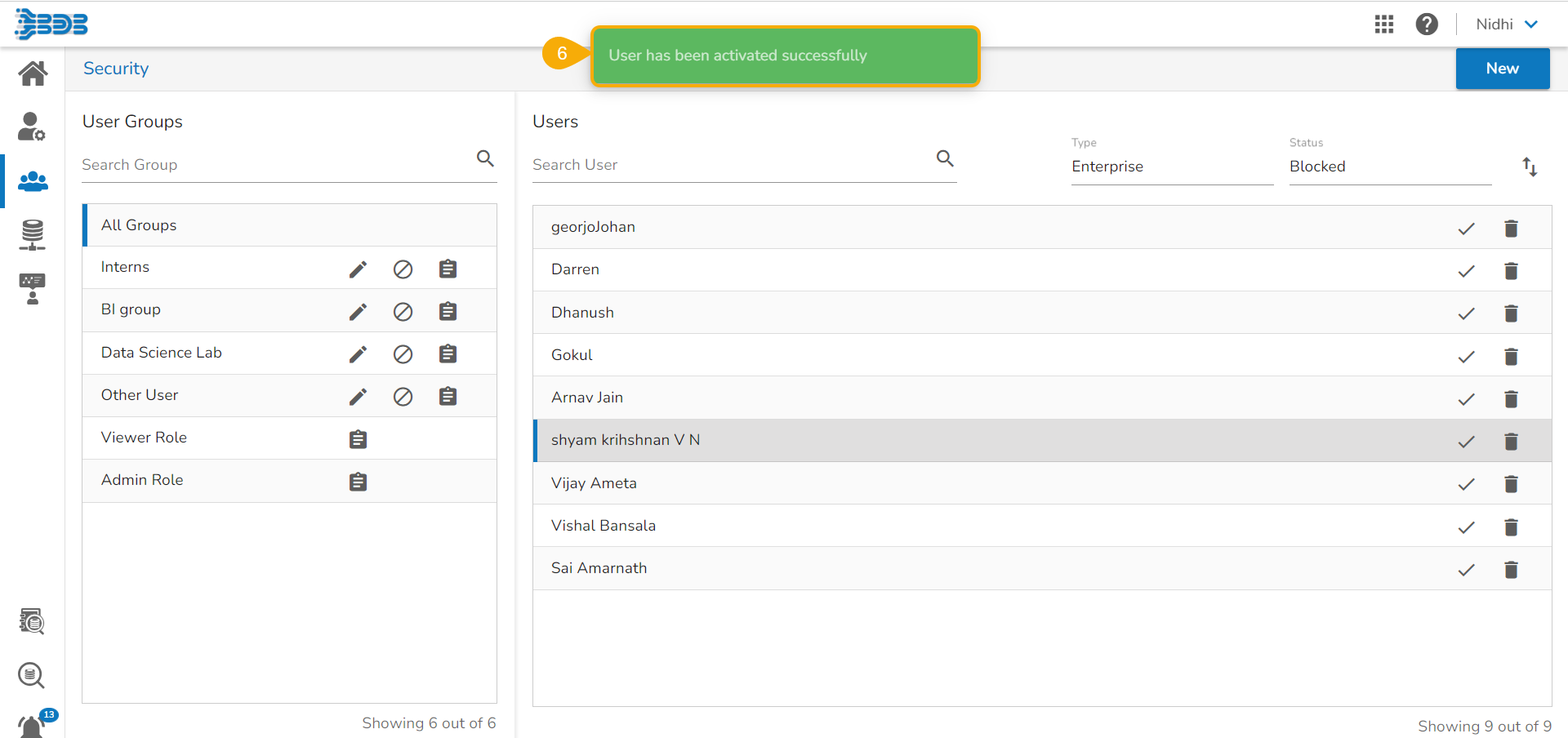
* A notification message appears and the selected user gets activated.&#x20;

<figure><img src="https://content.gitbook.com/content/nI8soZ21x1QPEK0Ygd7P/blobs/tYQd0TKnQPvHQd0kLFjE/image.png" alt=""><figcaption></figcaption></figure>

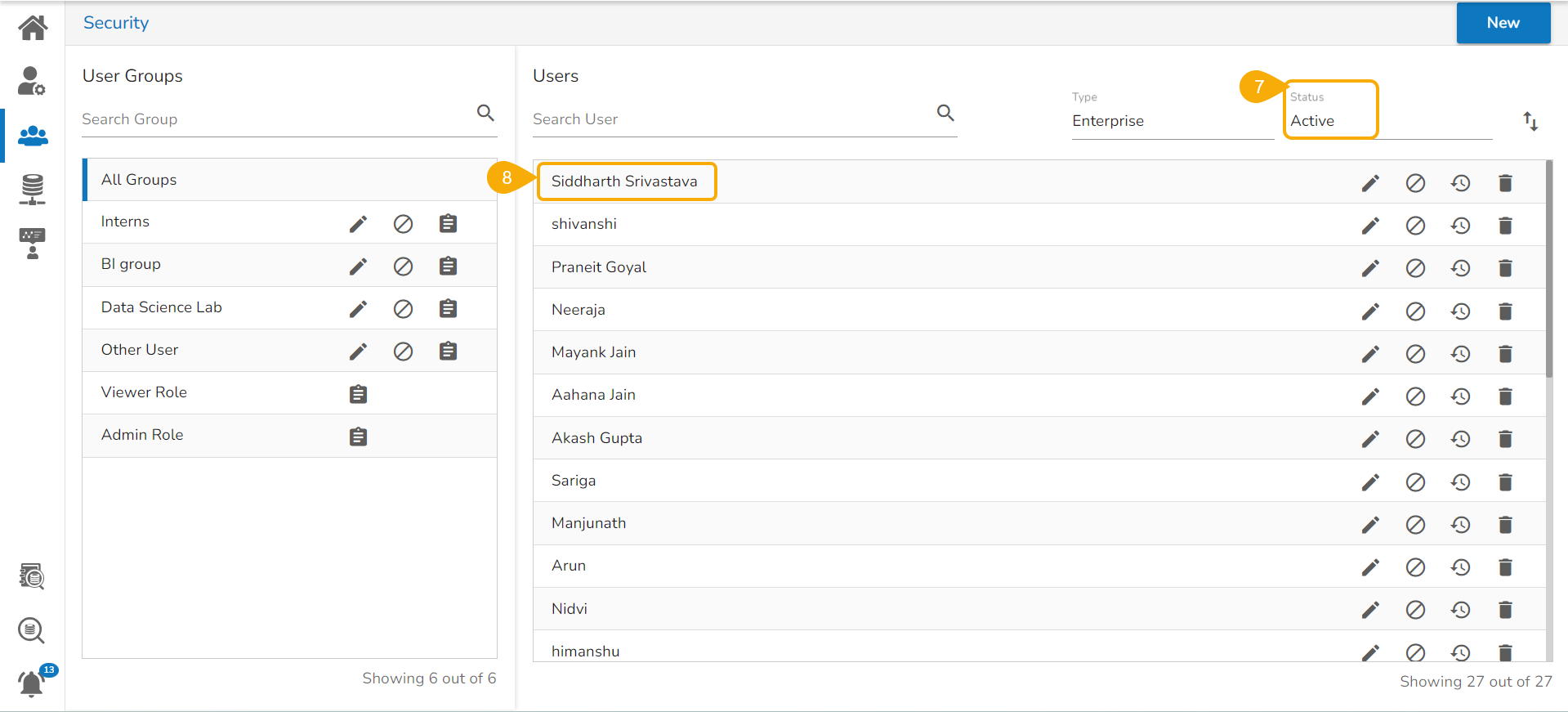
* Navigate to the ***Active*** user page by selecting the Status option.
* The newly activated user gets listed here.

<figure><img src="https://content.gitbook.com/content/nI8soZ21x1QPEK0Ygd7P/blobs/363vcp9bQ9QAHaAnIQ32/image.png" alt=""><figcaption><p>The selected blocked user gets activated and gets added to the Active users list</p></figcaption></figure>

## Activating a Expired User

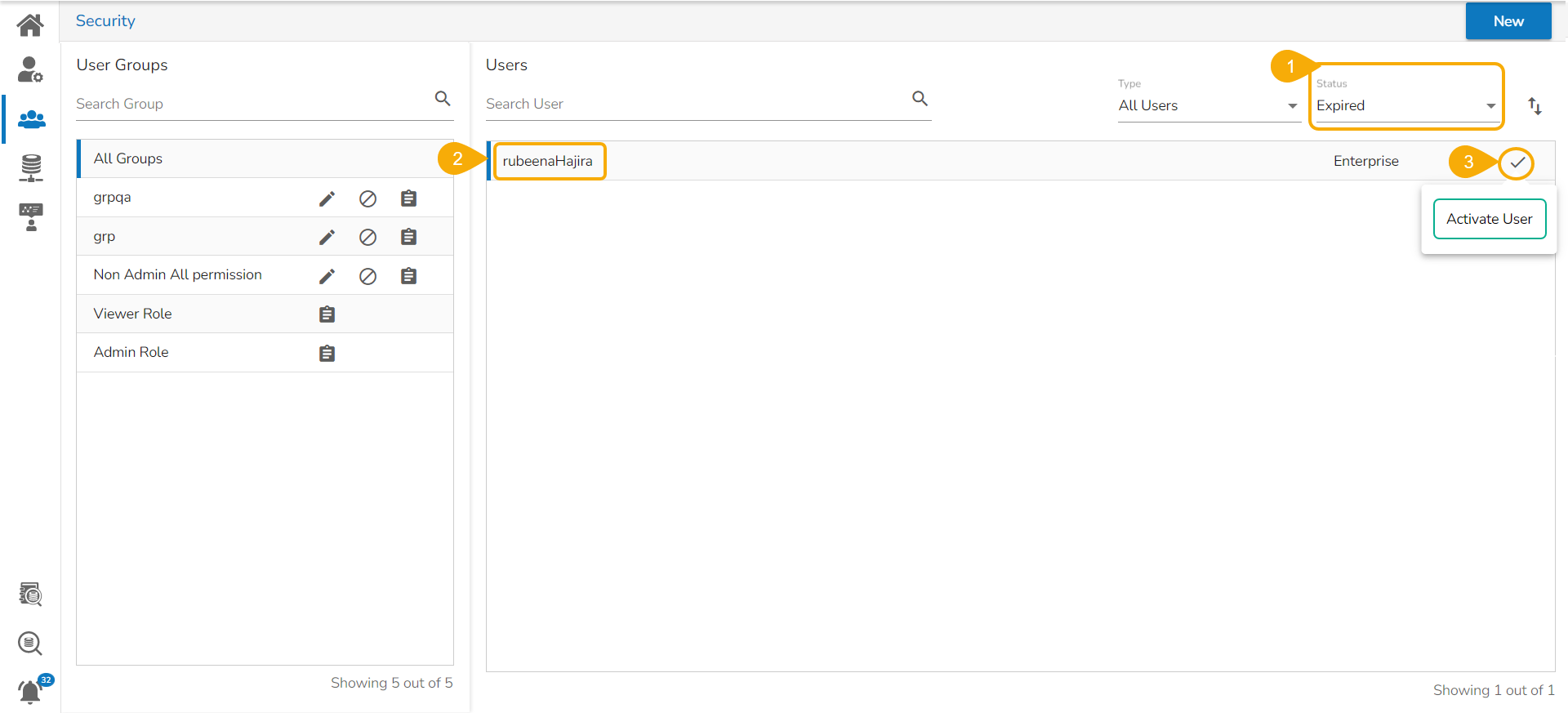
* Select **Expired** as the status option.
* Select a user from the  list of all expired user accounts/ groups appears.&#x20;
* Click the **Activate User** icon to activate a specific user.

<figure><img src="https://content.gitbook.com/content/nI8soZ21x1QPEK0Ygd7P/blobs/BLZM089Kc6lhVO8a53gs/image.png" alt=""><figcaption><p>Accessing the Activate User option for the Expired Users</p></figcaption></figure>

* The ***Activate User*** dialog box appears to confirm the action.
* Click the ***Yes*** option.

&#x20;     ![](https://content.gitbook.com/content/nI8soZ21x1QPEK0Ygd7P/blobs/TWOOR7iFJJvEfinZpFqt/image.png)

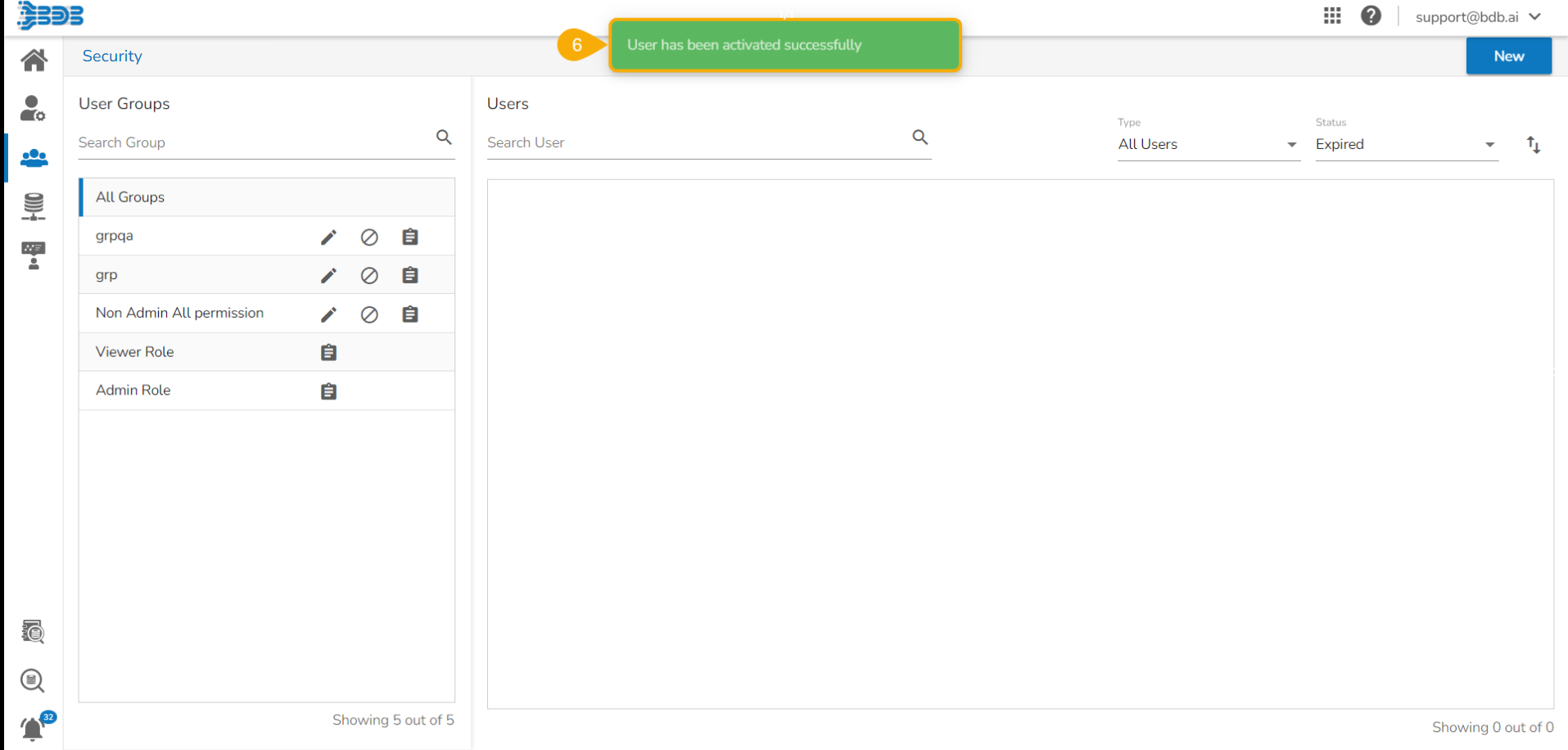
* A notification message appears.

<figure><img src="https://content.gitbook.com/content/nI8soZ21x1QPEK0Ygd7P/blobs/adwgiYBU7ILN7tnJPQRA/image.png" alt=""><figcaption></figcaption></figure>

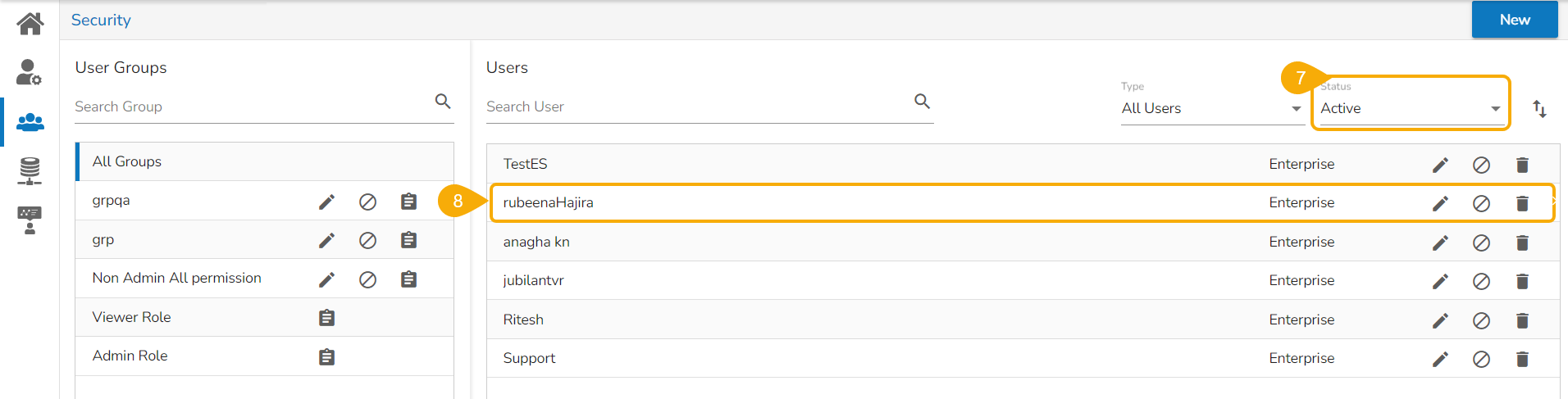
* Navigate to the ***Active*** user page by selecting the ***Status*** option.
* The newly activated user gets listed here.

<figure><img src="https://content.gitbook.com/content/nI8soZ21x1QPEK0Ygd7P/blobs/30VYRS9xOqTYmqn5C2C2/image.png" alt=""><figcaption><p>The selected expired user gets activated and gets added to the Active users list</p></figcaption></figure>