The user can authenticate the Windows AD accounts through this admin option.
Click the Authentication option from the list of admin options.
The following authentication options appear:
AD Configuration
CA PPM Configuration
AWS Cognito Configuration
Select the AD Configuration authentication option.
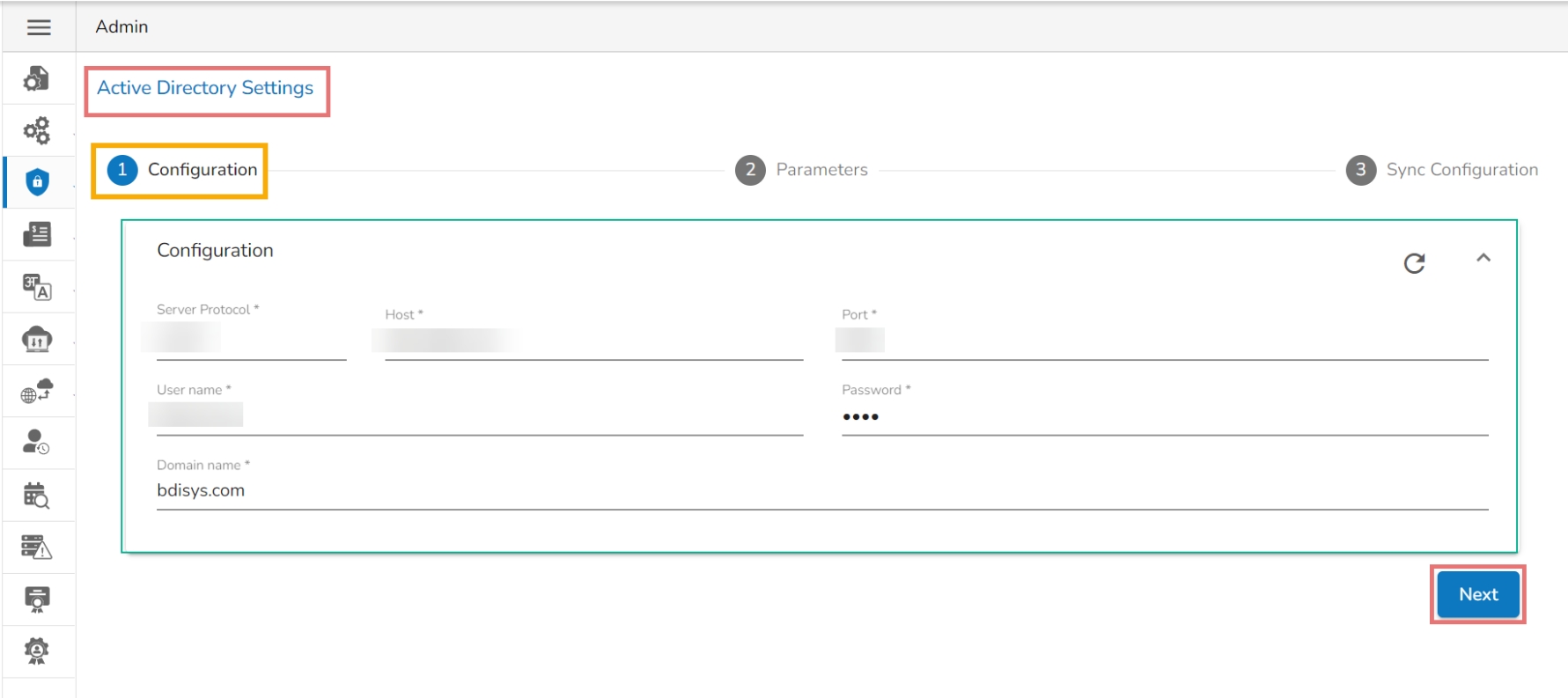
The Active Directory Settings page opens.
The Configuration tab for the Active Directory Settings opens by default.
Provide Server Protocol.
Provide the IP address/Host of the Windows AD server.
Click the Next option to proceed.
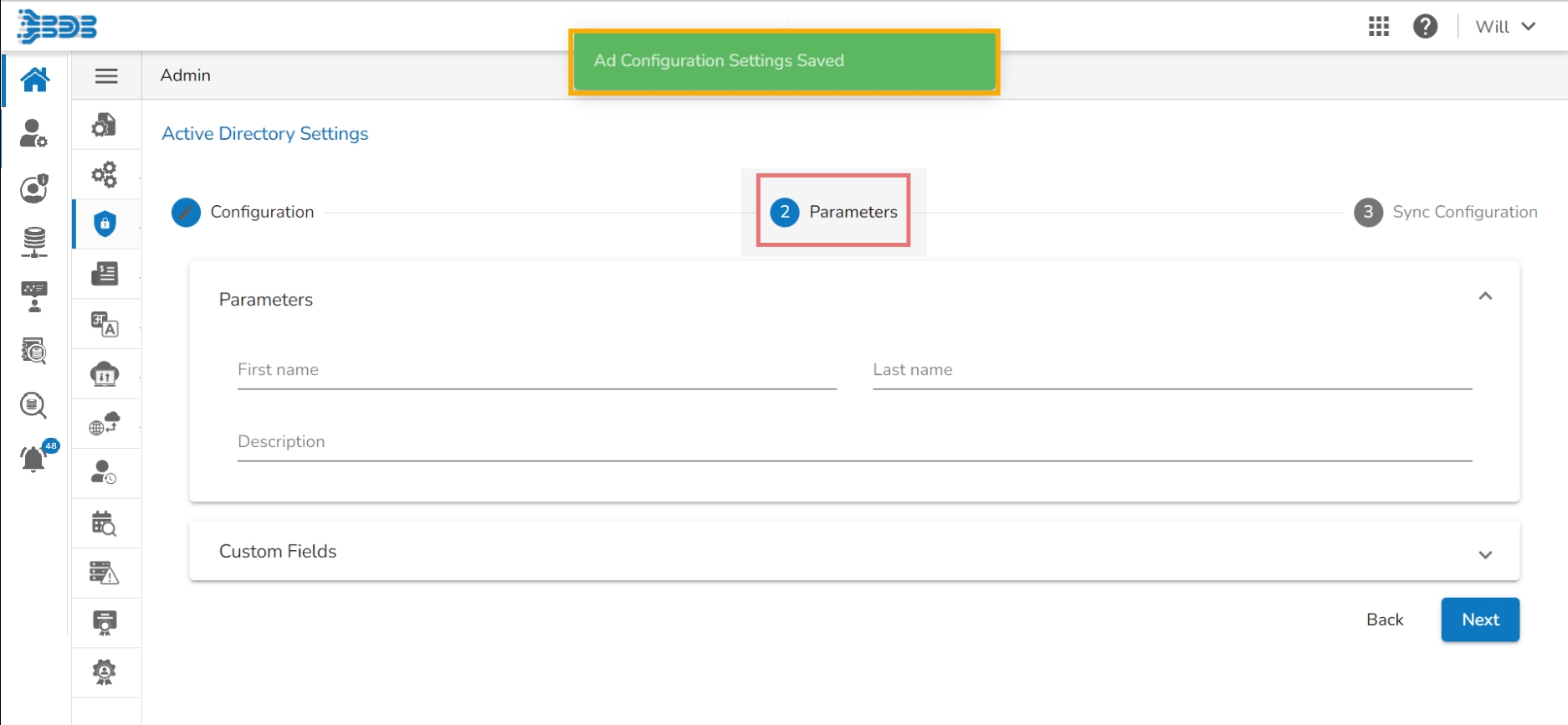
A message appears to confirm the action and leads to the Parameters tab.
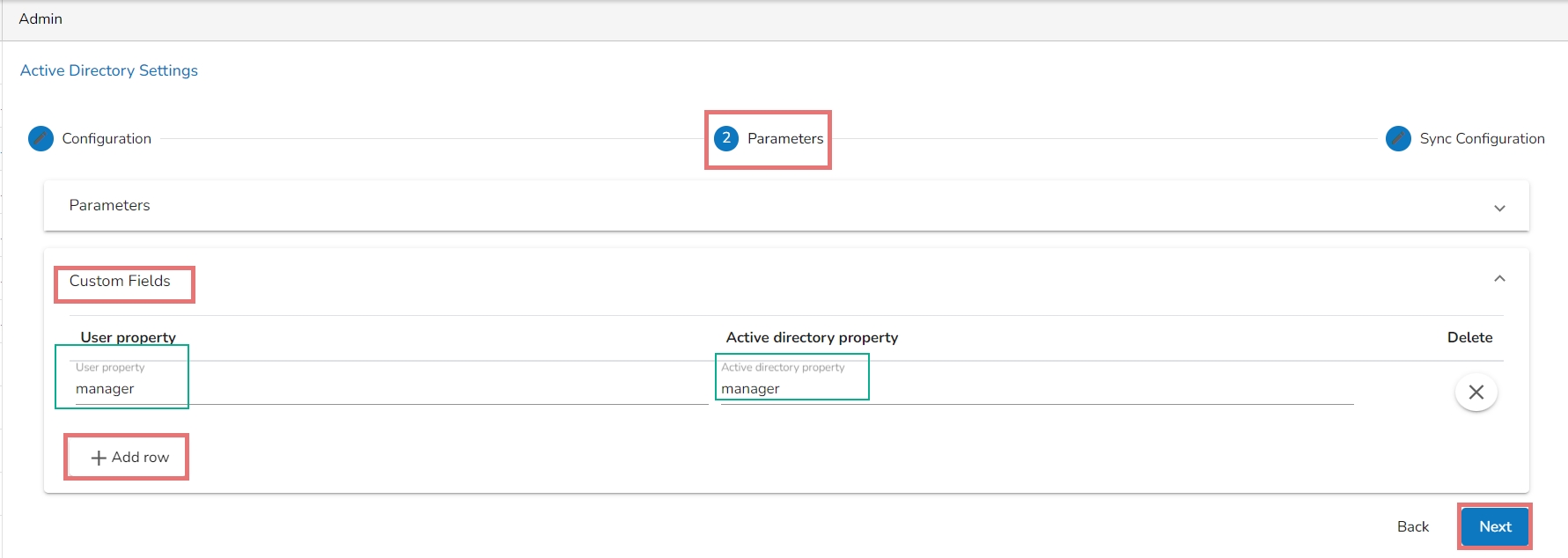
Set the user Parameters by using this tab.
Provide the first name of the user.
Provide the last name of the user.
Add description.
Open the Custom fields from the drop-down menu.
Select an option from the available context menu.
Enter Active Directory Property.
Add a new custom field by clicking the Add row icon.
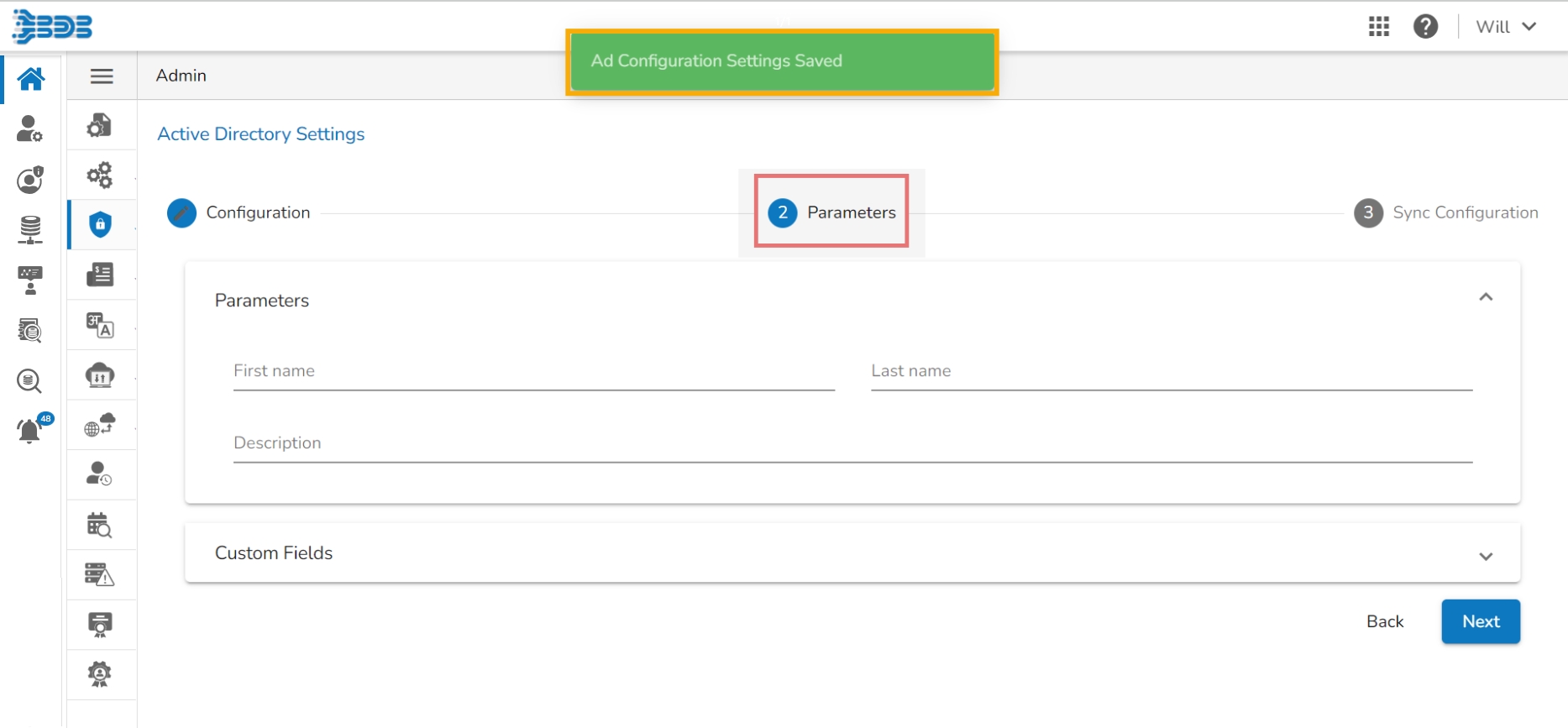
Click the Next option.
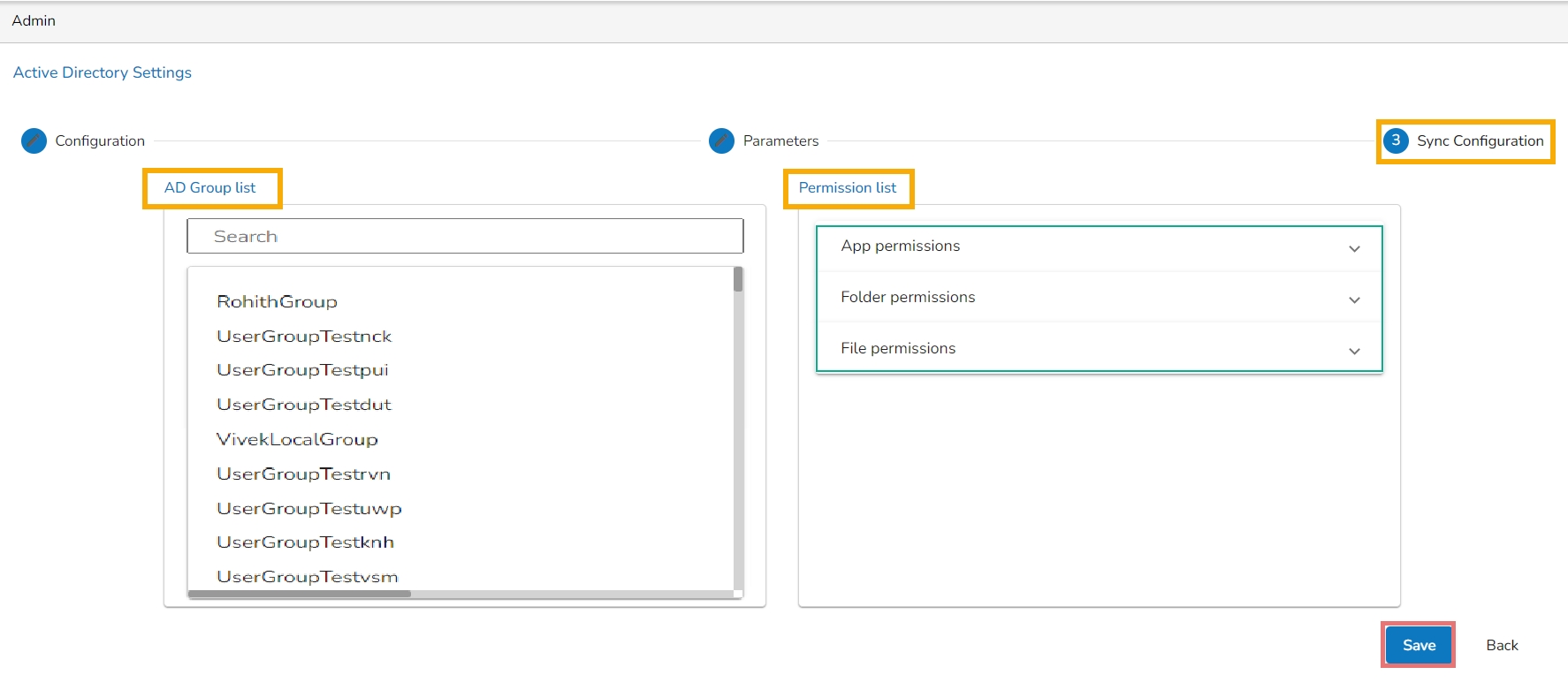
A success message appears to confirm the action and leads to the Sync Configuration tab.
Select a user group using the displayed AD Group list.
Select users from the AD User list by putting the checkmarks in the boxes given next to the usernames.
The Group Configuration tab opens.
The selected AD user list appears.
Select any user group from the AD Group list.
Click the Save
A success message appears confirming that the user group is updated successfully.
Provide the Username of the Windows AD service account.
Enter the secured Password.
Enter the Domain name.
A success message appears to confirm that the user list has been updated.