> For the complete documentation index, see [llms.txt](https://docs.bdb.ai/survey-5/llms.txt). Markdown versions of documentation pages are available by appending `.md` to page URLs; this page is available as [Markdown](https://docs.bdb.ai/survey-5/survey-builder-designing-a-survey/page/inserting-a-new-page.md).
# Inserting a New Page
The user gets two options to insert a new page in the Survey.
## **Insert Page Option at the top of the screen**
* Click on the ***+ Insert Page*** option from the Menu Row.
* A new page will be inserted ***before*** the existing page.
The Insert Page option at the Top of the screen
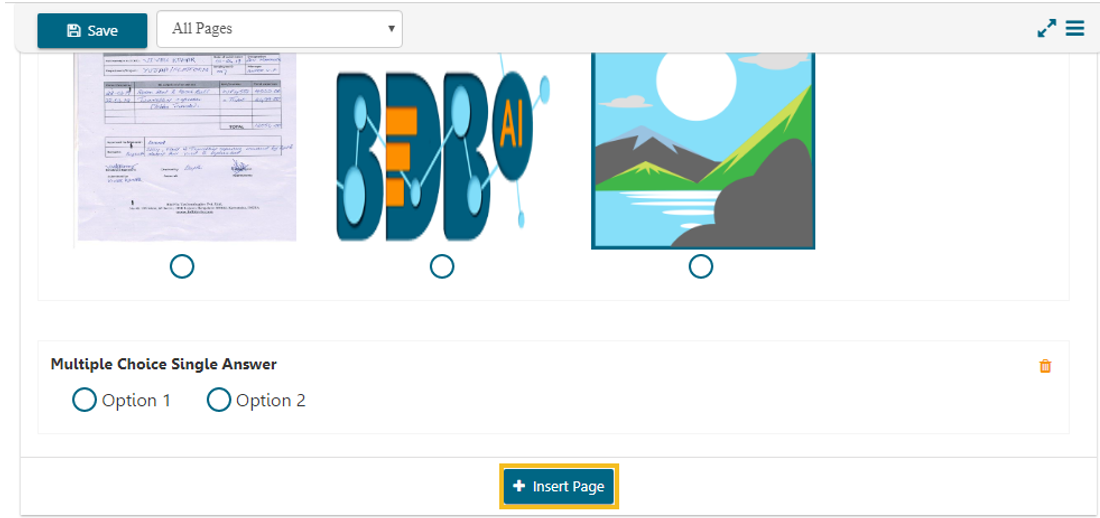
## **Insert Page Option at the bottom of the screen**
* Click on the ***+ Insert Page*** option from the bottom of the screen.
* A new page will be inserted ***after*** the existing page.
The Insert Page option at the Bottom of the screen
{% hint style="info" %}
*Please Note:*
* *The newly added page will open with a message that no question has yet been added to that page.*
* *The user can delete a page by clicking on the **Delete Page** option provided at the top right side of each page.*
{% endhint %}