> For the complete documentation index, see [llms.txt](https://docs.bdb.ai/survey-4/llms.txt). Markdown versions of documentation pages are available by appending `.md` to page URLs; this page is available as [Markdown](https://docs.bdb.ai/survey-4/analyzing-result-for-a-survey/show-hide-rules-for-page-questions.md).
# Show/Hide Rules for Page/Questions
Show Rule will display only the results of the selected questions or specific pages from the Survey.
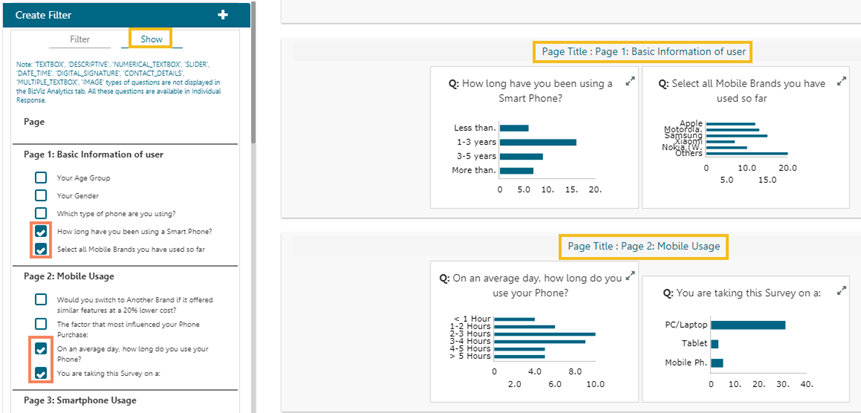
* Navigate to the ***Create Filter*** panel on the Analyze Result page.
* Select the ***Show*** tab.

* All the Survey questions get listed.
* Select questions by marking the checkboxes provided next to the questions.
* Click the ***Update Show*** option.
* The results for the selected questions get displayed on the analysis result page.
{% hint style="info" %}
*Please Note:* *Only one **Show** rule can be active at a time.*
{% endhint %}