> For the complete documentation index, see [llms.txt](https://docs.bdb.ai/self-service-visualization-5/llms.txt). Markdown versions of documentation pages are available by appending `.md` to page URLs; this page is available as [Markdown](https://docs.bdb.ai/self-service-visualization-5/creating-a-new-report/create-new-report.md).

# Create New Report

Begin your actual Report creation process with this section. It aims to explain the multiple ways available for a user to create a new report.
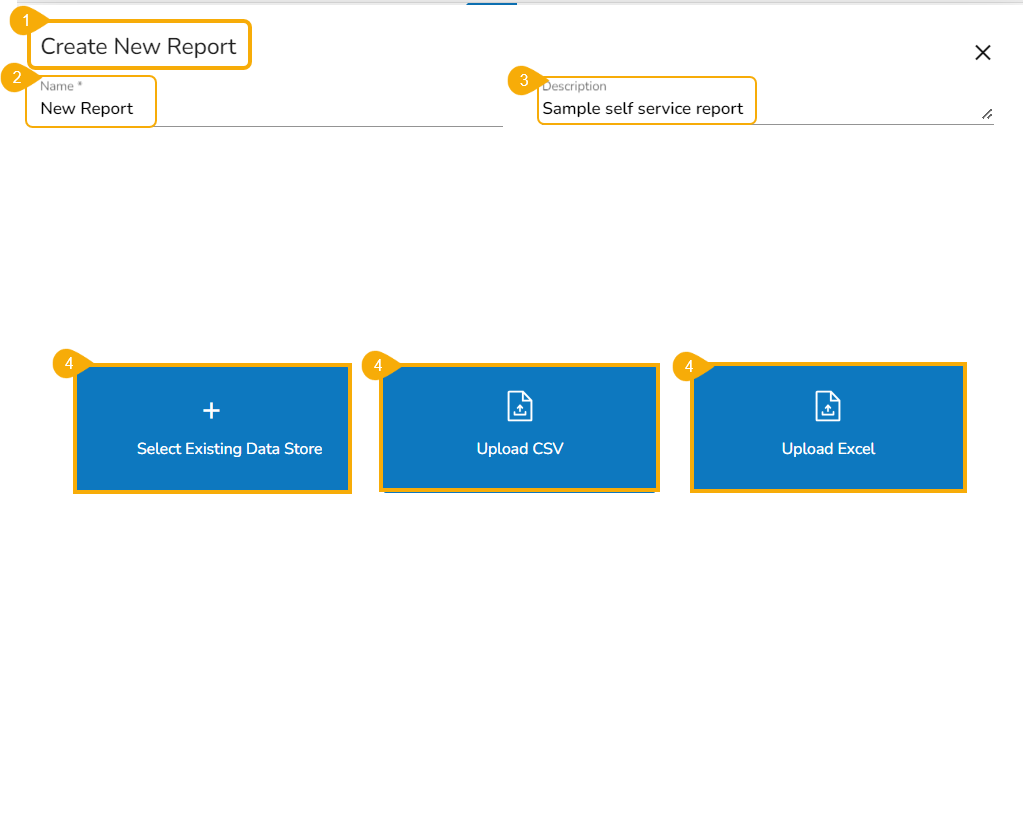
The ***Create New Report*** page displays three options to begin with the Report creation.

{% hint style="info" %} <mark style="color:green;">Please Note:</mark> *This screen opens to a user who has accessed the Report module using either of the steps shown in the **Accessing the Report Module*** description.
{% endhint %}

* Navigate to the ***Create New Report*** page.
* Provide a ***Name*** for the Report.
* Provide a ***Description*** of the report.
* Select **Existing Data Store**.

&#x20;     OR

* Upload a **CSV** file.

&#x20;    OR

* Upload an ***Excel*** file.

<figure><img src="https://content.gitbook.com/content/xZF8YGlESz97qqyTOJvz/blobs/0MeZQRuzVs5WtyX8gY8l/image.png" alt=""><figcaption><p><em><strong>Create New Report page with various Options to proceed with Report creation</strong></em></p></figcaption></figure>

* Based on the selected option the rest of the information gets displayed to the user.

{% hint style="info" %}
*<mark style="color:green;">Please Note:</mark> The user can create a new Report based on an uploaded Data Sandbox file. It is possible to save some Data Preparations transforms on this Data Sandbox file and then use it for Data Store creation. Later the user can select this Data Store from the Existing list of Data Store while creating a new Report. This flow contains the following steps:*

1. *Upload a Sandbox File/ Use an uploaded Sandbox file.*
2. *Use the Data Preparation option to transform the uploaded file data.*
3. *Create a Data Store based on the same Sandbox file.*
4. *Create a new Report based on the same Data Store created on the clean Sandbox file.*&#x20;

*Refer to the **Creating a new Report based on a Data Sandbox Data Store with Data Preparations** section to understand the flow in detail.*
{% endhint %}
