> For the complete documentation index, see [llms.txt](https://docs.bdb.ai/interacting-with-platform-6/llms.txt). Markdown versions of documentation pages are available by appending `.md` to page URLs; this page is available as [Markdown](https://docs.bdb.ai/interacting-with-platform-6/sign-in.md).
# Sign In
Access the BDB Platform and begin your data exploration journey.
This section explains how to access the BDB Platform and the variety of modules that it offers:
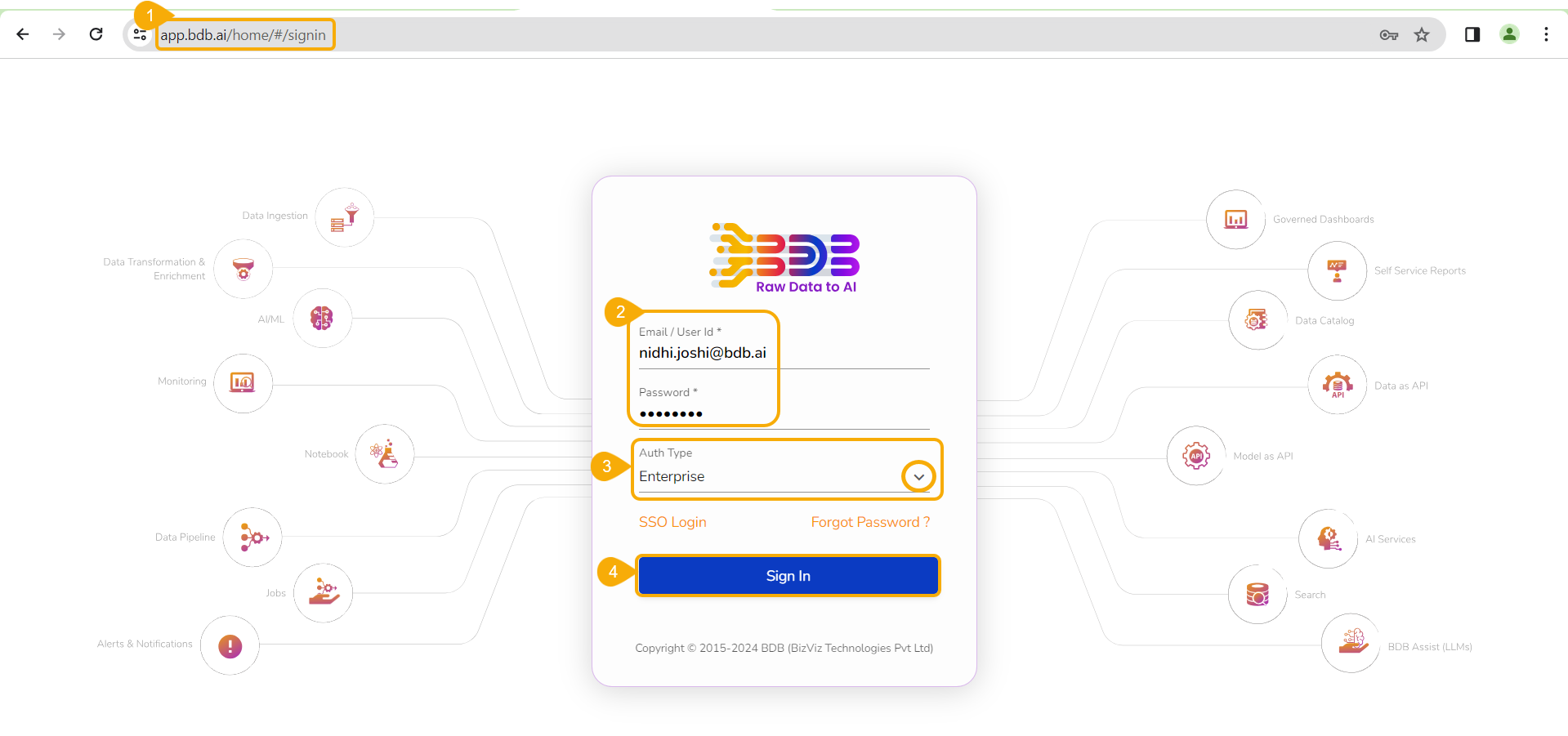
* Open the BDB Enterprise Platform Link: [https://app.bdb.ai](https://app.bdb.ai/home/#/signin)
* Enter your credentials to log in.
* Select an ***Auth Type*** option using the drop-down menu.
* Click the ***Sign In*** option.
Sign In page for the BDB Platform
* The default landing page for the BDB Platform opens.
The Default Landing Page of the BDB Platform
Spaces
The user needs to select a space in case multiple spaces exist. This screen will appear next to the ***Sign In*** page for the user to select a specific space.