> For the complete documentation index, see [llms.txt](https://docs.bdb.ai/interacting-with-platform-5/llms.txt). Markdown versions of documentation pages are available by appending `.md` to page URLs; this page is available as [Markdown](https://docs.bdb.ai/interacting-with-platform-5/sign-in/resetting-password.md).
# Resetting Password
This section aims to describe steps to reset password for your user account using the Forgot Password option.
{% hint style="success" %}
*Check out the walk-through to reset your password using the **Forgot Password** option.*
{% endhint %}
The users are provided with a choice to reset the password in case they forget it. This functionality is provided on the sign-in page of the platform.
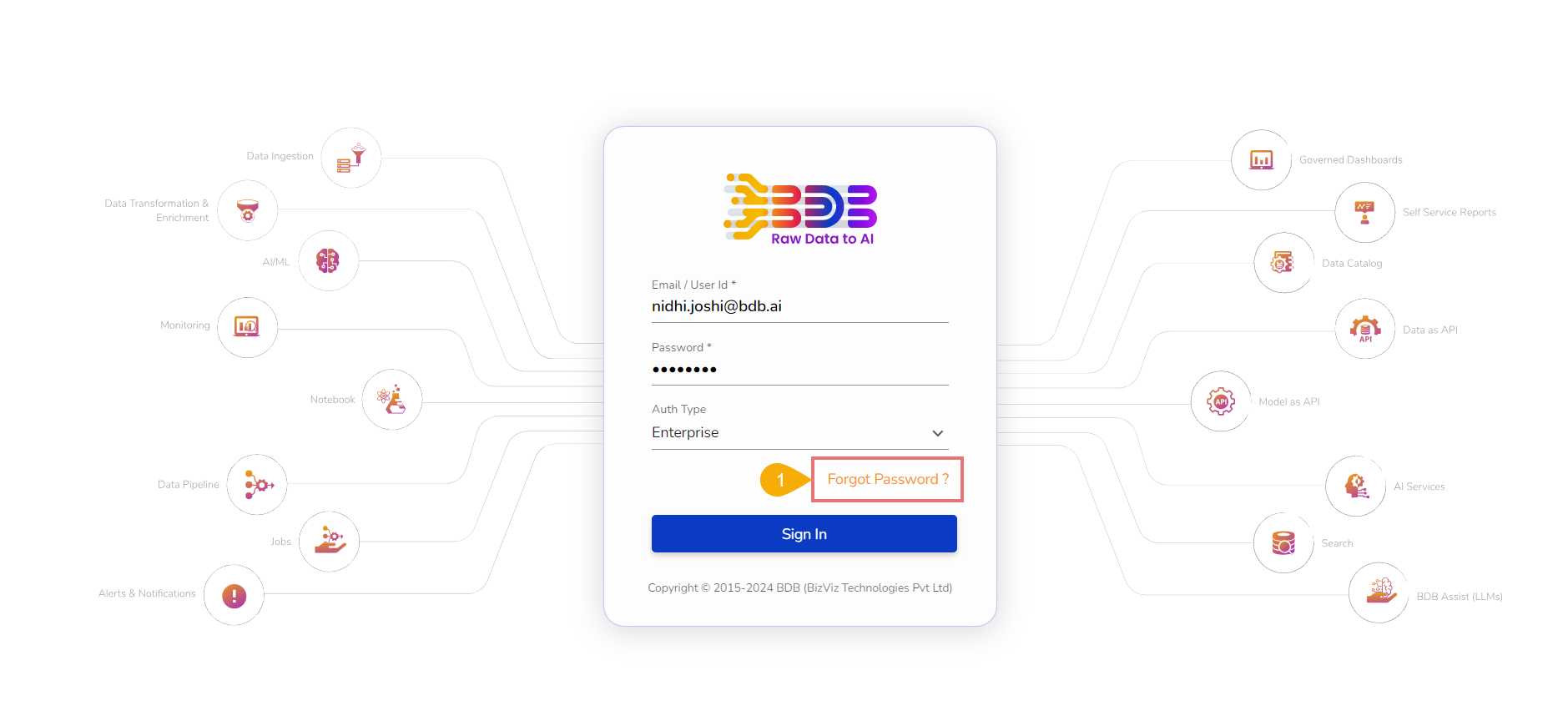
* Click the ***Forgot Password?*** option from the ***Sign In*** page.
Accessing the Forgot Password option from the Sign-In Page
* The ***Forgot Password?*** page opens.
* Provide the registered email ID to send the reset password link.
* Click the ***Continue*** option.
{% hint style="info" %}
*Please Note: The user may get redirected to select a space in case of multiple spaces under one server link. The user needs to select a space and click the **Continue** option once again.*

{% endhint %}
* In case, a user does not have multiple spaces, a message appears to notify the user about the password reset link (the reset link gets shared via the registered email).
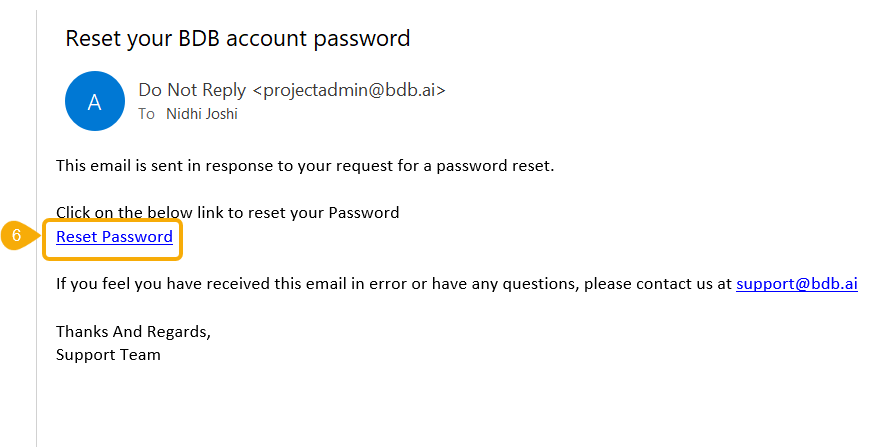
* Click the link from your registered email.
Reset Password link sent via mail
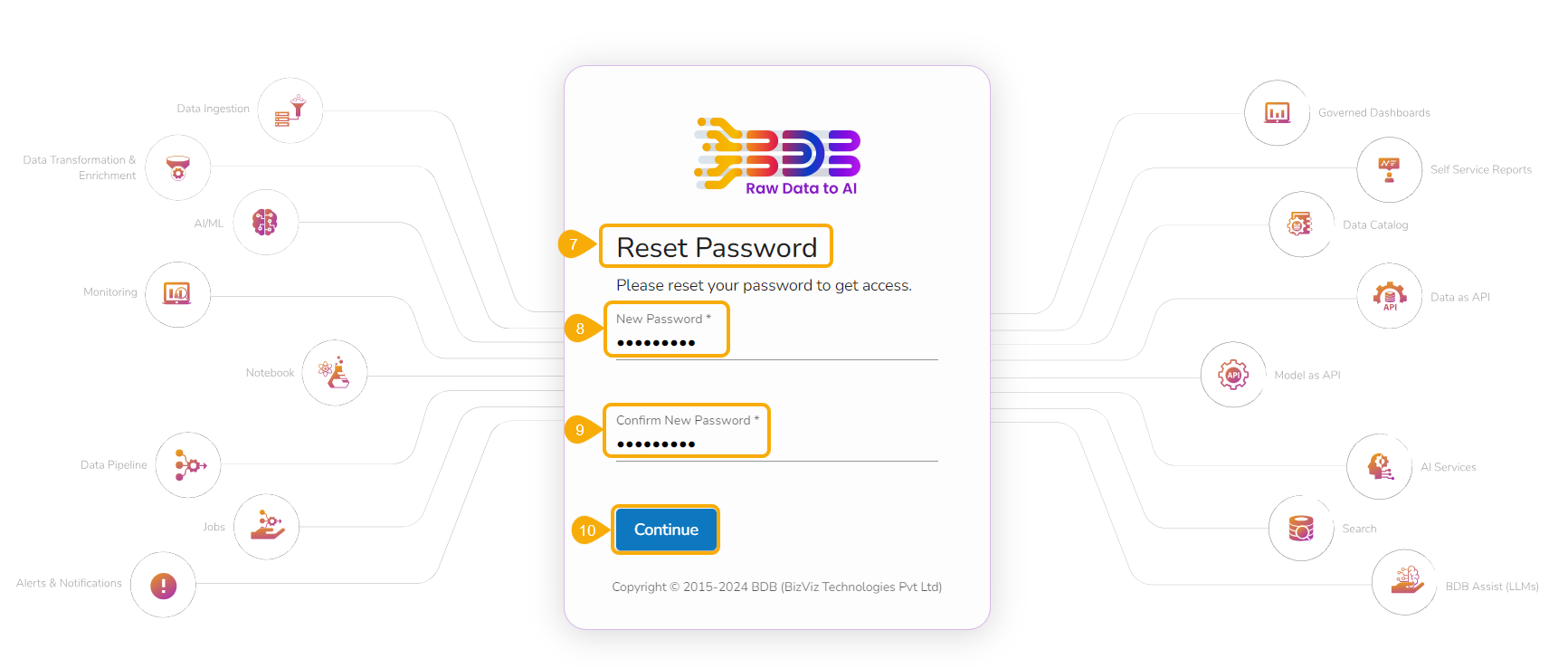
* The user gets redirected to the ***Reset Password*** page to set a new password.
* Set a new password.
* Confirm the newly set password.
* Click the ***Continue*** option.
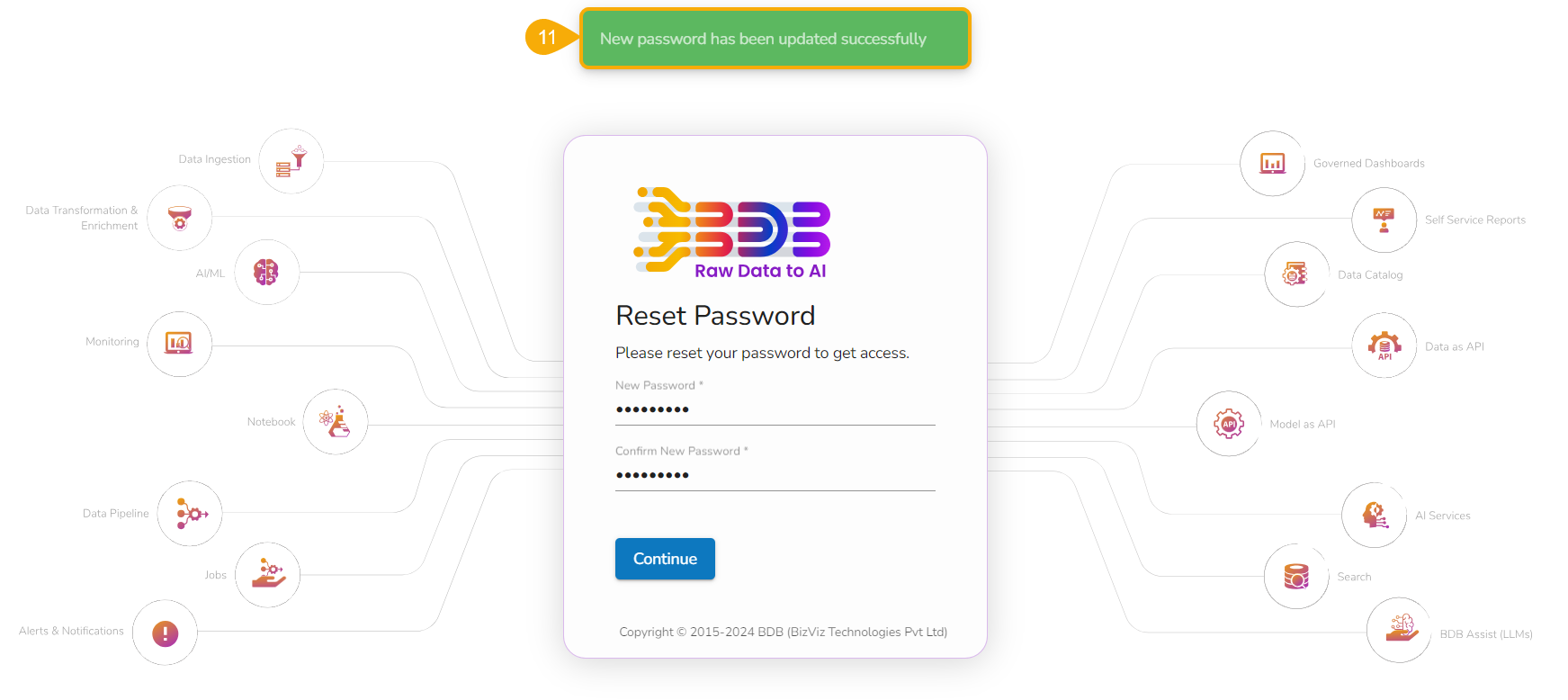
* The password for the selected BDB account gets reset and a confirmation message appears to inform the user.
Confirmation message after the password gets reset.
{% hint style="info" %}
*Please Note: The user gets redirected back to the **Sign In** page after successfully resetting the password for their platform account.*
{% endhint %}