# Information Icon
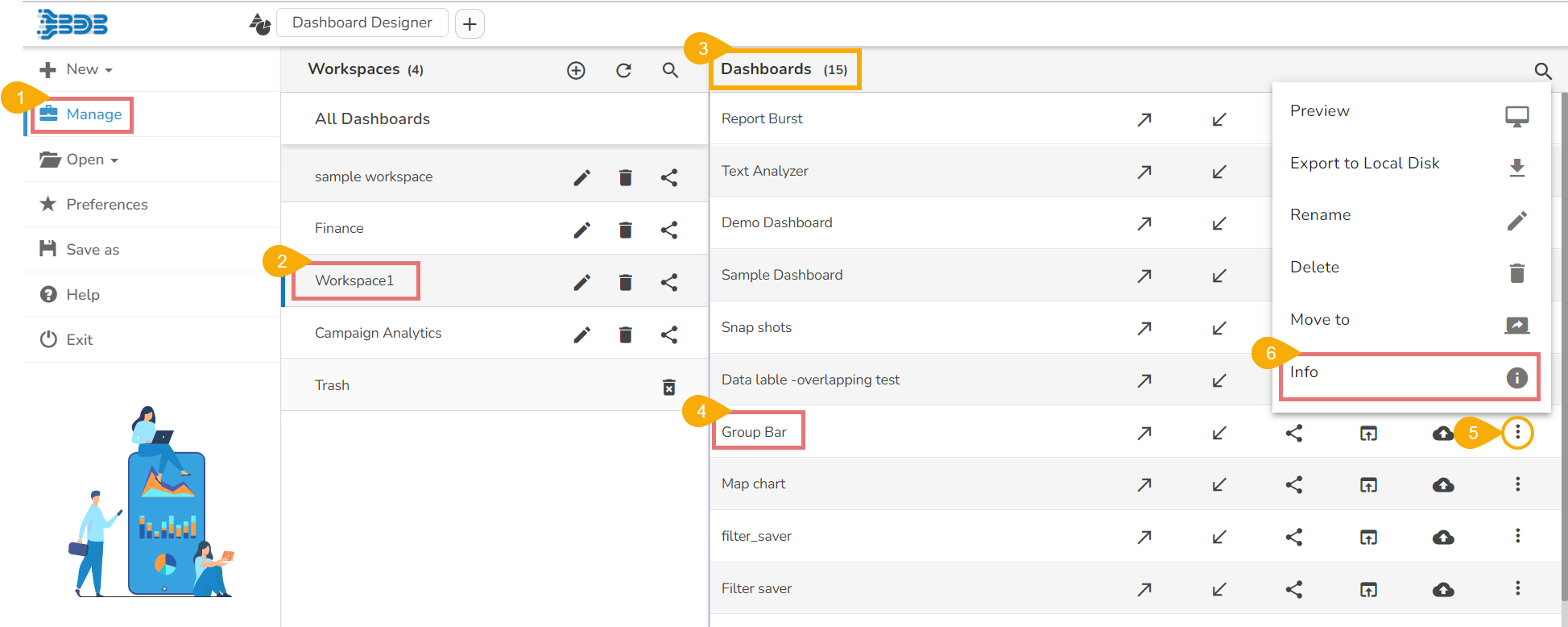
* Click the ***Manage*** option from the Designer Homepage Left Menu Panel.
* Select a Workspace from the list of available Workspaces.
* A list of available Dashboards inside the selected Workspace opens.
* Select a Dashboard from the list.
* Click the ***Action*** ***menu icon*** for the dashboard.
* Click the ***Info*** icon from the Action menu.
Accessing the Information Icon
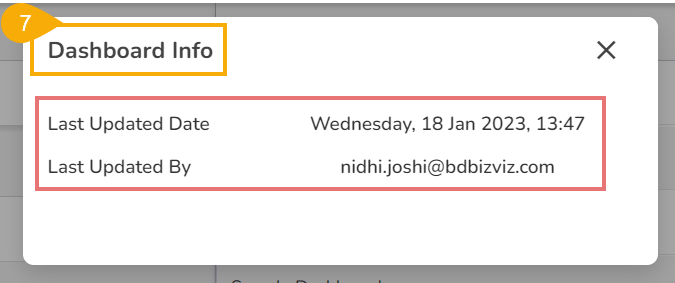
* The Dashboard Info window opens displaying the related information such as ***Last Updated Date*** and ***Last Updated By.***