> For the complete documentation index, see [llms.txt](https://docs.bdb.ai/forms-5/llms.txt). Markdown versions of documentation pages are available by appending `.md` to page URLs; this page is available as [Markdown](https://docs.bdb.ai/forms-5/general-workflow-for-forms/question/duplicate.md).

# Duplicate

By clicking the Question Settings icon, 3 settings options for a question get displayed.

The **Duplicate** settings option prompts to copy the selected question.

* Click the ***Duplicate*** option from the menu.

![](https://859511478-files.gitbook.io/~/files/v0/b/gitbook-x-prod.appspot.com/o/spaces%2FGDmsjfjJBNqow7Fo97cO%2Fuploads%2F8ibo2DJ8BPhI3UiD1LuR%2Fimage.png?alt=media\&token=a7a20a67-8159-43cb-b269-52adb284bd11)​

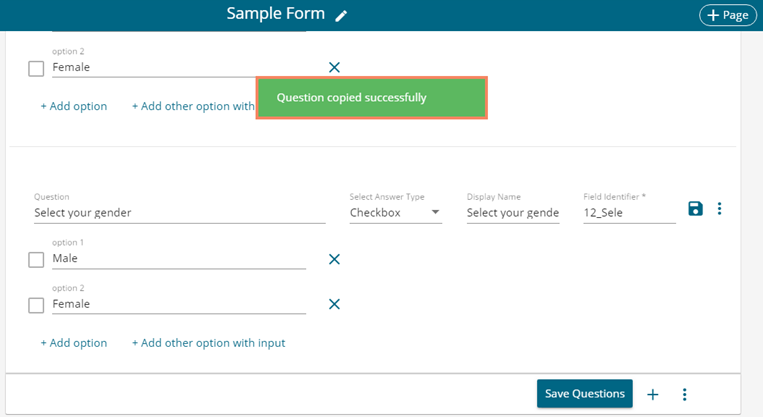
* A success message appears to inform the user that the selected question is copied successfully.

<figure><img src="https://859511478-files.gitbook.io/~/files/v0/b/gitbook-x-prod.appspot.com/o/spaces%2FGDmsjfjJBNqow7Fo97cO%2Fuploads%2FKfoH8E36bV7SbnTOcwL2%2Fimage.png?alt=media&#x26;token=c78e7ef6-4fba-455f-80d1-c166dbb1481f" alt=""><figcaption></figcaption></figure>

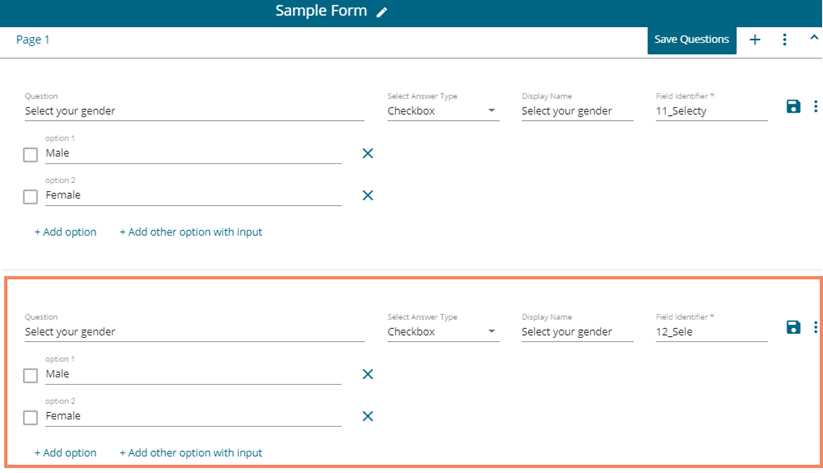
* The copied question gets added below the selected question as mentioned in the below image:
<figure><img src="https://859511478-files.gitbook.io/~/files/v0/b/gitbook-x-prod.appspot.com/o/spaces%2FGDmsjfjJBNqow7Fo97cO%2Fuploads%2FmUxz4XKDILrekzk4BZZV%2Fimage.png?alt=media&#x26;token=8bc21710-3188-4fb0-8ba5-95b757d425d7" alt=""><figcaption></figcaption></figure>