> For the complete documentation index, see [llms.txt](https://docs.bdb.ai/forms-4/llms.txt). Markdown versions of documentation pages are available by appending `.md` to page URLs; this page is available as [Markdown](https://docs.bdb.ai/forms-4/general-workflow-for-forms/creating-a-form.md).
# Creating a Form
The user can follow the given steps below to create a new form:
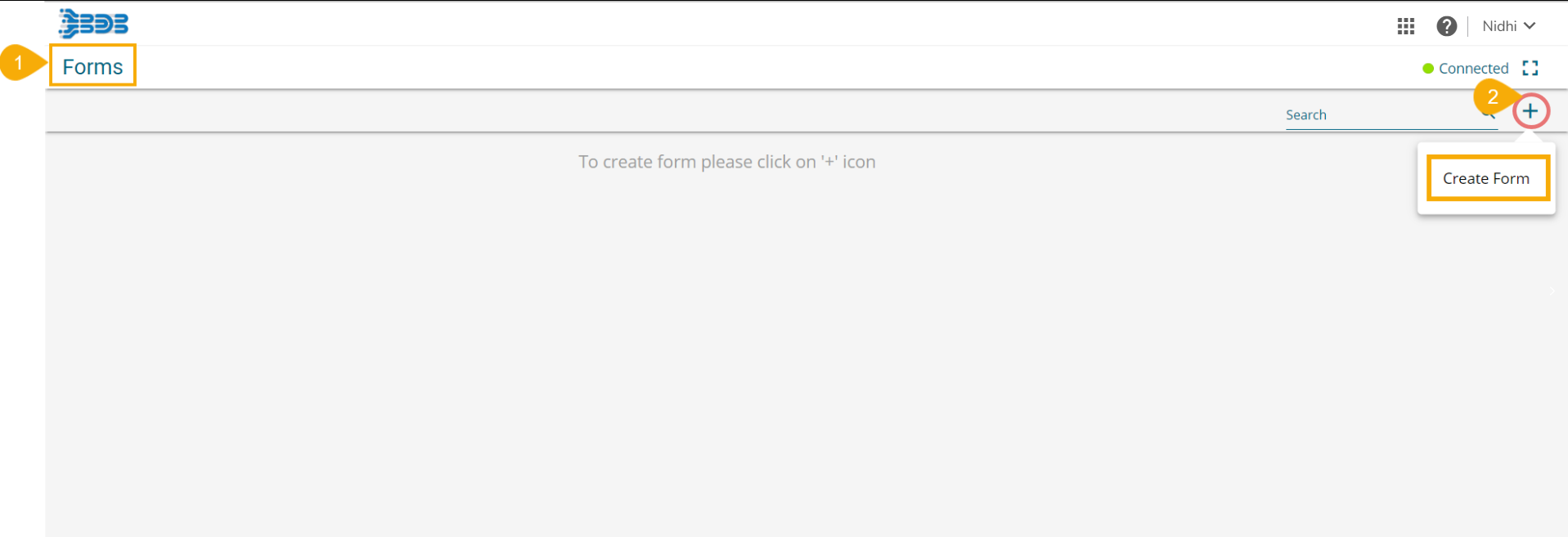
* Navigate to the Form landing page.
* Click the ***Create Form*** icon.
* The ***Create Form*** window opens.
* Provide the following information:
* Form Name: Provide a title for the Form.
* Form Instruction: Insert a Form Instruction for all the users who access the Form.
* Form Logo: Attach an image to be used as Form logo (The image file should be less than 50 KB).
* Click the ***Save*** option.
The Create Form window
* A success message appears.
* The newly created form gets added to the Form Landing page.
* The user gets redirected to the landing page of the newly created form to add a new page (by default).
* The newly created Form gets the Connected status by default.
Default page for a newly created Form
{% hint style="info" %}
*Please Note: The user needs to click the newly created Form tile to open the Form landing page (it opens by default for the first time after creation).*
{% endhint %}
* The inserted Form Instruction appears by default in a pop-up window while opening that form in the ***Preview mode*** (as shown in the below image). Click the ***Go to form*** option to access the form content and give a response.