> For the complete documentation index, see [llms.txt](https://docs.bdb.ai/forms-3/llms.txt). Markdown versions of documentation pages are available by appending `.md` to page URLs; this page is available as [Markdown](https://docs.bdb.ai/forms-3/general-workflow-for-forms/form-settings/properties/status.md).
# Status
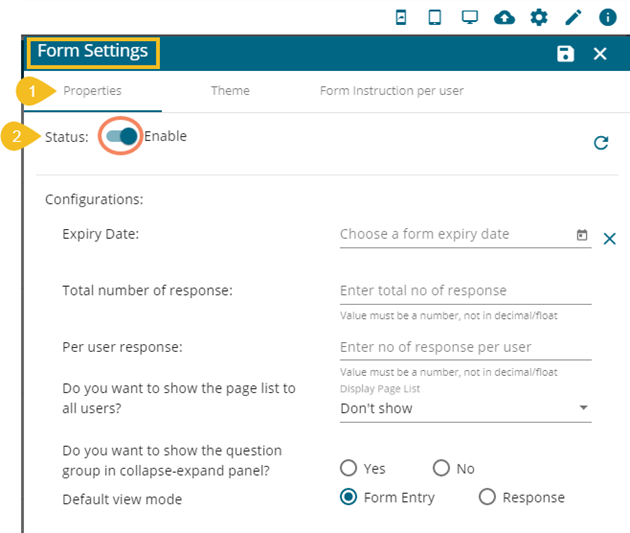
The display of the Properties field is determined by the Status option.The ***Properties*** tab provided under the ***Form Settings*** displays a radio button to enable or disable the status of the Form content.
* Open the ***Properties*** Tab using the **Form Settings** option. (It opens by default while selecting the ***Form Settings*** option.)
* The Enable/Disable radio button appears.
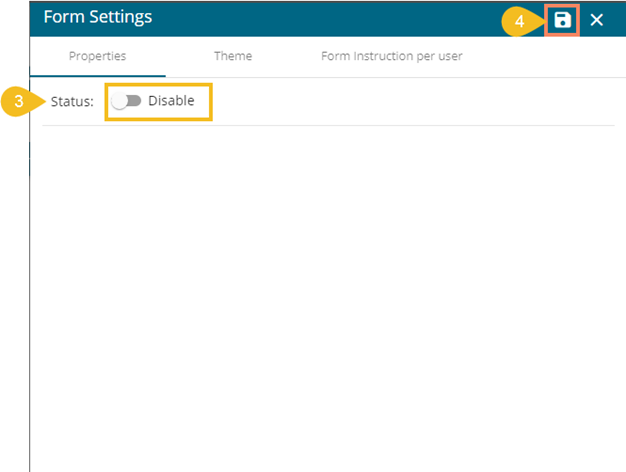
* By disabling this option, all the properties fields disappear.
Disabling the Form Status
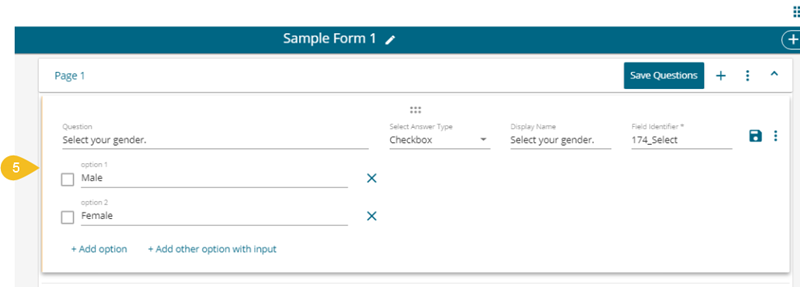
* The Form content gets disabled, so the user can’t give a response to any of the questions.