> For the complete documentation index, see [llms.txt](https://docs.bdb.ai/data-pipeline-5/llms.txt). Markdown versions of documentation pages are available by appending `.md` to page URLs; this page is available as [Markdown](https://docs.bdb.ai/data-pipeline-5/getting-started/pipeline-workflow-editor/pipeline-toolbar/pull-pipeline.md).

# Pull Pipeline

This feature is for pulling the previously moved versions of a pipeline that are committed by the user. This can help a user significantly to recover the lost pipelines or avoid unwanted modifications made to the pipeline.

{% hint style="success" %}
*Check out the walk-through on how to pull a pipeline version from the VCS.*
{% endhint %}

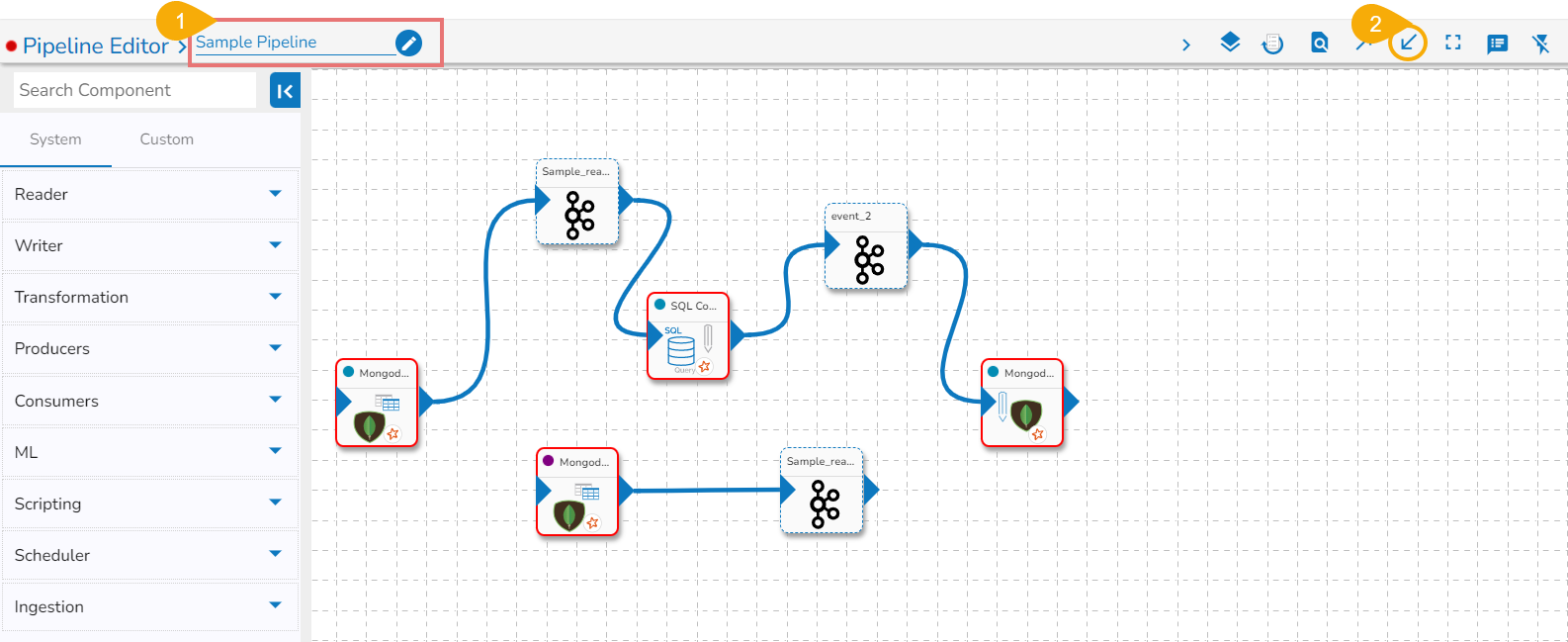
* Navigate to the ***Pipeline Editor*** page for a Pipeline.
* Click the ***Pull Pipeline*** icon for the selected data pipeline.     &#x20;

<figure><img src="https://content.gitbook.com/content/6ZP8JhQPMmuTgMyLMcCU/blobs/N3wKepqkd2t6uMCBEZsC/image.png" alt=""><figcaption></figcaption></figure>

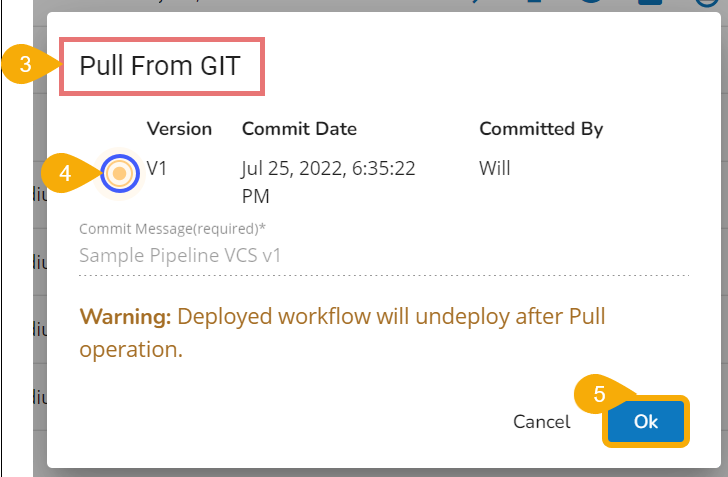
* The ***Pull from GIT*** dialog box appears.
* Select the data pipeline version by marking the given checkbox.
* Click the ***Ok*** option.   ​

&#x20;     ![](https://content.gitbook.com/content/6ZP8JhQPMmuTgMyLMcCU/blobs/46H5KJxKqTd0o5yWuWaL/image.png)

* A confirmation message appears to assure the users that the concerned pipeline workflow has been imported.

&#x20;      ![](https://content.gitbook.com/content/6ZP8JhQPMmuTgMyLMcCU/blobs/9f9nyYaURvZf7o7ZZtOe/image.png)

* Another confirmation message appears to assure the user that the concerned pipeline workflow has been pulled.

&#x20;     ![](https://content.gitbook.com/content/6ZP8JhQPMmuTgMyLMcCU/blobs/6sEhz9mGyBdG38GPSOEd/image.png)

{% hint style="info" %}
*<mark style="color:green;">Please Note:</mark>*

* *The pipeline that you pull will be changed to the selected version. Please make sure to manage the versions of the pipeline properly.*
* *Refer **Migrating Pipeline** described as a part of the* [***GIT Migration***](https://docs.bdb.ai/7.6/core-platform/platform-administration/admin-panel-options/git-migration) *(under the Administration section) to pull an exported/migrated Pipeline version from the GIT.*
* *The **Pull Pipeline** options provided on the* [***Pipeline List***](/data-pipeline-5/getting-started/homepage/list-pipelines.md) *and* [***Pipeline Editor***](/data-pipeline-5/getting-started/pipeline-workflow-editor.md) *<mark style="color:orange;">do not support</mark> to Pull a Pipeline from the GIT repository.*
  {% endhint %}

​