> For the complete documentation index, see [llms.txt](https://docs.bdb.ai/data-pipeline-3/llms.txt). Markdown versions of documentation pages are available by appending `.md` to page URLs; this page is available as [Markdown](https://docs.bdb.ai/data-pipeline-3/getting-started/homepage/create/creating-a-new-job/task-components/writers/azure-writer.md).
# Azure Writer
Azure is a cloud computing platform and service. It provides a range of cloud services, including infrastructure as a service (IaaS), platform as a service (PaaS), and software as a service (SaaS) offerings, as well as tools for building, deploying, and managing applications in the cloud.
Azure Writer task is used to write the data in the Azure Blob Container.
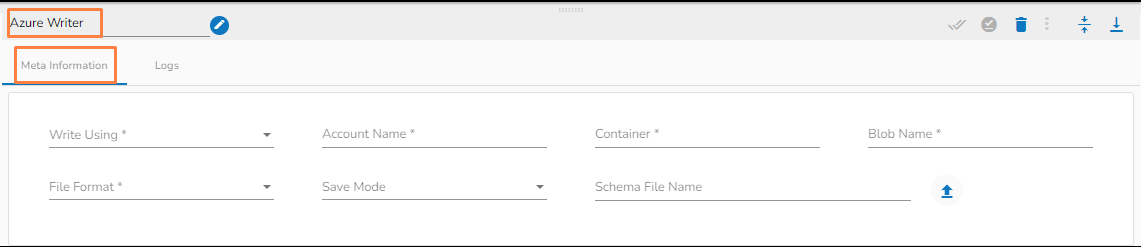
**Please follow the below steps to configure the meta information of Azure Writer:**
Azure Writer Task
### Configuring the Meta Information tab fields
* **Write using:** There are three(3) options available under this tab:
1. **Shared Access Signature:**
2. **Secret Key**
3. **Principal Secret**
## Read using **Shared Access Signature:**
**Provide the following details:**
1. **Shared Access Signature:** This is a URI that grants restricted access rights to Azure Storage resources.
2. **Account Name:** Provide the Azure account name.
3. **Container:** Provide the container name from where the blob is located.\
A container is a logical unit of storage in Azure Blob Storage that can hold blobs. It is similar to a directory or folder in a file system, and it can be used to organize and manage blobs.
4. **Blob Name:** Enter the Blob name.\
A blob is a type of object storage that is used to store unstructured data, such as text or binary data, like images or videos.
5. **File Format:** There are four(4) types of file extensions are available under it, select the file format in which the data has to be written:
* CSV
* JSON
* PARQUET
* AVRO
6. **Save Mode:** Select the Save mode from the drop down.
* Append
* Overwrite
7. **Schema File Name:** Upload spark schema file in JSON format.
## Read using Secret Key Option:
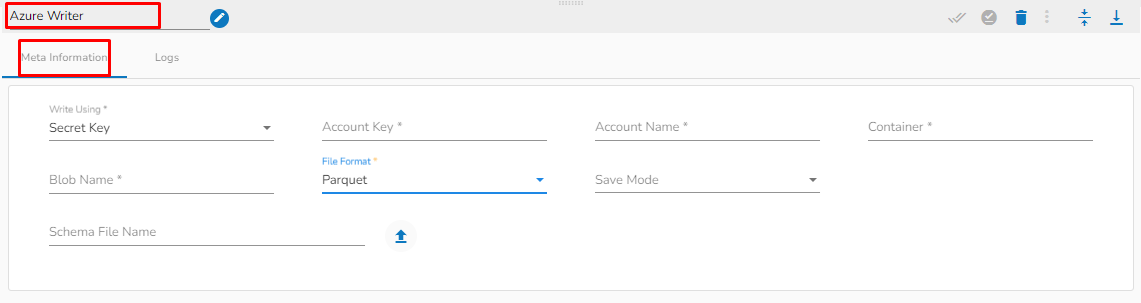
Read using Secret Key
* **Account Key:** Enter the azure account key. In Azure, an account key is a security credential that is used to authenticate access to storage resources, such as blobs, files, queues, or tables, in an Azure storage account.
* **Account Name:** Provide the Azure account name.
* **Container:** Provide the container name from where the blob is located.\
A container is a logical unit of storage in Azure Blob Storage that can hold blobs. It is similar to a directory or folder in a file system, and it can be used to organize and manage blobs.
* **Blob Name:** Enter the Blob name.\
A blob is a type of object storage that is used to store unstructured data, such as text or binary data, like images or videos.
* **File type:** There are four(4) types of file extensions are available under it:
* CSV
* JSON
* PARQUET
* AVRO
* **Schema File Name:** Upload spark schema file in JSON format.
* **Save Mode:** Select the Save mode from the drop down.
* Append
* Overwrite
## Read using Principal Secret:
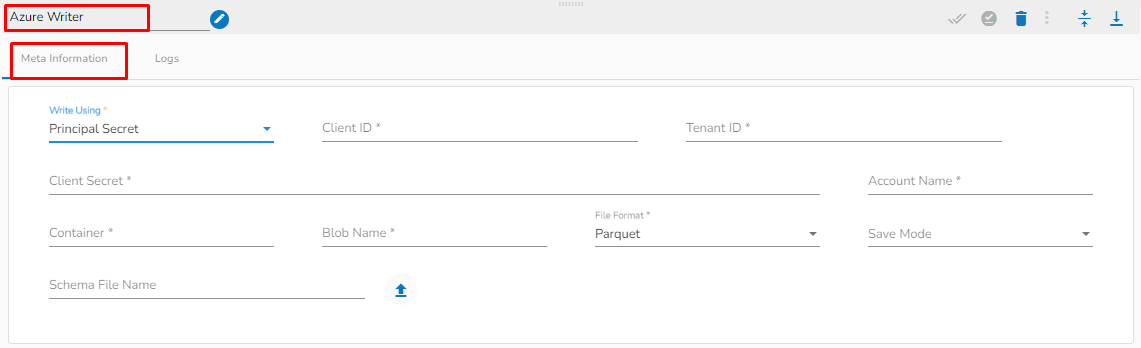
Reading using Principal Secret
**Provide the following details:**
1. **Client ID:** Provide Azure Client ID.\
The client ID is the unique Application (client) ID assigned to your app by Azure AD when the app was registered.
2. **Tenant ID:** Provide the Azure Tenant ID.\
Tenant ID (also known as Directory ID) is a unique identifier that is assigned to an Azure AD tenant, which represents an organization or a developer account. It is used to identify the organization or developer account that the application is associated with.
3. **Client Secret:** Enter the Azure Client Secret.\
Client Secret (also known as Application Secret or App Secret) is a secure password or key that is used to authenticate an application to Azure AD.
4. **Account Name:** Provide the Azure account name.
5. **Container:** Provide the container name from where the blob is located.\
A container is a logical unit of storage in Azure Blob Storage that can hold blobs. It is similar to a directory or folder in a file system, and it can be used to organize and manage blobs.
6. **Blob Name:** Enter the Blob name.\
A blob is a type of object storage that is used to store unstructured data, such as text or binary data, like images or videos.
7. **File type:** There are four(4) types of file extensions are available under it:
* CSV
* JSON
* PARQUET
* AVRO
8. **Save Mode:** Select the Save mode from the drop down.
* Append
* Overwrite
9. **Schema File Name:** Upload spark schema file in JSON format.