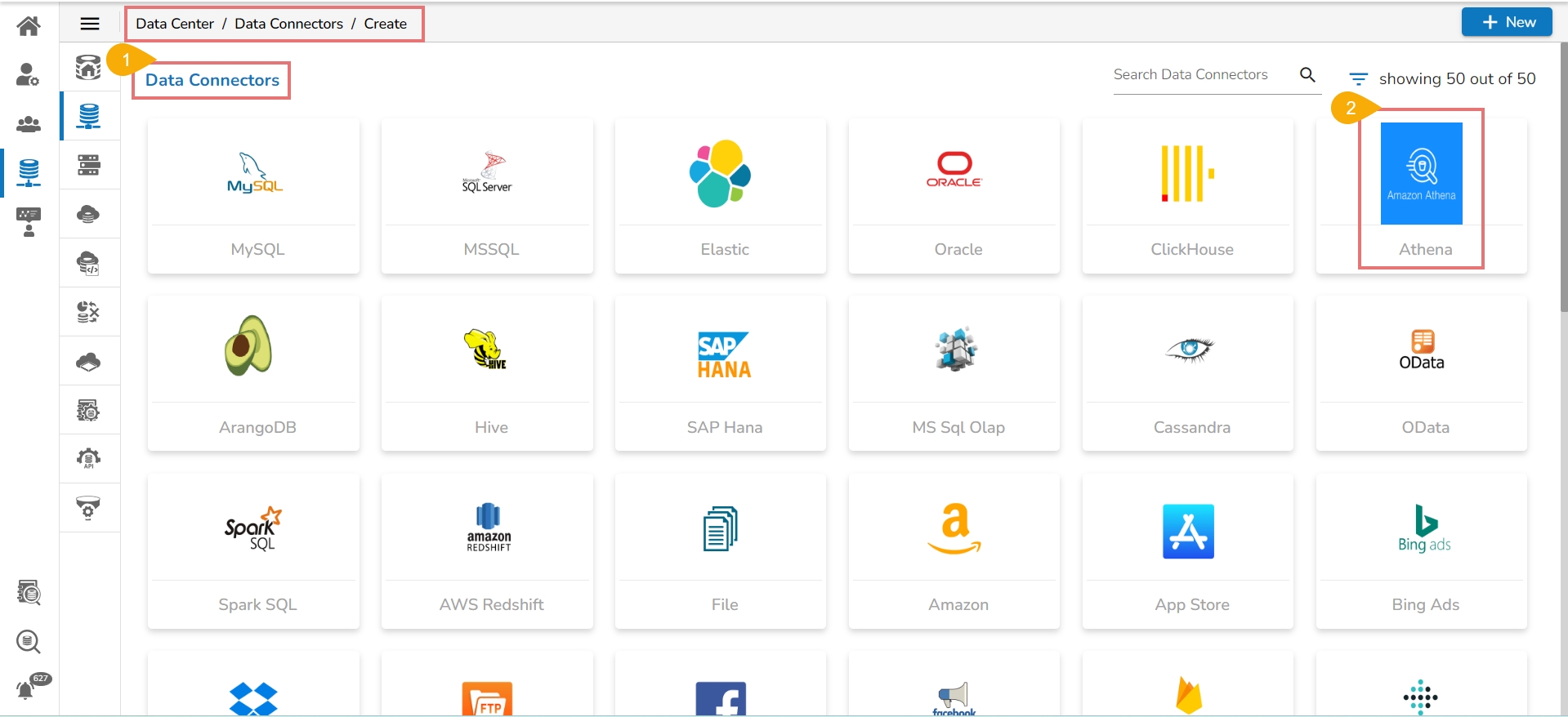
Navigate to the page with all the Data Connector icons and search for Athena Data connector.
Click on the Athena icon.
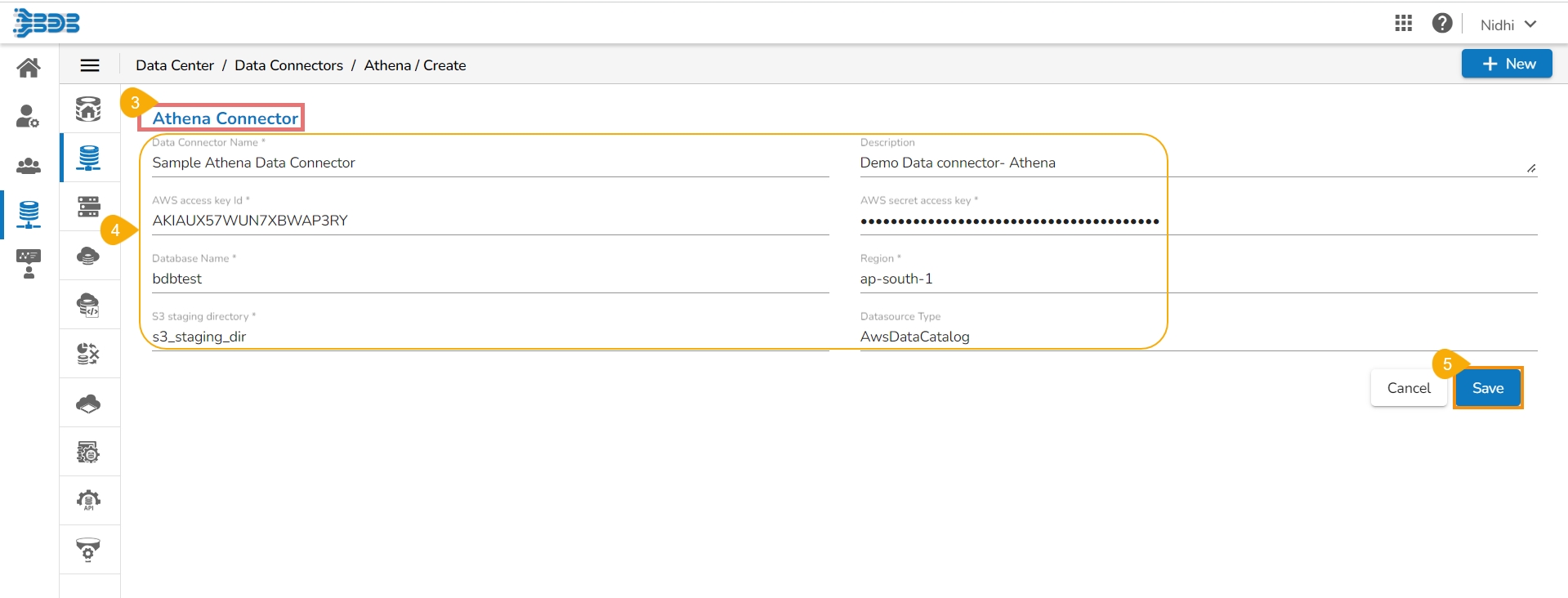
The Create page for the Athena Connector opens.
Provide the following information:
Data Connector Name
Description
AWS Access Key Id
Click the Save option.
A success notification appears to ensure the connection establishment.
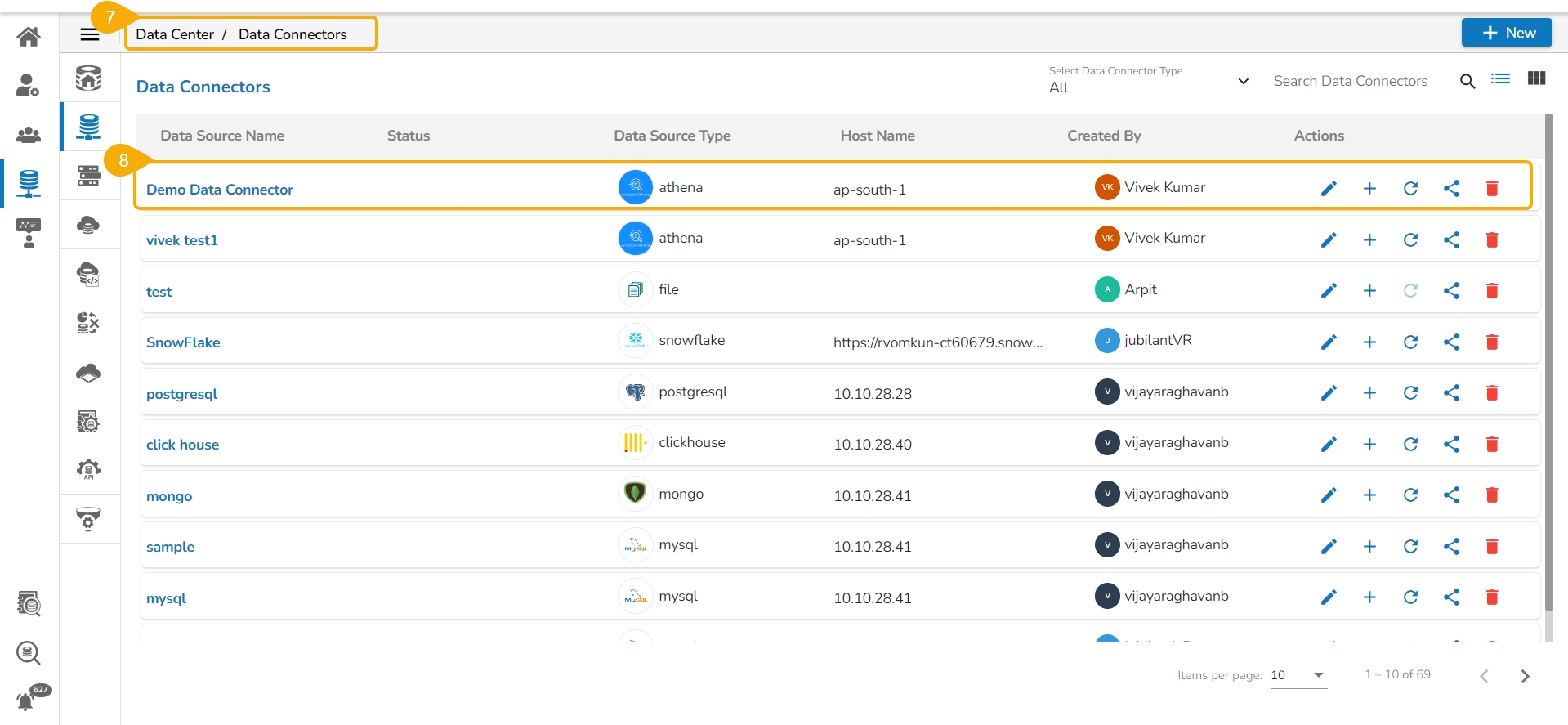
The user gets redirected to the Data Connectors page.
The newly created Athena Data Connector gets added at the top of the list.
AWS Secret Access Key
Database Name
Region
S3 Staging Directory
Data source Type