> For the complete documentation index, see [llms.txt](https://docs.bdb.ai/data-center-4/llms.txt). Markdown versions of documentation pages are available by appending `.md` to page URLs; this page is available as [Markdown](https://docs.bdb.ai/data-center-4/data-center/data-sets/creating-a-new-data-set/creating-a-new-ftp-data-set.md).
# Creating a New FTP Data Set
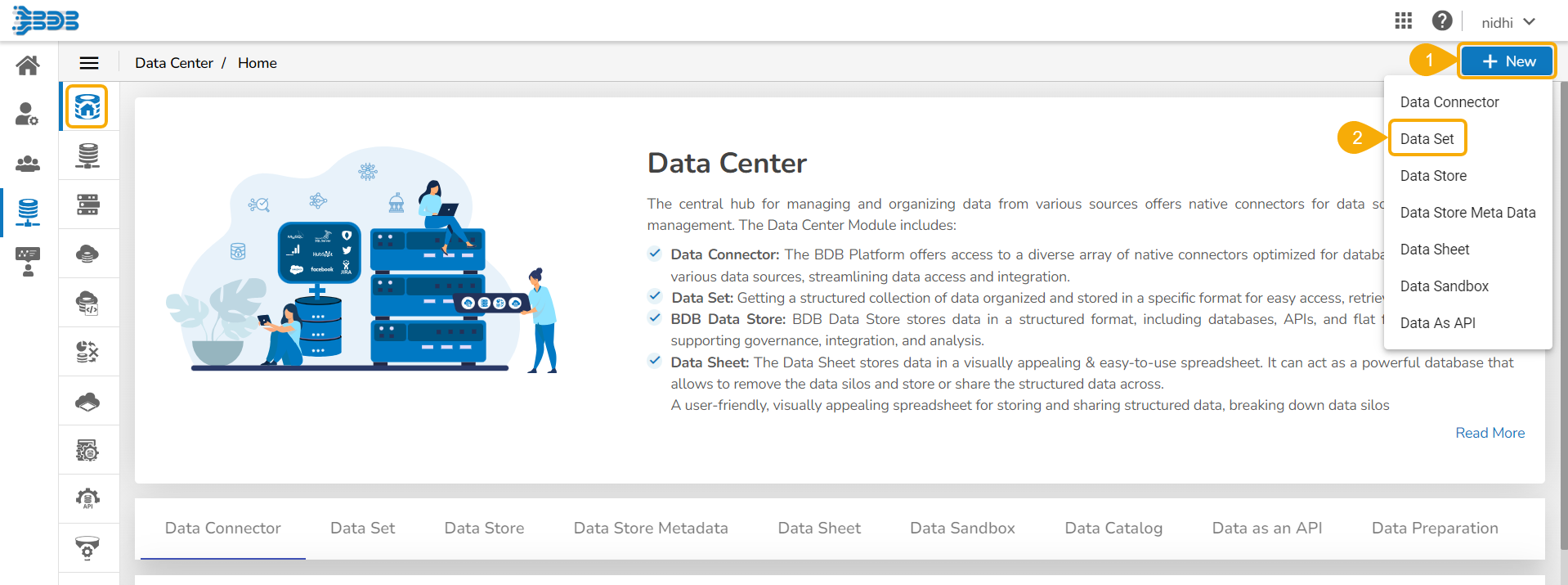
* Click the ***New*** menu from the Data Center page.
* Select the ***Data Set*** from the context menu.
* The **Data Connectors list** appears.
* Select an ***FTP Server*** using the data source filter.
* Search an ***FTP Data Connector*** from the ***Search Data Connectors*** list.
* Select a Data Connector from the list.
* Click the ***Create Data Set*** option for the selected Data Connector.
* A new ***Data Set creation form opens*** for the FTP Data Set.
* Provide a **name** for the Data Set.
* **Describe** the Data Set (Optional).
* The pre-selected Data Connector name appears.
* Click the ***Get All Data*** option.
* Select a file from the displayed list (Use double-click on a file to select it.)
* After selecting a specific file, click the ***Get Sheets*** option.
* Choose a Data Sheet using the ***Select Report Type*** drop-down menu.
* Click the ***Save*** option after getting the data preview.
* A success message appears to assure the creation of a new dataset.

* The newly created FTP Data Set gets added to the Data Sets list.