> For the complete documentation index, see [llms.txt](https://docs.bdb.ai/data-center-4/llms.txt). Markdown versions of documentation pages are available by appending `.md` to page URLs; this page is available as [Markdown](https://docs.bdb.ai/data-center-4/data-center/data-preparation/data-preparation-workspace/steps.md).
# Steps
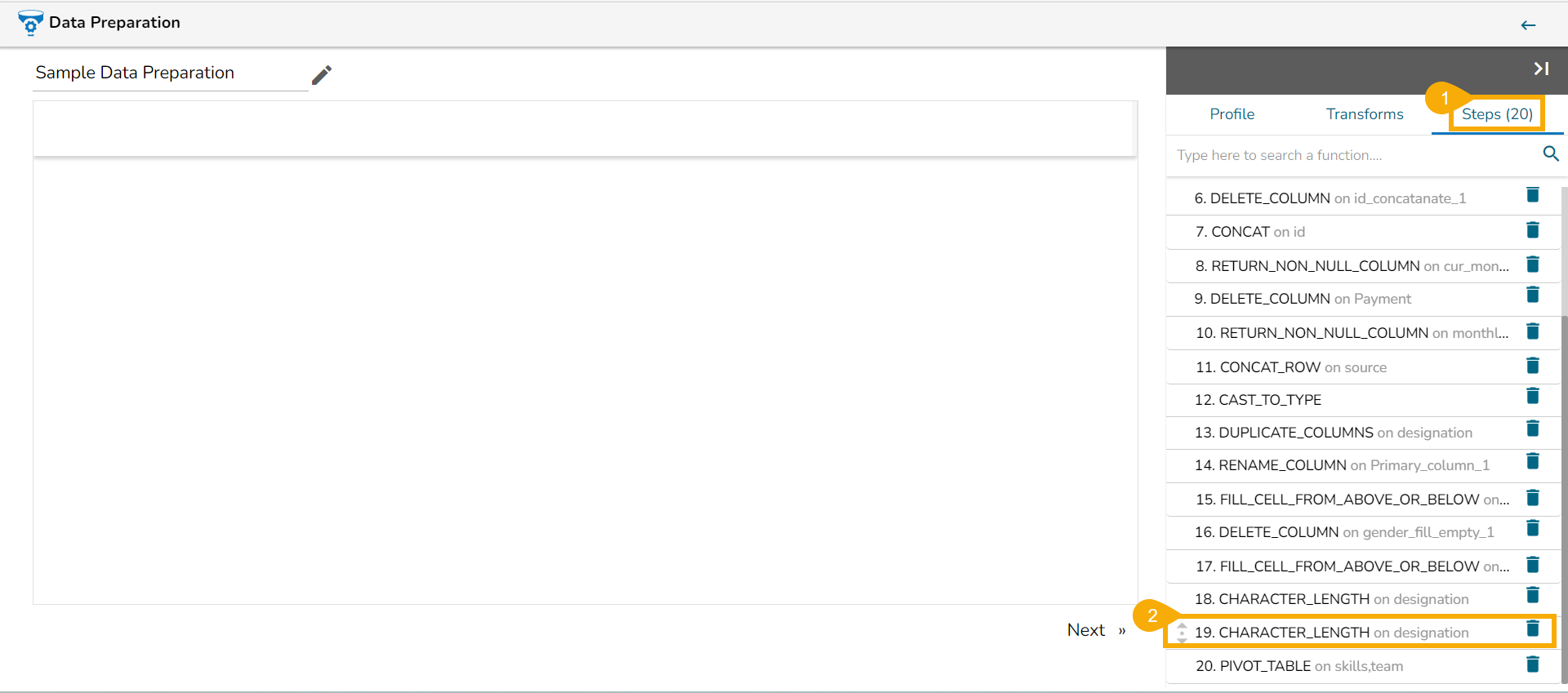
This tab is provided to see all the performed transforms on the selected dataset.
This tab lists all the transforms that were performed on the data. It also gives a count of steps performed.
The user can open any performed transform and edit it using the ***Steps*** tab.
## Deleting the Steps
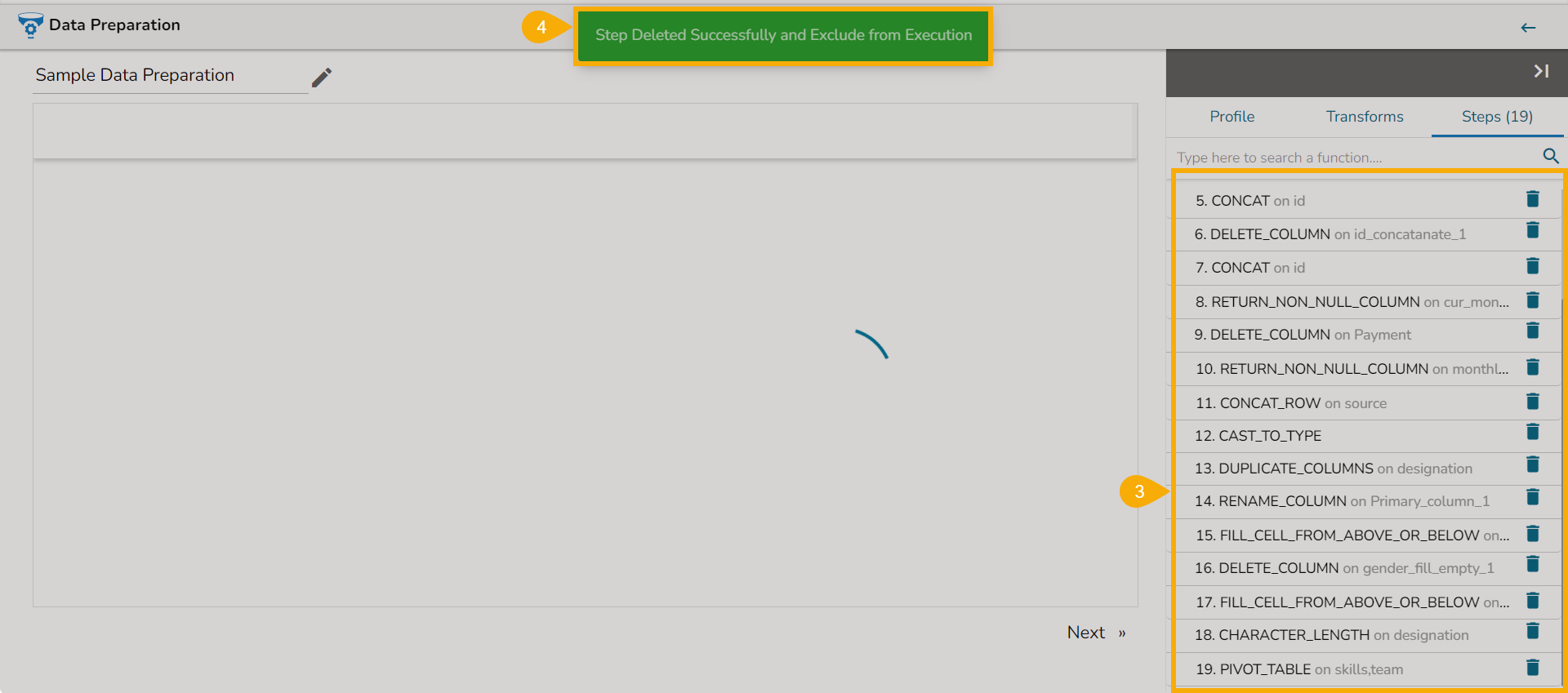
The ***Steps*** tab has the option to delete and undelete options to delete or undelete performed steps. The user can follow the below-given steps to use these options:
* Navigate to the ***Steps*** tab (Make sure there are some steps listed on the tab).
* Click the ***Delete*** icon for a listed step.
* The selected steps get deleted.
* A message appears to notify the same.