> For the complete documentation index, see [llms.txt](https://docs.bdb.ai/data-center-4/llms.txt). Markdown versions of documentation pages are available by appending `.md` to page URLs; this page is available as [Markdown](https://docs.bdb.ai/data-center-4/data-center/data-connectors/data-connector-list/sharing-a-data-connector.md).
# Sharing a Data Connector
This option helps the user to share a Data Connector with other user(s) or user group(s). The user can also exclude a user(s) or user group(s) from the rights to access a Data Connector using the Exclude User option provided under the Share Data Connector dialog box.
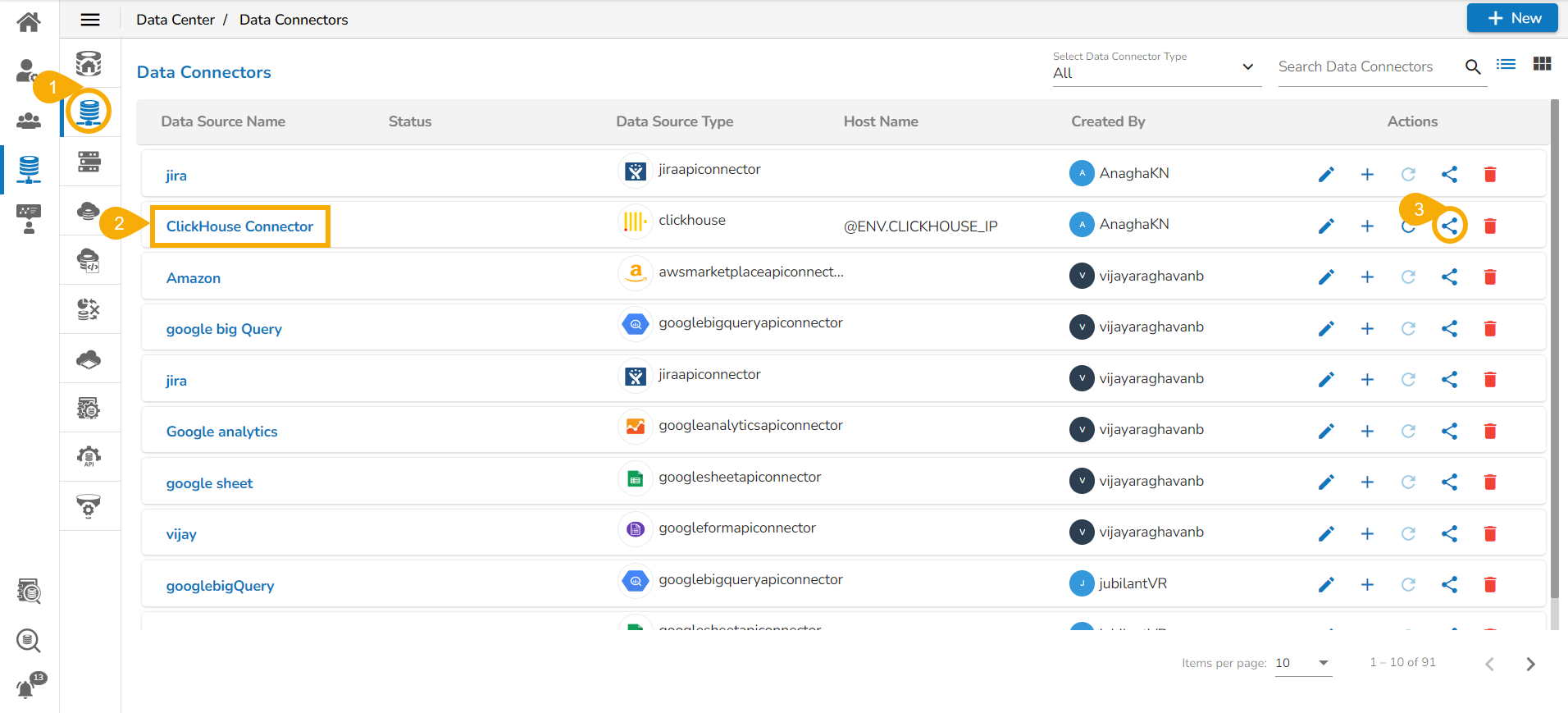
* Navigate to the Data Connectors list.
* Select a Data Connector from the Data Connectors list.
* Click the ***Share*** icon for the selected Data Connector.
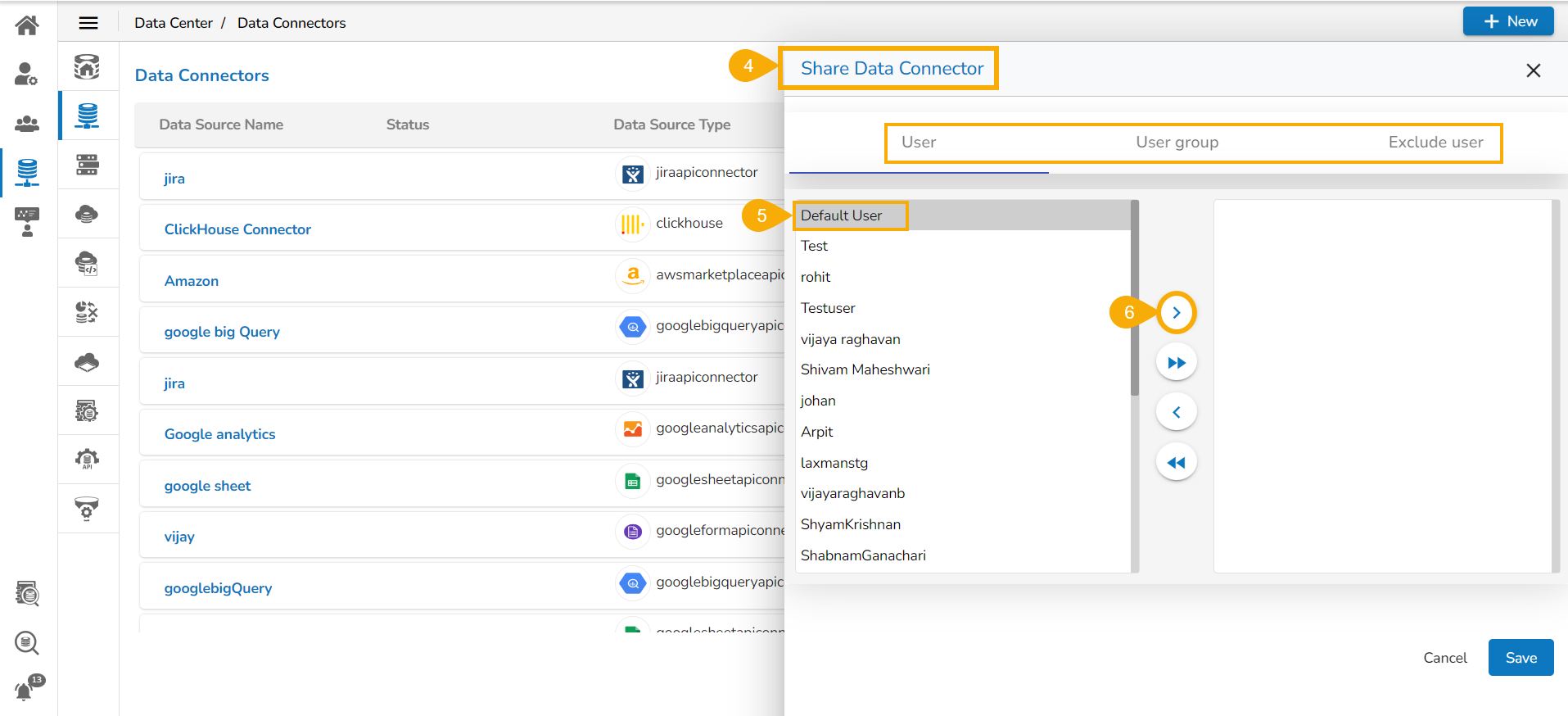
* The ***Share Data Connector*** window opens.
* Select a User or User group using the ***user*** or ***user group*** tabs.
* Use the arrow signs to move one or multiple user/user group to the right side box.
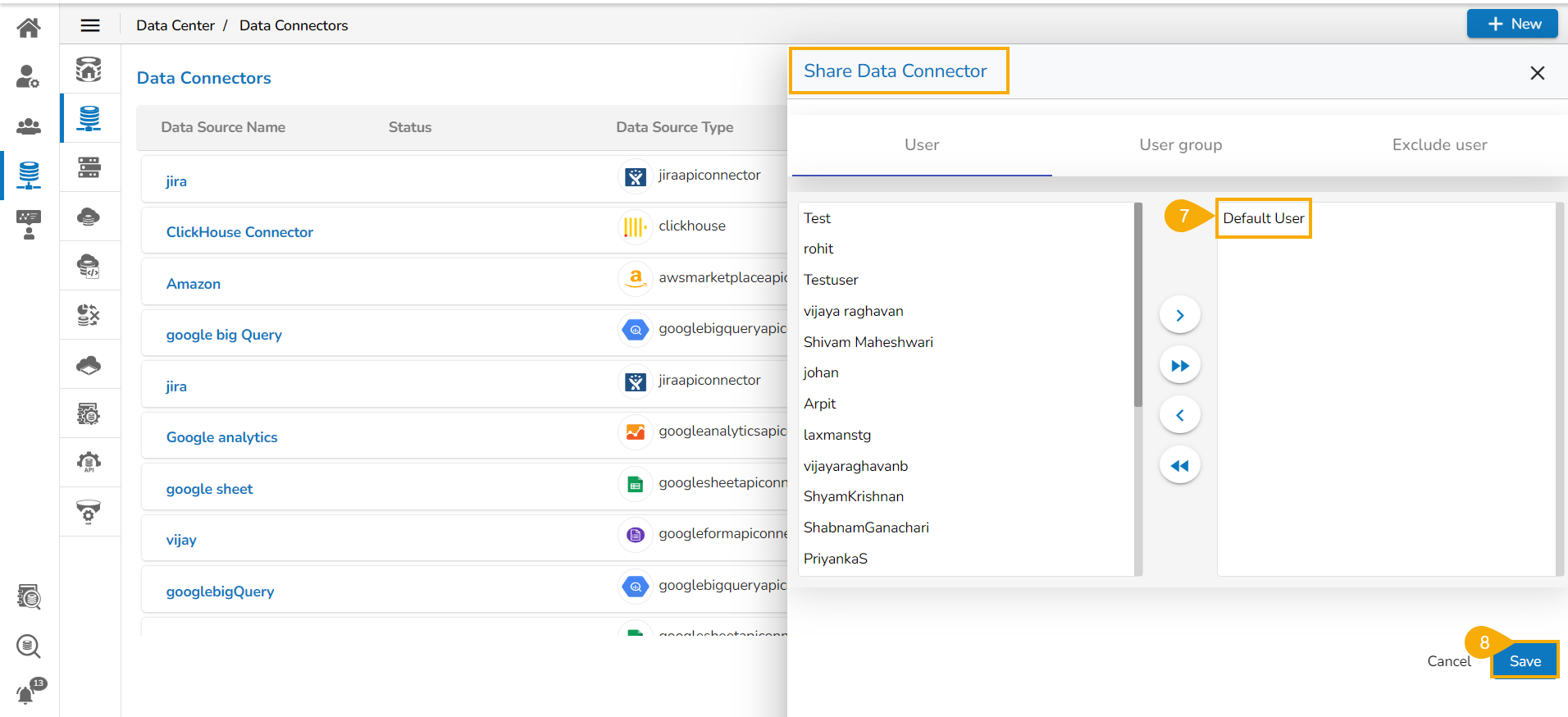
* The selected user(s)/ user group(s) get moved to the right side box.
* Click the ***Save*** option.
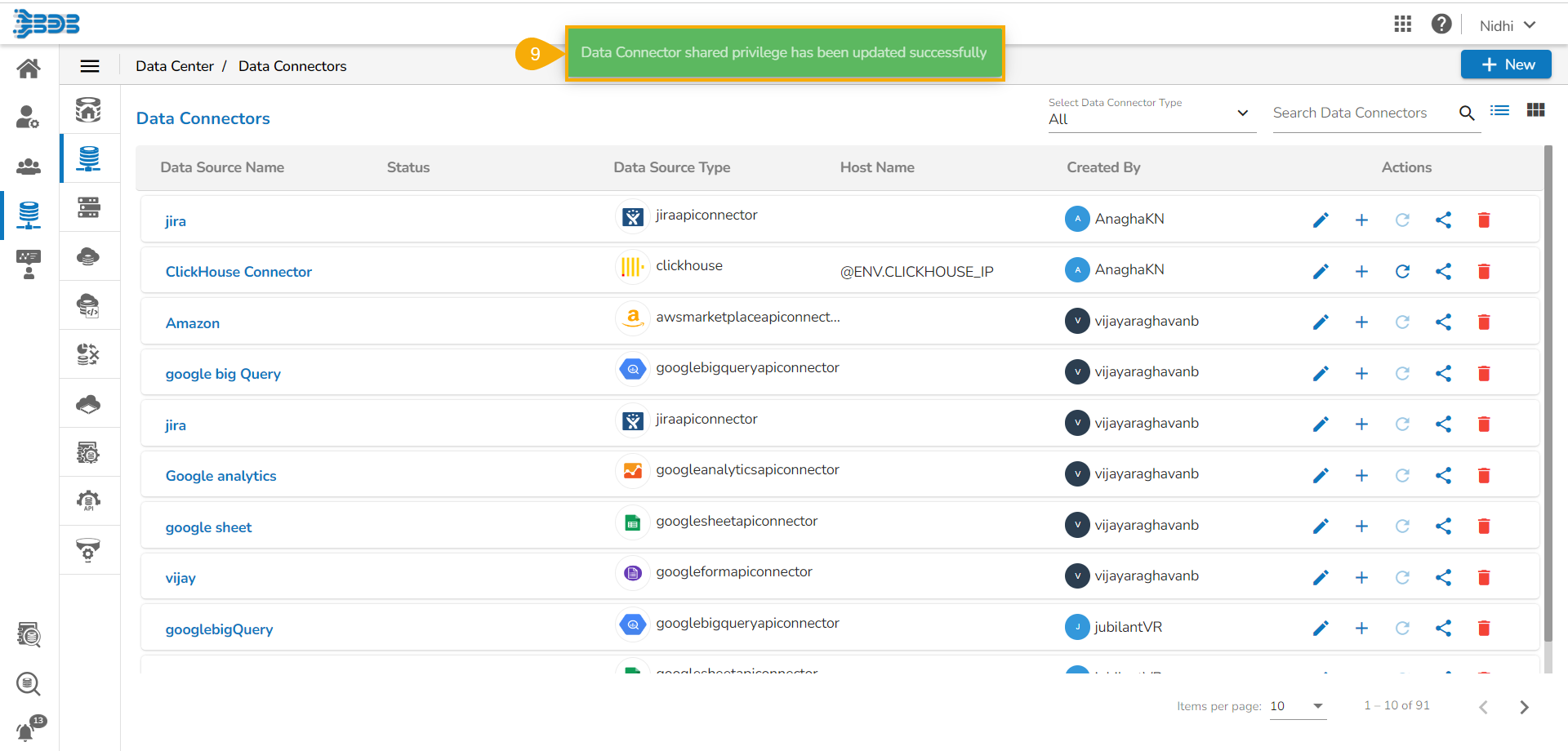
* A confirmation message appears and the Data Connector gets shared with the selected user(s)/ user group(s).
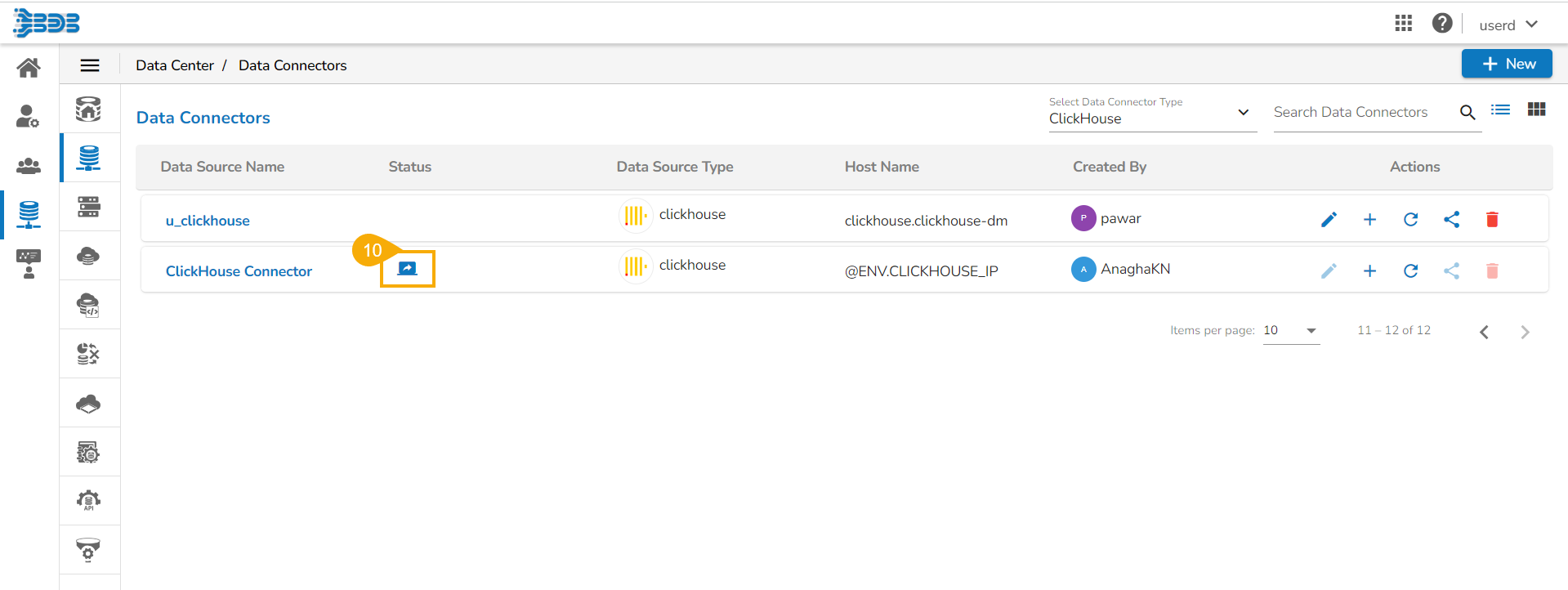
* The shared data connector appears with the shared status notification (as displayed in the below given image) in the receiver's user account.
{% hint style="info" %}
*Please Note:*
* *User can share the Data Connector with a Single group or Multiple Groups* *using the **user group*** *tab. The set of the steps to share a Data Connector with User Group(s) are similar to the steps mentioned above for sharing a Data Connector with User(s).*
* *The **Exclude User** tab helps to exclude the user(s) from the rights to access a Data Connector, if it is already shared. Only the users who are the part of the selected user group will list under the **Exclude User** tab.*****
{% endhint %}