> For the complete documentation index, see [llms.txt](https://docs.bdb.ai/bdb-documentation/llms.txt). Markdown versions of documentation pages are available by appending `.md` to page URLs; this page is available as [Markdown](https://docs.bdb.ai/bdb-documentation/data-visualization/governed-dashboards/connecting-to-a-data-source/establishing-a-data-connection/data-store-connection.md).
# Data store Connection
Steps to develop a data connection based on the Data Store.
{% hint style="info" %}
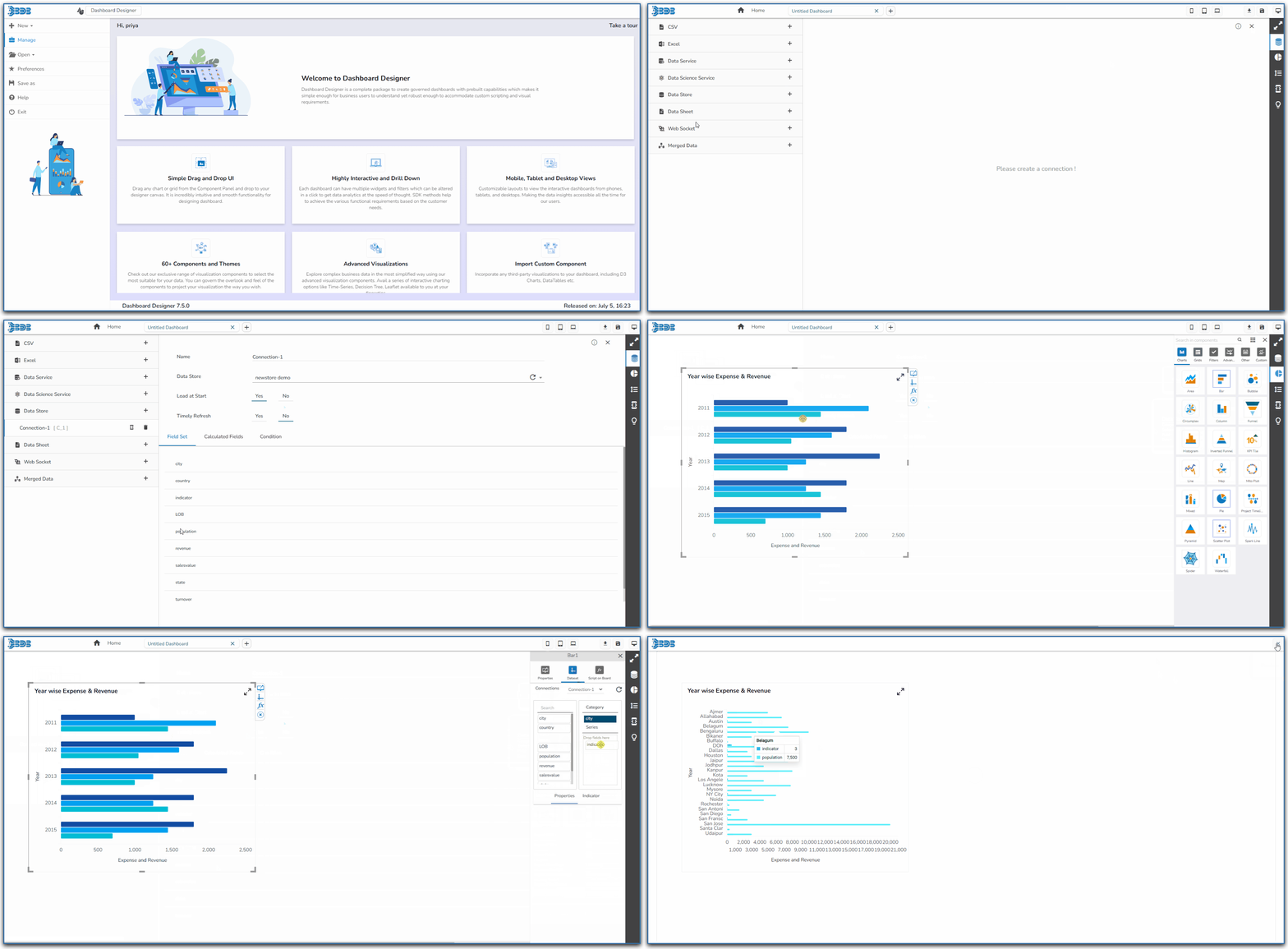
Check out the given walk-through on how to create a Data store connection and associate it to a charting component.
{% endhint %}
* Click the ***Data Connectors*** icon to display all the available data sources.
* Click the ***Create New Connection*** icon provided next to the ***Data Store*** connector.
* A new connection gets created under the Data Store connector type.

* The configurable connection-specific fields display on the right side of the page as explained below:
* **Name:** Provide a name for the connection.
* **Data Store:** Select a datastore from the drop-down menu.
* **Load at Start:** Enable this option to get up-to-date data / pull the updated data from the data source before loading it into charts.
* **Timely Refresh:** Enable this option to get the refreshed data.
* **Refresh Interval:** Set the time for refresh interval. (This field will appear only when the ***Timely Refreshed*** field has been enabled.)
* The ***Field Set*** tab displays all the fields after establishing the data connection.

{% hint style="info" %} Please Note:
* Click the ***Refresh Data Stores*** icon to refresh the selected Data Store data connection.
* The users can filter the targeted data set using the **Condition** tab.
{% endhint %}