# Data Sheet Enhancements

{% hint style="info" %}
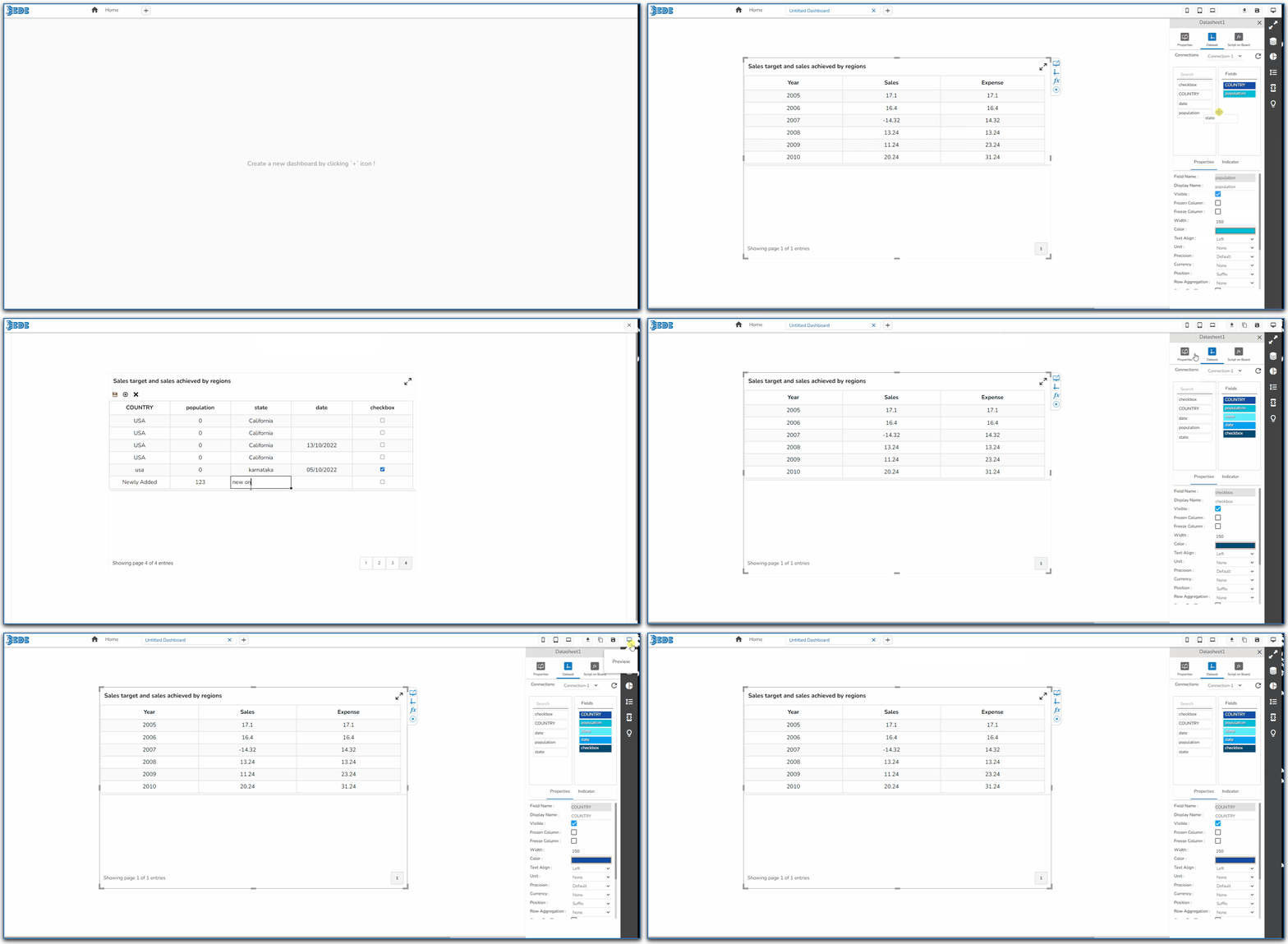
Please check out the given walk-through to understand the enhancements for Data Sheet.
{% endhint %}

<figure><img src="https://4128708524-files.gitbook.io/~/files/v0/b/gitbook-x-prod.appspot.com/o/spaces%2FGDmsjfjJBNqow7Fo97cO%2Fuploads%2FUWjOCBY2Ev6lFFN1o3gx%2FDatasheet%20.gif?alt=media&#x26;token=58a7daaf-245b-4f22-92fc-4b12e4a5fc84" alt=""><figcaption><p>Data Sheet Enhancements</p></figcaption></figure>

The following enhancements are provided for Data Sheet as a Data source connection:

### Add Row

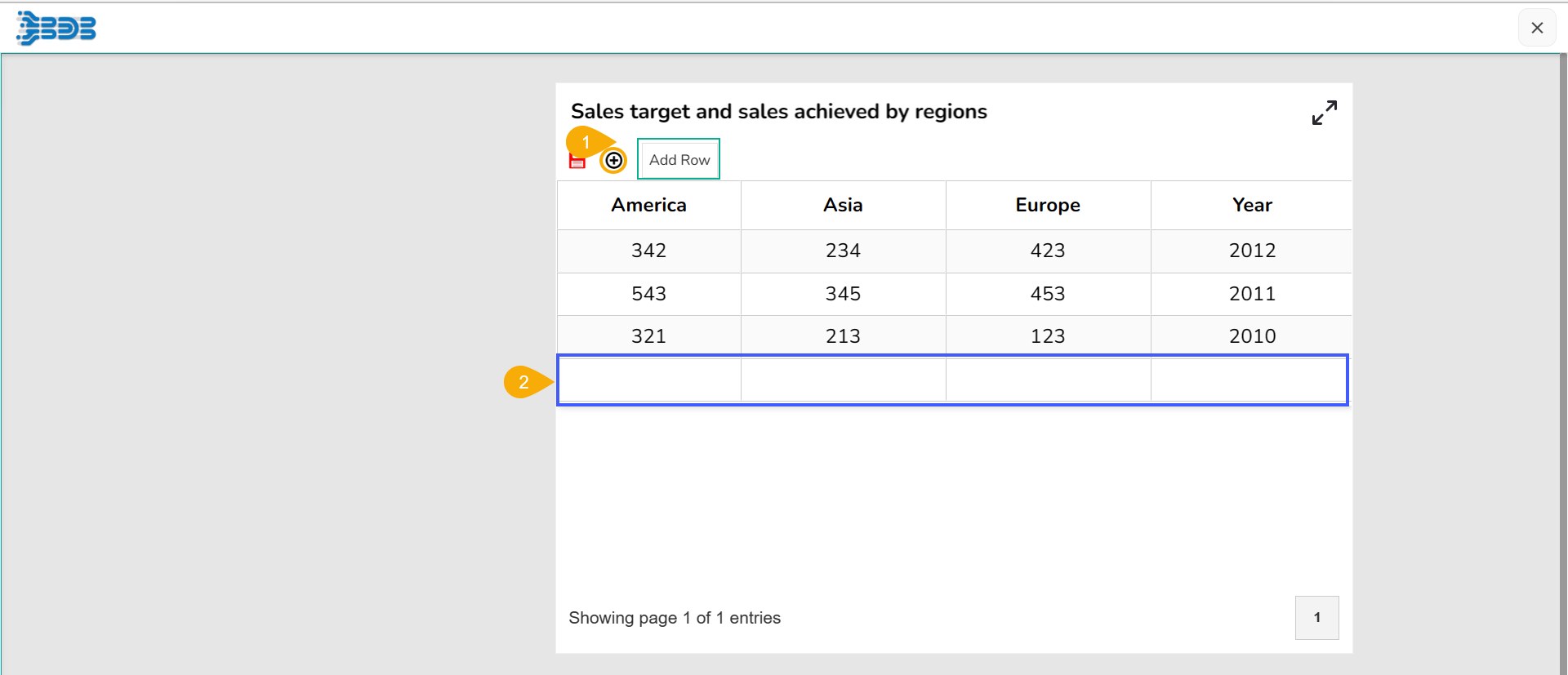
Provided the ***Add Row*** (+) option to add a new row in the Data Sheet.

<figure><img src="https://4128708524-files.gitbook.io/~/files/v0/b/gitbook-x-prod.appspot.com/o/spaces%2FGDmsjfjJBNqow7Fo97cO%2Fuploads%2FIEMwoKykmwkrV88X7LnI%2Fimage.png?alt=media&#x26;token=05a00c55-4b6c-4ab9-a2a4-00c585db0282" alt=""><figcaption></figcaption></figure>

&#x20;      &#x20;

### Ability to Freeze Columns

The ***Freeze Column*** option can be enabled from the ***Properties*** tab provided for the ***Dataset***.

![](https://4128708524-files.gitbook.io/~/files/v0/b/gitbook-x-prod.appspot.com/o/spaces%2FGDmsjfjJBNqow7Fo97cO%2Fuploads%2FkRZMKr1Xyf3gdV1Fqrj0%2Fimage.png?alt=media\&token=05e0748f-8de2-40db-873f-a401edd459f7)

### Edit the Frozen Column

* Navigate to the Dataset Properties and select a column.
* Enable the Frozen Column option from the Properties tab of the Dataset.

![](https://4128708524-files.gitbook.io/~/files/v0/b/gitbook-x-prod.appspot.com/o/spaces%2FGDmsjfjJBNqow7Fo97cO%2Fuploads%2FUxtexzddFRVP8WAGs8uV%2Fimage.png?alt=media\&token=4ee09a5a-ed34-4297-b52c-484463cc2edf)

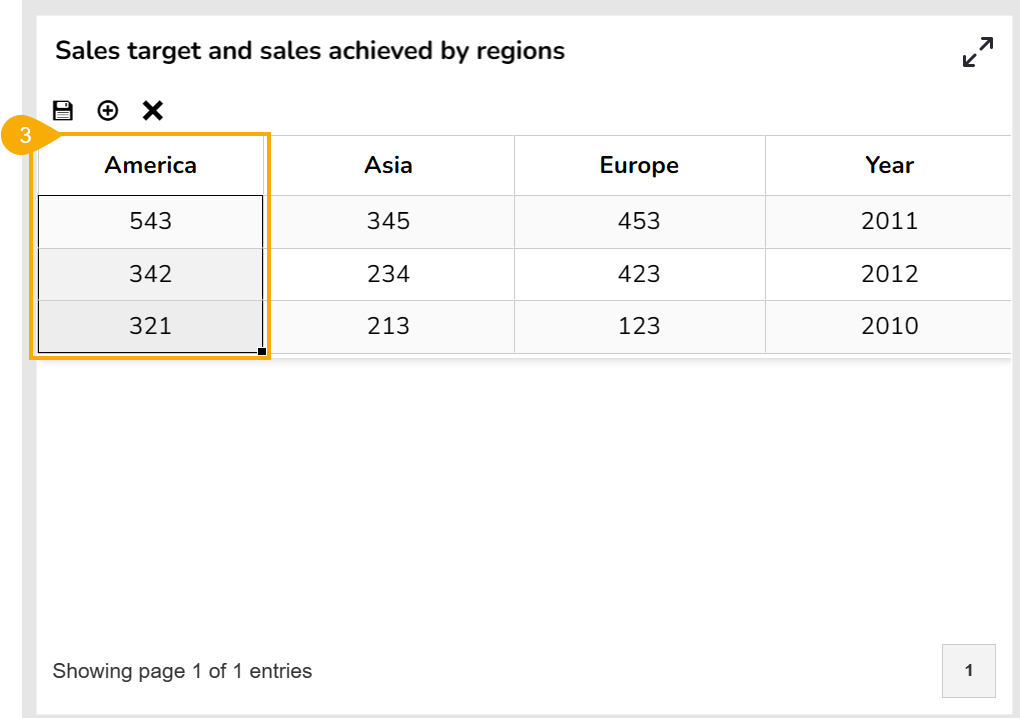
* The selected column gets frozen and becomes non-editable in the ***Preview*** mode.

<figure><img src="https://4128708524-files.gitbook.io/~/files/v0/b/gitbook-x-prod.appspot.com/o/spaces%2FGDmsjfjJBNqow7Fo97cO%2Fuploads%2Fe3X38QuAvlCB7OpvSegI%2Fimage.png?alt=media&#x26;token=b3935d81-d8ca-4924-9cec-2ed3827122f9" alt=""><figcaption></figcaption></figure>

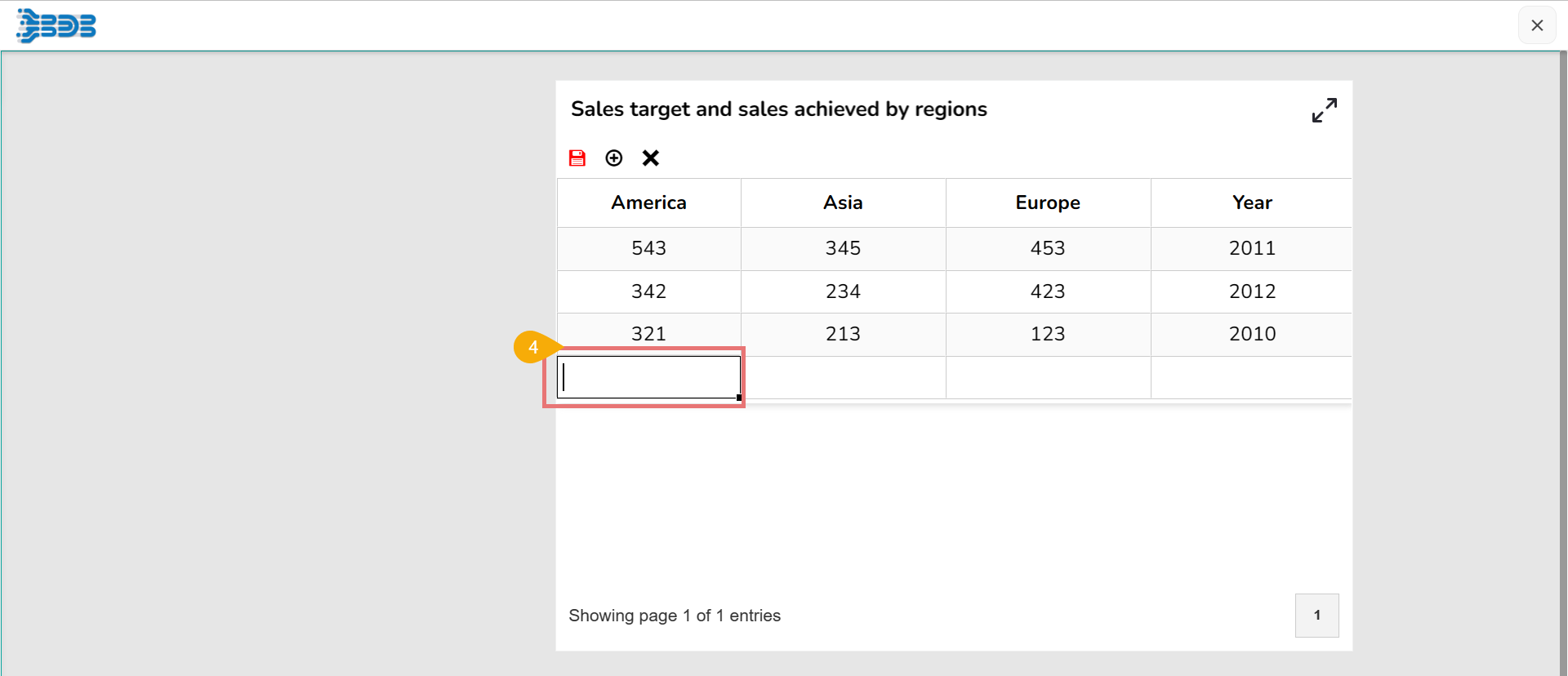
* Add a new row using the ***Add new Row*** option, the cell added under the frozen column is editable.

<figure><img src="https://4128708524-files.gitbook.io/~/files/v0/b/gitbook-x-prod.appspot.com/o/spaces%2FGDmsjfjJBNqow7Fo97cO%2Fuploads%2FsdgYB7oujuHScsPYfUs3%2Fimage.png?alt=media&#x26;token=f819c7f1-4a50-4fcd-9884-058d6ba959d1" alt=""><figcaption></figcaption></figure>

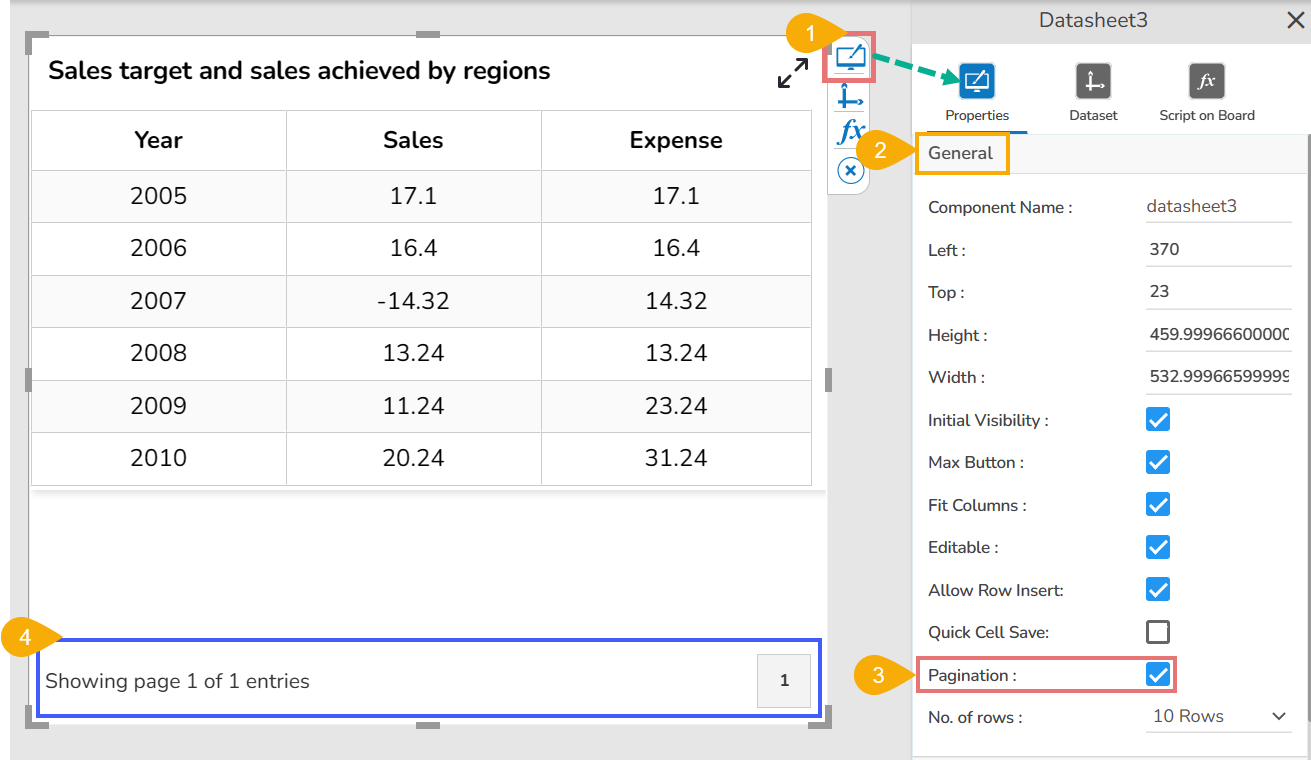
### Pagination Property

Provided pagination within the General Properties option. By enabling the Pagination option from the General properties, the page number gets displayed on the Data Sheet component.

<figure><img src="https://4128708524-files.gitbook.io/~/files/v0/b/gitbook-x-prod.appspot.com/o/spaces%2FGDmsjfjJBNqow7Fo97cO%2Fuploads%2Fasxoia46BTUmC2g6L0ML%2Fimage.png?alt=media&#x26;token=ecd0dc52-8580-4c4f-9e0d-948b7bdb1a0d" alt=""><figcaption></figcaption></figure>

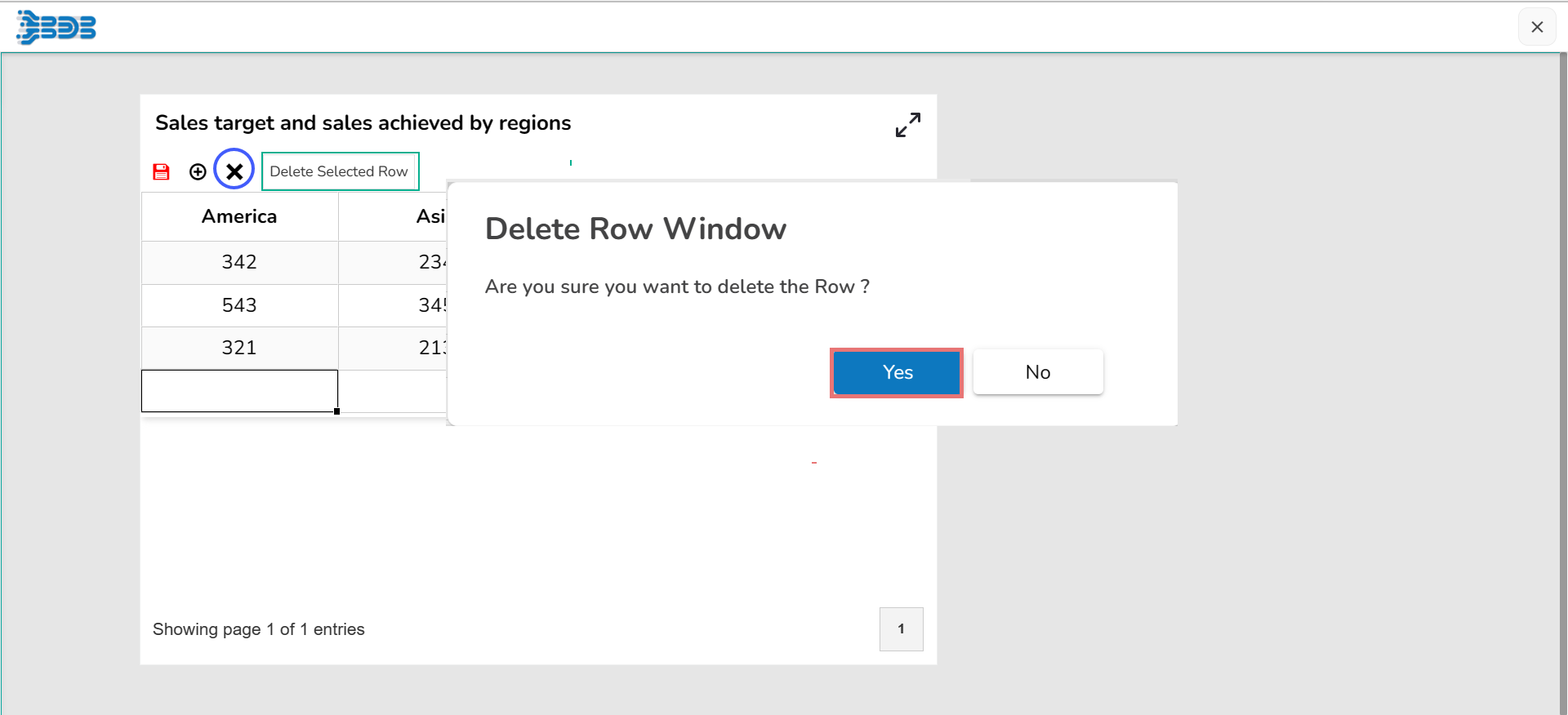
### Delete Row

Introduced the ***Delete Selected Row*** option with a confirmation message before a row gets deleted in the ***Preview*** mode.

<figure><img src="https://4128708524-files.gitbook.io/~/files/v0/b/gitbook-x-prod.appspot.com/o/spaces%2FGDmsjfjJBNqow7Fo97cO%2Fuploads%2Ftqd7YWu9F2FCJbfEGZEA%2Fimage.png?alt=media&#x26;token=a71e341d-027d-4825-bf3c-3fa275fc86d8" alt=""><figcaption></figcaption></figure>

### Save Option Update

The Save option gets updated in red color when something is edited in the datasheet.

![](https://4128708524-files.gitbook.io/~/files/v0/b/gitbook-x-prod.appspot.com/o/spaces%2FGDmsjfjJBNqow7Fo97cO%2Fuploads%2FdYM8b022RoUzBoq5cKNv%2Fimage.png?alt=media\&token=e69c5e1f-37e8-4fda-b7f5-c082d28961d6)

{% hint style="info" %}
*<mark style="color:green;">Please Note:</mark> Other than the above listed enhancements the below given enhancements are also provided to the Data Sheet data source.*

* *Updated the JExcel DataGrid and JSuites library with the latest stable version (4.6.1).*
* *Able to retrieve more records of data.*
  {% endhint %}